How to manage subcontractors on a site: a UK workflow
How to manage subcontractors on a site, step by step: prequalify, induct, run a live sign-in register, stay CDM-compliant and pay without disputes.

TL;DR
- Knowing how to manage subcontractors on a site is a question of visibility. At any moment, you should know who is in attendance, what they're doing and whether they're compliant.
- Our 7-step workflow runs from hiring through induction, sign-in, daily coordination, evidence and compliance, then payment, telling you what to record at each stage.
- More important than process is software. We've compiled a comparison table and detailed notes to help you shortlist the solution that works for you.
What subcontractor management on site actually covers
Subcontractor management means controlling who's working on your construction site, understanding the scope of what they're delivering, checking whether they're safe, competent and compliant, and confirming their work is ready to be paid. It covers everything from shortlisting a trade to releasing their retention. In short, it's mostly about keeping records up to date.
In the UK, keeping those records is one of your legal obligations as well as good practice. Under the Construction (Design and Management) Regulations 2015 (CDM 2015), the principal contractor must plan, manage, monitor and coordinate the construction phase (regulation 13) and give every worker a suitable site induction (regulation 13(4)(a)). See the Health and Safety Executive (HSE) guidance for principal contractors and L153.
The law is strict because carrying out your subcontractor management duties diligently can be a matter of life and death. Provisional HSE figures for 2025/26 show 25 of the 126 workers killed at work in Great Britain were in the construction sector, more than any other industry (HSE).
Why calls, WhatsApp and a paper sign-in sheet stop working
A muddy paper sign-in sheet on a clipboard. Instructions fired out to a 60-member WhatsApp group. Daily diaries written up at the end of the day from memory. Managing subcontractors can get muddled, fast, and that means:
- When the fire alarm goes, you can't say who's on site.
- An expired Construction Skills Certification Scheme (CSCS) card or lapsed insurance only surfaces after an incident.
- Progress claims arrive with nothing to check them against.
However hard your team works, scattered records mean their efforts are in vain. Our practical workflow below has seven steps to building a single, live record.
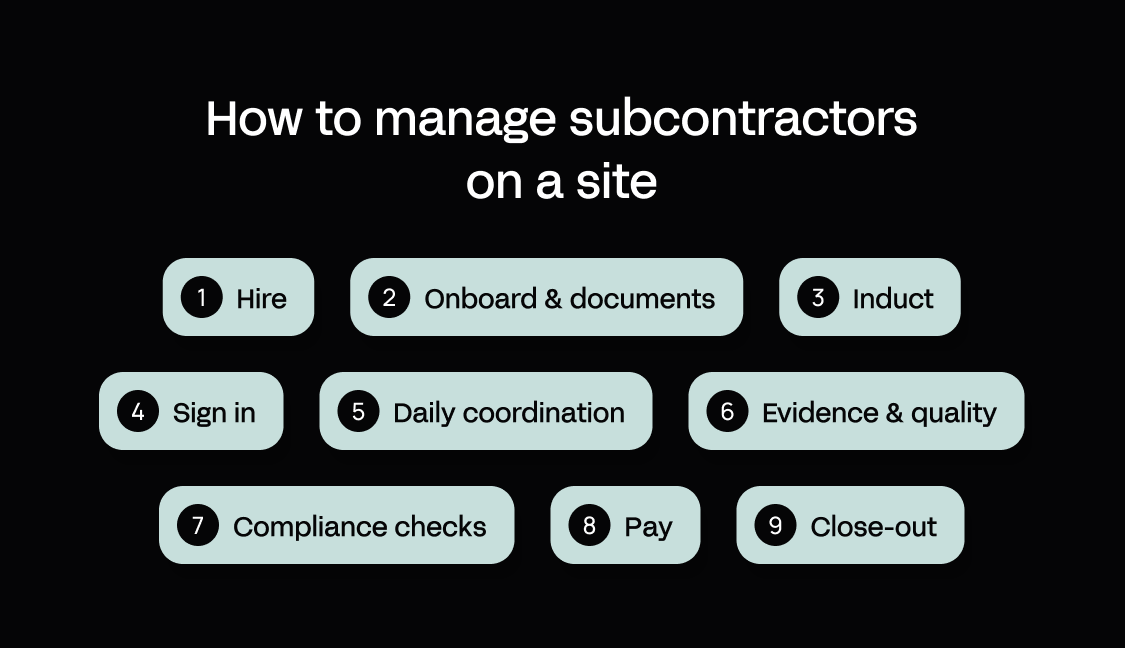
How to manage subcontractors on a site: a 7-step workflow
The workflow below follows a subcontractor from the shortlist to the gate and on through the job. Each step covers what to do, what to record and the most common way it goes wrong (along with some other important fields where necessary). We've given payment and close-out their own sections further down.
1. How to hire subcontractors for construction: prequalify before you shortlist
What to do: First, source from your subcontractor network (your approved supplier list, repeat trade partners and referrals) then prequalify. Build UK's Common Assessment Standard is the current industry question set, building on Publicly Available Specification (PAS) 91, which the British Standards Institution (BSI) withdrew in April 2023. Safety Schemes in Procurement (SSIP) covers more than 50 health and safety schemes that recognize each other's certification. Veriforce CHAS (CHAS until December 2023; accreditations keep the CHAS name) and Constructionline, part of the Once For All Group, are separate accreditation providers. Then get several bids per trade and compare them against the same scope to find the right subcontractors.
What to record and check:
- Competence and track record
- Safety record
- Insurances (employer's liability, public liability and professional indemnity where relevant)
- Financial stability
- References
- Construction Industry Scheme (CIS) verification with HM Revenue and Customs (HMRC)
Common failure: picking the lowest bid without understanding the scope exclusions making it possible.
Template: bid-leveling scorecard. Score each subcontractor 1–5 per criterion, multiply by the weight and total. Adjust the weights to the package.
| Criterion | Weight | Sub A | Sub B | Sub C |
|---|---|---|---|---|
| Price | 30% | |||
| Programme fit | 15% | |||
| Safety record | 20% | |||
| Quality record | 15% | |||
| Resource availability | 10% | |||
| References | 10% |
2. Lock scope, RAMS and documents before day one
What to do: Set clear expectations with a scope of works covering inclusions, exclusions and interfaces with other trades, on a recognized subcontract form such as the Joint Contracts Tribunal (JCT) Standard Building Sub-Contract or Design and Build Sub-Contract (2024 editions), or the NEC4 Engineering and Construction Subcontract. Approve risk assessments and method statements (RAMS) before the start, share programme and look-ahead dates, and name a contact on each side for clear communication.
What to record: the pre-start document checklist:
- Signed subcontract
- Scope of works
- Approved RAMS
- Insurance certificates, with expiry dates
- CIS verification
- Operative competence cards
- Emergency contacts
Common failure: Expiring documents disappear into folders with no owner and no reminder.
3. Induct every operative, not just every company
What to do: Before anyone starts construction work, run a site-specific induction on site rules, hazards, emergency procedures, welfare and permits. Capture each operative's CSCS card (or equivalent) and competence records. A CSCS card isn't a legal requirement; the principal contractor or client decides whether to require one, and CSCS Smart Check verifies cards. Get a signed acknowledgment, and re-induct when site conditions change.
What to record: name, employer, trade, card number and expiry, induction date and version, and signature.
Common failure: No record of who sat through which version of the induction.
4. Replace the sign-in sheet with a live site register
What to do: Use a quick response (QR) code at the gate, a tablet in the cabin, or let operatives sign in on their own phones. A live register means you get:
- An instant headcount for emergencies
- A gate check against induction and card status, so anyone uninducted or with an expired card is blocked or flagged
- Attendance data you can check timesheets and payment applications against
Common failure: Crews resist registers as a means of surveillance rather than protection.
Data protection: being open about what you record is also the best answer to the surveillance worry. Sign-in records are personal data under the UK General Data Protection Regulation (UK GDPR). You need a lawful basis (consent rarely works between employer and worker), clear information so workers are aware of what you record, access limits and retention rules. Biometric sign-in is special category data, requiring an extra condition and a data protection impact assessment (DPIA). See the Information Commissioner's Office (ICO) guidance on monitoring workers, which is under review following the Data (Use and Access) Act, as of October 2026.
5. Run a daily coordination rhythm
What to do: Hold a short daily briefing and a weekly subcontractor coordination meeting with a two-to-three-week look-ahead, so multiple trades don't clash. Good communication depends on one channel for instructions, so decisions don't get lost in WhatsApp. Keep a single daily diary that every subcontractor contributes to (here's how to write a construction daily report).
What to record: decisions, instructions, attendance and blockers, all in that one shared diary.
Common failure: Diaries written from memory at the end of the day.
Template: daily huddle agenda
- Safety
- Today's work areas
- Trade clashes
- Deliveries
- Blockers
6. Capture progress and quality evidence as the work happens
What to do: Take timestamped photos with location data. Run inspection and test plans (ITPs) or quality assurance (QA) checklists per trade to check work against agreed quality standards, with hold points. Raise defects against a specific subcontractor and area. Link percentage-complete updates to scope items so you can track progress against them.
What to record: evidence tied to scope items. For higher-risk buildings (at least 18 meters or seven stories with at least two residential units, plus hospitals and care homes during design and construction), the Building Safety Act 2022 requires principal contractors to keep digital building information, known as the golden thread.
Common failure: Not linking captured evidence to its scope item or subcontractor.
7. Ensure compliance stays live
What to do: To ensure compliance, set reminders that trigger before insurance, cards or certificates expire. Run unannounced spot checks alongside your regular site safety inspections (see how to run a construction site safety inspection). Open near-miss and incident reporting to subcontractors as well as your own employees.
What to record: a compliance dashboard organized by trade, with four sections:
- Operatives on site now
- Expired or expiring documents
- Open defects by subcontractor
- Inspection pass rate
Common failure: Compliance checked only once at the point of onboarding.
How to pay subcontractors in the UK: making payments without disputes
Everything the seven steps record is evidence you check payment applications against when they come in. Subcontractors should be paid against agreed payment terms, a valid application and verified progress. Along the way, you must issue statutory notices on time, apply CIS deductions correctly, handle retention properly and meet your tax obligations on value-added tax (VAT).
This section is operational guidance only and isn't legal or tax advice.
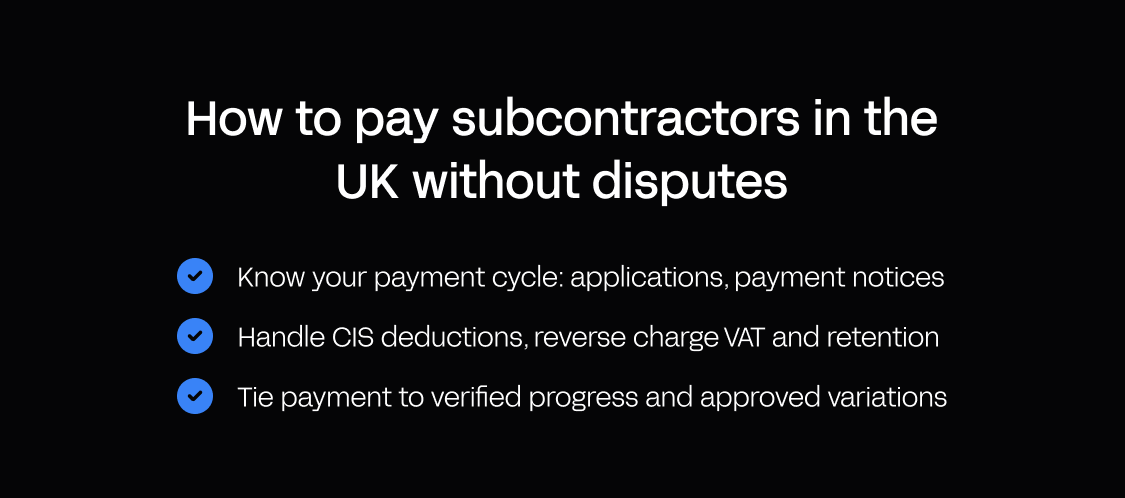
Know your payment cycle: applications, payment notices and pay less notices
In England and Wales, the rules come from the Housing Grants, Construction and Regeneration Act 1996, as amended by Part 8 of the Local Democracy, Economic Development and Construction Act 2009 for contracts from 1 October 2011 (explanatory notes):
- Due date and final date for payment. The parties set them in the contract. If it doesn't, the Scheme for Construction Contracts puts the final date 17 days after the due date (paragraph 8).
- Payment notice (section 110A). Within 5 days of the due date, the payer states the sum it considers due and how it got there. It can be zero.
- Payee's default notice (section 110B). If no payment notice arrives, the subcontractor can issue its own, and the final date moves back by however late it is.
- Pay less notice (section 111). To pay less than the notified sum, the payer must give notice before the final date: under the Scheme, at least 7 days before.
To avoid missing notice deadlines, assign a reminder to every due date so notices go out on time.
Handle Construction Industry Scheme (CIS) deductions, reverse charge VAT and retention
- CIS. Verify each subcontractor with HMRC to confirm their rate: 20% for registered subcontractors, 30% for unregistered and 0% with gross payment status (HMRC, CIS340). Apply the deduction to the gross amount on the subcontractor's invoice, excluding VAT and materials, and pay the net amount. Since 6 April 2026, HMRC can remove gross payment status immediately where a business knew or should have known a transaction was connected to fraud such as tax evasion, with a five-year wait to reapply. Contractors must also file nil returns again unless they've told HMRC in advance they won't be making payments.
- Domestic reverse charge VAT. Since 1 March 2021, the reverse charge covers standard- and reduced-rated construction services reported under CIS where the customer is VAT-registered. End users and intermediaries are excluded once they notify the supplier in writing.
- Retention. There's no statutory rate; it's contractual. Government research found it's typically around 5%, with half released at completion and the rest after the defects liability period, usually 12 to 24 months later. The Commercial Payments Bill, still before Parliament as of October 2026, proposes banning cash retentions in construction contracts.
Tie payment to verified progress and approved variations
One of the key benefits of a strong site record is minimizing arguments between the site team and the commercial team, provided you:
- From the first payment onwards, check each application against logged attendance, percentage complete, QA sign-offs and open defects.
- Pay variations only when instructed and approved in writing.
- Route approvals from site manager to quantity surveyor (QS) or commercial, then to finance or your enterprise resource planning (ERP) system.
Template: payment pack checklist
- The payment application
- A progress evidence summary
- Approved variations
- CIS status
- Current insurances
- Defects status
Who owns which specific tasks: a RACI for site subcontractor management
A payment notice only goes out on time if someone takes responsibility for the deadline. A RACI chart sets out who is responsible, accountable, consulted, and informed for each task, from that deadline back to prequalification. Use ours as a starting point and adjust it to how your firm is organized (for example, if project managers take on some of the site manager's tasks).
| Task | Project director | Site manager | Quality, health, safety and environment (QHSE) lead | QS/commercial | Subcontractor supervisor |
|---|---|---|---|---|---|
| Prequalification | A | C | R | R | C |
| Subcontract and scope | A | C | I | R | C |
| RAMS approval | I | A | C | – | R |
| Induction | I | A/R | C | – | R |
| Daily register | I | A | I | I | R |
| Daily briefing | – | A/R | C | – | R |
| QA inspections | I | A | C | I | R |
| Compliance monitoring | I | R | A | I | C |
| Payment applications | I | C | – | A | R |
| Payment notices | I | C | – | A/R | I |
| Close-out review | A | R | C | R | C |
Close-out: snagging, handover and subcontractor performance scorecards
Close-out review is the last row in that chart and the final step of the job, but that doesn't mean it's the least. Loose ends left without an owner at close-out turn into retention arguments later. Each subcontractor's work should be snagged separately by area, so every item has an owner. Collect operation and maintenance (O&M) manuals, certificates and as-built drawings as each trade finishes, then agree the final account and diarize every retention release date. Before the subcontractor leaves, score them to track performance and improve your approved supplier list for next time:
| Criterion | What to measure | Score (1–5) |
|---|---|---|
| Programme | Milestones hit | |
| Quality | Defects per area | |
| Safety | Incidents and RAMS compliance | |
| Responsiveness | Time to act on instructions | |
| Paperwork | Documents on time and complete |
What to track: a simple data model for subcontractor coordination
Every step so far, from prequalification to the scorecard, creates a record, but each one is only useful if it links to the others. With clipboards and spreadsheets out of the equation, these are the records that an off-the-shelf suite or custom app tracks on your behalf:
| Record | Key fields | Linked to |
|---|---|---|
| Subcontractor company | Trade, prequalification status | Operatives, documents |
| Operative | Name, employer, trade | Company, cards |
| Competence/card | Type, number, expiry | Operative |
| Insurance/document | Type, expiry, owner | Company |
| Induction | Date, version, signature | Operative |
| Site sign-in | Time in/out, gate check | Operative, induction |
| Scope item | Area, percentage complete | Company, payment applications |
| Daily diary entry | Date, instructions, blockers | Site, scope items |
| Inspection/defect | Area, status, photos | Company, scope item |
| Variation | Instructed by, approved by, value | Scope item |
| Payment application | Period, amount, CIS rate | Company, variations |
How to choose subcontractor management software for on-site coordination
How many of those records your subcontractor management software holds, and how well they connect, depends on the setup you choose. Most UK firms end up with one of five setups: paper and spreadsheets, a broad construction management suite, a QA-focused construction platform, a construction ERP that also handles subcontract accounting, or custom operational software built on a platform. For a single small site with a handful of trusted subcontractors, a well-run paper register and spreadsheet can be enough. The problem is scaling it up, because every extra site or trade adds dozens more sets of paper for those in-office to track.
We've compared the five approaches (with a different exemplar company for each where appropriate) against seven criteria, each drawn from the workflow above.
Evaluation criteria
- Live site register and headcount. Can you see who is on site right now, from anywhere?
- Induction and competence checks at sign-in. Does it flag operatives who haven't been inducted or who have expired cards?
- Offline and poor-signal use. Does it still work in basements, tunnels and remote infrastructure sites?
- Voice input and hands-free capture. Can glove-wearers log diary entries and defects by voice without typing?
- Fit with your own process. Does it match your induction, permit and approval steps?
- Compliance record and export. Can you produce an audit-ready record for CDM 2015, clients and insurers?
- Finance and ERP link, plus data residency. Can it pass payment status to finance and ERP systems through an application programming interface (API), and where is operatives' personal data hosted?
Comparison table: approaches at a glance
Use this table to shortlist two to three options, then read the detailed notes below to inform your decision. All facts are as of October 2026.
| Option | Best for | Live register | Induction checks at gate | Offline use | Voice input | Fits your process | Finance/ERP link | Pricing notes |
|---|---|---|---|---|---|---|---|---|
| Appfarm | Firms whose site process doesn't fit a template | Yes, built around your sign-in rules | Yes, using the rules you set | Yes, when the app is set up for it | Via the phone's built-in dictation | Yes, shaped around your process | Yes, connects to any API | Tiered and active-user based (EUR, public) |
| Procore | Larger contractors wanting one broad suite | Not native: Site Diary logs, marketplace apps | Qualifications tracking (beta) or marketplace apps | Partly, items cached while online | Yes, AI Daily Log agent | Configured within the suite's structure | Yes, Sage, Xero and other ERP integrations | Quote-based annual fee; unlimited users |
| Visibuild | Inspection-led QA teams | Not documented | Not documented | Yes, syncs when signal returns | Not documented | Within QA and inspection workflows | Core API and webhooks | Quote-based; fixed price per project |
| Deltek (ComputerEase) | US contractors running Deltek for accounting | Not documented | Not documented | Not documented | Not documented | Accounting-led | It is the ERP | Quote-based |
| Paper, spreadsheets and WhatsApp | Single small sites, few trusted subs | Paper sheet, no remote view | Manual, at the cabin | Paper works anywhere | No | Informally | Re-keyed by hand | No software cost |
1. Appfarm: best for firms whose site process doesn't fit an off-the-shelf suite
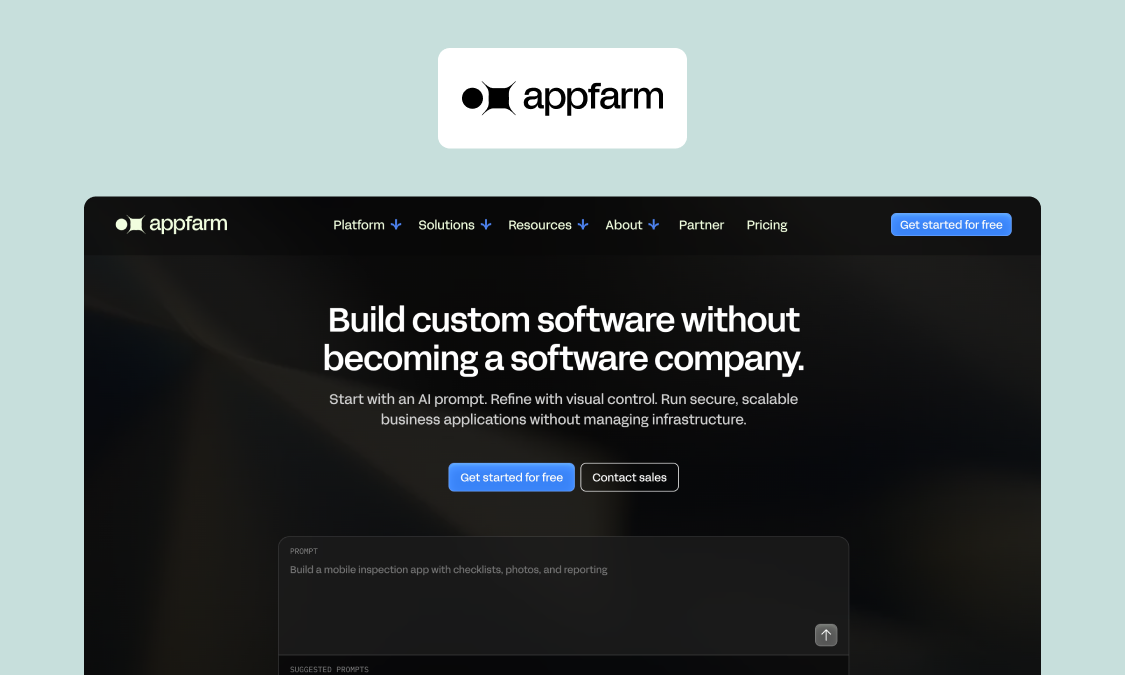
Appfarm is a platform for building custom operational software, and subcontractor coordination is a common app for construction teams. Induction, sign-in, scope, and daily progress can be combined in one app, giving live visibility for teams on site, and a detailed compliance record for the business at large.
Best for: mid-market UK construction and infrastructure firms whose site processes vary too much for a fixed, off-the-shelf template. You decide what the app does; Appfarm runs everything underneath, including deployment, hosting, security, performance and availability.
You don't have to build it yourself. Most teams start with Appfarm or an implementation partner building the first version, then take building in-house later if they want to. If you do want to start directly, just describe what you need in natural language and Appfarm AI generates a working app which you can adjust by reprompting or by moving and adjusting its building blocks.
Crew and resource planning apps are often added on the same foundation, alongside incident reporting or equipment inspections. The Essential plan includes five apps (as of October 2026), so each one doesn't need its own subscription. And because you decide what each app does, changes happen as and when you need them to: if a client wants a hot-works permit check at the gate, or a new phase needs an extra induction question, you simply change the app instead of waiting for a vendor to get around to it.
What it does well: Apps work across devices, install on a phone and update automatically, with operatives able to sign in from a QR code instead of searching an app store. They can be built as field apps that keep working offline, syncing when signal returns.
Because operatives' personal data sits in the app, where it's held matters too. Appfarm is ISO 27001 certified, hosted on Google Cloud in Belgium in the European Union (EU), and GDPR-compliant for European Economic Area (EEA) data. Take a look at Appfarm's security and compliance documentation.
Proof: Skanska used Spreng, an Appfarm app, to plan blasting on a 9 km tunnel in northern Norway, with explosives safety processes included. With users up to 7 km into the tunnel, the app worked offline, so data entry never depended on signal. See how Skanska planned tunnel blasting with an offline app.
Key features:
- Live site register with induction and card checks
- Offline-capable field use
- Expiry reminders and push notifications to the site manager
- PDF induction and compliance packs
- Role-based access for subcontractors
- ERP and finance integration with any API
- Dashboards with comma-separated values (CSV) export
Watch out for: Appfarm isn't a ready-made construction suite with estimating, drawings or building information modeling (BIM) included, meaning either you, Appfarm or a partner has to define the process first. Offline has to be designed in from the start and is an add-on on Essential.
You can export your data at any time. Separately, there's no code export, so Appfarm has the same theoretical lock-in as other hosted platforms.
Good fit if:
- Your process differs across clients or frameworks
- You're outgrowing spreadsheets and WhatsApp
- You need an app to connect to your ERP
Not a fit if:
- You want one out-of-the-box suite covering drawings, estimating and BIM
- You run one small site with a handful of subcontractors
Pricing: public tiered and active-user based pricing, counting only users who log in in a given month. See how Appfarm's active-user pricing works. For a handful of users, a seat-based tool will cost less.
Website: See how construction teams run site operations on Appfarm
2. Procore
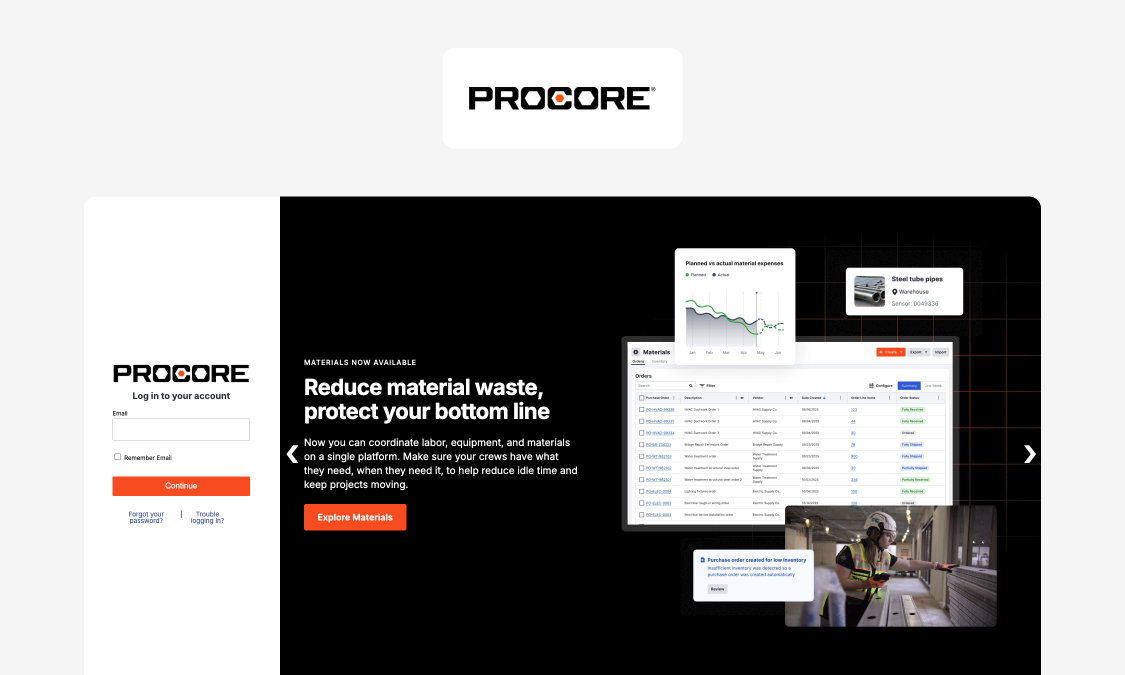
Procore is our example of a broad construction management suite. Its platform stretches from project execution to cost and resource management.
Best for: larger main contractors who want one end-to-end platform.
Strengths: Breadth in a single platform. Its Quality & Safety product spans forms, incidents, inspections, observations, photos and action plans, alongside subcontractor prequalification and payment applications, with unlimited users.
Key features:
- Site diary with manpower and visitors sections
- Prequalification portal
- Payment applications with retention set and release
- ERP integrations, including Sage and Xero
- Offline access to items viewed while online
- AI Daily Log agent that logs records from speech
Watch out for: no native live register or gate check functionality. Sign-in and induction usually come through integrated apps like innDex or MSite, and qualifications tracking is in beta.
Pricing: quote-based, with an upfront annual fee per product based on construction turnover and unlimited users, as of October 2026.
Website: procore.com
3. Visibuild
Visibuild is our example of a QA-focused construction platform. Its London team supports projects in the UK and Ireland.
Best for: inspection-led teams that want QA at the center of their site process.
Strengths: sequential hold points block work until reviewer sign-off, photo evidence is captured at the point of work, sign-offs are all timestamped, and the app works offline.
Key features:
- ITPs with hold and witness points
- Inspections, defects and snagging
- Progress tracking and commissioning
- Offline mobile use with sync
- Core API and webhooks
Watch out for: site sign-in, induction, payment and voice input aren't documented. Pair with other tools for register and payment.
Pricing: quote-based, with a fixed price per project regardless of user numbers, as of October 2026.
Website: visibuild.com
4. Deltek
Deltek is our example of a construction ERP that also handles subcontract accounting. The enterprise software company's construction product is ComputerEase, a US-focused construction ERP.
Best for: general contractors already running ComputerEase who want subcontractor costs tied to job accounting.
Strengths: tracks committed costs, with purchase orders (POs) and subcontracts linked to invoices, alongside job costing. Field apps capture time, costs, daily logs and job photos.
Key features:
- Subcontract and PO management
- Job cost accounting
- Field apps for time and daily logs
Watch out for: ComputerEase is built around US payroll, tax and billing practice, and as of October 2026, Deltek markets no UK-specific construction product.
Pricing: Quote-based, through a demo request, as of October 2026.
Website: deltek.com
5. Paper sign-in sheets, spreadsheets and WhatsApp
For the smallest jobs, the traditional ways can still work.
Best for: single small sites with a few trusted subcontractors.
Strengths: No software investment and no training required.
Watch out for: No digital luxuries like live headcount, expiry alerts, and links to payment. Your audit trail will also be weaker.
When to move on: once you're running multiple sites, have 20 or more operatives on site a day, or you're incurring too much audit admin.
Rollout and change management
Those are your options, but crews will only actually use a new system if it's more convenient for them than using a clipboard. Here are five tactics to help get them on board.
- Pilot on one site with one or two trusted subcontractors. Pick a site manager whom you trust, run it for two to four weeks, and measure sign-in time and missed sign-outs.
- Make day one effortless. With Appfarm, for instance, crews can sign in rapidly via a QR code at the gate, with nothing to download from an app store. Forefront accessibility by offering voice (the phone's own dictation) or tap-first input for diary and defect entries.
- Train in the toolbox talk. Provide a five-minute demo at the morning briefing, plus a named go-to person per trade. Don't make it a lecture.
- Explain what's in it for subcontractors. Faster payment approval because the evidence already exists, fewer repeat document requests, and one channel for instructions.
- Deal with resistance directly. Answer privacy concerns by explaining what's recorded and why, counter poor signal with offline use, and "we've always done it this way" with the fire-drill headcount.
If you're expecting adoption to be instant, you're in for disappointment. Grow it in stages:
- Week 1: replace the sign-in sheet.
- Month 1: add inductions and expiry reminders.
- Month 3: link progress to payment approvals.
- Year 1: roll out across all sites.
Why Appfarm fits UK site teams managing subcontractors
Calls, messages, and paper have been the go-tos for subcontractor management since time immemorial. In the modern world, they cause more problems than they solve, failing to create a clear live picture of who is doing what and whether they are doing it compliantly. In the UK, that leads to risk under CDM 2015 on one side and payment disputes on the other.
Appfarm's platform for building custom operational software closes that gap. A single app, customized to your site, can handle induction, sign-in, scope and daily progress. With the solution in place, site teams gain live visibility, while those in the office benefit from compliance records that can be exported at any time.
The same foundation can also run operational apps varying from crew planning to incident reporting and equipment inspections. Your team decides what the app does and Appfarm keeps it running, with ISO 27001 certification, EU hosting and role-based access that ensures each subcontractor sees only what they need to.
You don't need to start building yourself. Appfarm or a partner can build the first version with you. See how construction teams run site operations on Appfarm
FAQs
What is the best way to manage subcontractors effectively?
Treat subcontractor management as one workflow with one shared record. The key steps are: prequalify before you shortlist, lock scope and documents before day one, induct every operative, and keep a live site register. Then run a daily coordination rhythm, capture evidence as the work happens and tie every payment to verified progress.
How do you hire subcontractors for construction in the UK?
Start with your approved supplier list and trusted referrals, then prequalify through the Common Assessment Standard or an SSIP member scheme. Check insurances, health and safety record, finances and references, and verify each subcontractor with HMRC for CIS. Then level comparable bids against the same scope before you choose.
How do you pay subcontractors correctly under UK rules?
Issue a payment notice within 5 days of the due date and any pay less notice before the final date, as the Housing Grants, Construction and Regeneration Act 1996 requires. Deduct CIS at the rate HMRC confirms, apply the VAT reverse charge where relevant and hold retention only as your contract allows. Double check with your accounting or legal team.
What documents should you collect from subcontractors before they start on site?
Collect a signed subcontract, the scope of works, approved RAMS, insurance certificates with expiry dates, CIS verification, competence cards for each operative and emergency contacts. Log every expiry date with a named owner and an automatic reminder, so nothing lapses unnoticed partway through the job.
What is the best software for managing subcontractors in construction?
It depends on fit. Broad suites like Procore suit firms that want everything in one platform, and QA tools like Visibuild suit inspection-led teams. A custom operational app built on Appfarm suits firms whose site process doesn't fit an off-the-shelf tool. For one small site, paper and a spreadsheet can still be enough.
How do you track subcontractor compliance across multiple sites?
Keep one central register of companies, operatives, cards and insurance across every site, and set reminders that fire automatically before things expire. A dashboard by trade and site then shows who is on site now, which documents are expiring and where defects are open, so problems surface before an audit.
More reading
There are no items matching your filters. Please try another filter to view results.
We have a lot of helpful resources. Try another filter or reset the filters to find the resource for you.
Digital transformation without disruption