


Replace paper forms and phone calls with mobile apps
Build apps that put information in your workers' hands and capture what happens in the field without the paperwork.


.png)

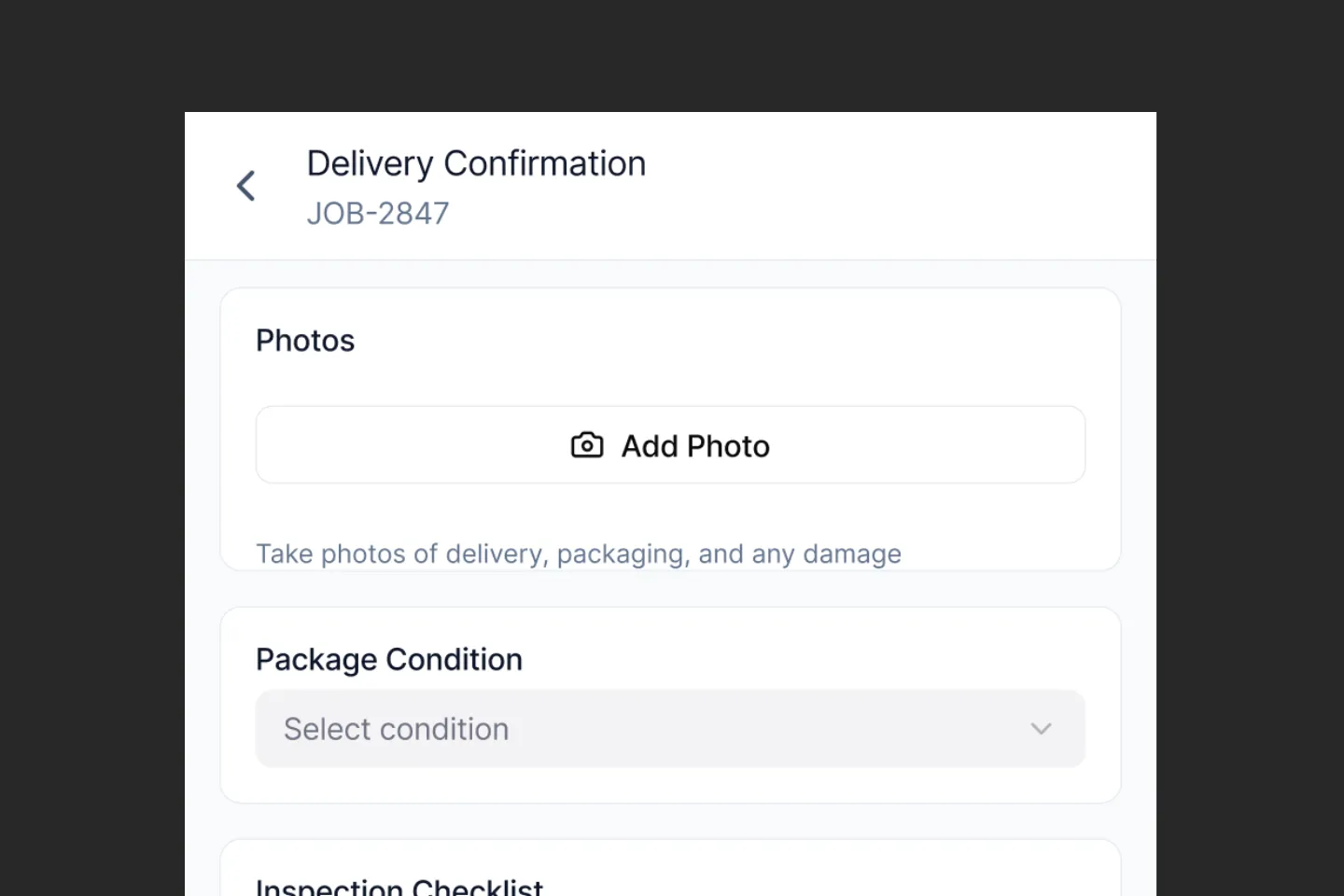
Collect structured data from the field
Give your workers the tools they need to complete inspections, confirm deliveries, and file reports.
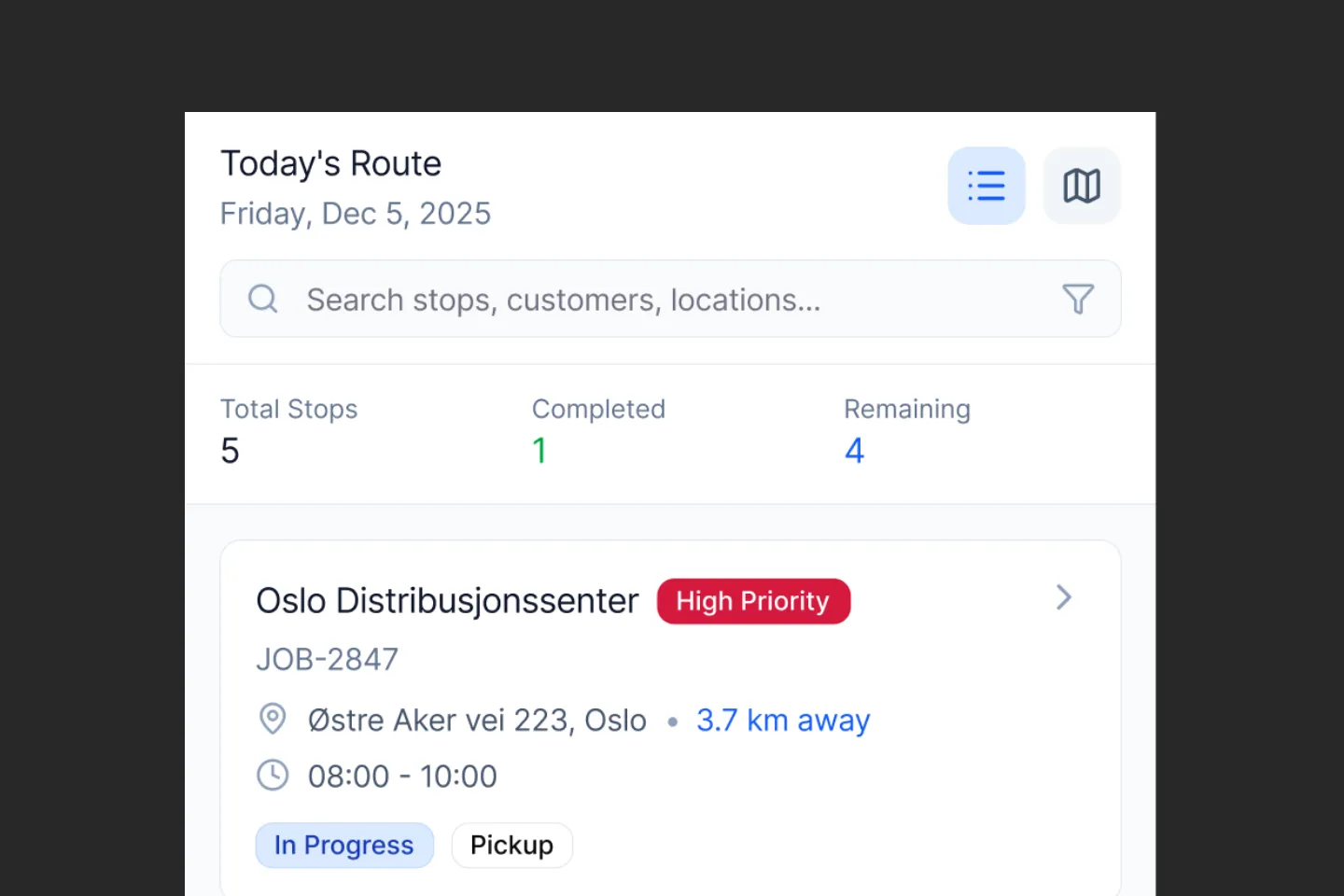
Get the right information to the right people
Share job details, routes, and customer information with your drivers and field teams so they have what they need before they depart.

Know where your equipment is and when it needs attention
Track vehicle locations, monitor equipment usage, and schedule maintenance based on actual hours and conditions - not guesswork.

Give customers and suppliers visibility without the phone calls
Let customers track their deliveries, suppliers confirm pickups, and partners access the information they need without going through your team.
Built for real operations


Enterprise-ready from day one
Field operations can't afford downtime, security gaps, or disconnected systems. Appfarm provides the enterprise capabilities you need so your teams can work reliably anywhere.
No connectivity? No problem
Your field teams can't always count on a mobile connection. Appfarm apps work offline and sync data automatically when connectivity returns, so work never stops.
Connects to your existing systems
Integrate with your TMS, ERP, fleet management software, and other systems. Pull in the data your field teams need and push updates back where they belong.
Enterprise security and compliance
ISO 27001 certified with role-based access controls, audit trails, and data encryption. Built to meet the security standards your business requires.
Scale from pilot to company-wide
Start with one workflow or team, then expand across your operations. All apps share the same data model and infrastructure, so adding capabilities doesn't mean rebuilding from scratch.
No infrastructure complexity
Appfarm Cloud handles hosting, scaling, security updates, and maintenance. You focus on your apps, we handle everything else.
FAQs
Implementation timelines vary based on project complexity, but our customers typically launch their first application within 4-8 weeks. Thanks to our visual development tools and reusable components, subsequent applications can be developed even faster. We also provide implementation support to ensure successful deployment.
You can build any type of mobile application your field teams need - from inspection forms and work orders to asset tracking and service management. Common applications include safety inspections, maintenance requests, delivery tracking, and field service management.
Yes, field apps can include GPS tracking, location stamping, route optimization, and map visualization. This allows you to track field activities, optimize routes, and maintain accurate location records for all field operations.
Yes, field apps built with Appfarm work seamlessly offline, storing data locally on the device. When internet connection is restored, data automatically syncs with your central system, ensuring no information is lost and work can continue uninterrupted.
Yes, Appfarm connects seamlessly with your existing business systems through our API integration capabilities. Common integrations include ERP systems, accounting software, e-commerce platforms, and supplier management tools.
Yes, Appfarm has AI capabilities to speed up and support development. Additionally, Appfarm apps integrate seamlessly with AI APIs, including those from Open AI, Anthropic and more.
Ready to digitalize your field operations?
See how Appfarm helps logistics and mobility companies replace paperwork with mobile apps that work anywhere.