The best construction site inspection software in 2026
Compare construction site inspection software features for UK sites: offline capture, photo evidence, automatic actions and audit-ready records.

TL;DR
- Off-the-shelf construction site inspection software offer templates to simplify standard inspection procedures.
- If your firm has its own inspection types, sign-off chains and reporting needs, construction site inspection software should be built around your processes.
- We scored eight tools from the perspective of a UK mid-market team, focusing on the criteria that matter most:
- Fit with your checklists
- Offline capture with photo, location and voice
- Automatic routing of findings to an owner
- Audit-proof records
- Connections to your existing systems
- Our comparison table helps you shortlist three solutions before detailed reviews confirm your final choice.
What is construction site inspection software?
Construction site inspection software turns inefficient manual checklists into mobile apps. It enables site teams to record photos, location, and time evidence for everything from safety walkthroughs and quality checks to pre-pour, scaffold and snagging inspections. The data then flows straight to whoever's responsible in the office.
In 2026, PDFs, paper forms, and phone photos no longer suffice. Typing into digital textboxes rather than named fields, copying handwritten notes, battling with an intermittent mobile data connection to upload an image before you forget: it's a recipe for confusion and duplication further down the line, ultimately resulting in a weaker record that's harder to defend.
The stakes are high. In 2025/2026, the Health and Safety Executive (HSE) recorded 126 worker deaths in work-related incidents in Great Britain, with construction accounting for the most of any sector at 25. When something happens on site, the record of who checked what, where, when and how needs to be unassailable.
How site inspection software differs from paper, PDFs and generic form apps
If you're inspecting a scaffold with a clipboard in-hand, the information stays on the page until you (hopefully) type it up later. Similarly, if a PDF form lacks a single necessary field (for a hold point sign-off, for instance) then information will inevitably be diverted instead through hard-to-index email chains.
A form app is a step-up on both, but fails to solve the problem of follow-through. It's no good if a defect photo is in the right place if no-one ever gets notified.
Dedicated inspection software represents a closed loop, wherein an inspection produces evidence, evidence results in an action, actions are closed-out, and everything ends up in a site report.
For higher-risk buildings in the UK, record quality took on extra weight with the publishing of the Building Safety Act 2022. Under its provisions, a "golden thread" of fire and structural safety information must be kept for buildings at least 18 meters or seven stories high; not an easy feat without site inspection software.
How construction site inspection apps work
Construction site inspection apps are built around five key layers. Namely, those include a checklist layer; a mobile app for crews to capture data in the field; workflows; dashboards and reporting functionality; and, finally, integrations passing on your data to other systems.
Checklists and templates
Any half-decent inspection software will have ready-made checklists contained in a template library, but the best configurable builders will let you edit them further with conditional logic, mandatory fields, and versioned templates.
Generic templates rarely fit a site's unique risk profile, which is why it's so important to have something customized to the work taking place on your site, whether that's safety inspections, QA/QC, pre-pour, permits to work, snagging, or handover.
Offline field capture: photos, location, timestamps and voice
Often the places with the most hazards are the same as those where signal is weakest. That's why an app requiring a constant data connection to work is unsuitable for areas like basements, tunnels or remote rail sites.
An offline-enabled app lets you capture photos, videos, locations, timestamps, and signatures in the field, and sync them from your mobile device later once the connection has been re-established. Voice input is also a must (no one wants to mess around with typing in bulky gloves), and the app should also handle multiple users editing one record offline gracefully.
Corrective actions, ownership and routing
Defects and safety hazards are inevitably discovered on a construction site. The real problem is when they go unaddressed. A good construction inspection app automatically actions a failed item with an owner, a due date, and a notification.
Subcontractors can see their assigned inspections and close their own actions, while overdue items are automatically escalated to site managers, so nobody has to chase and present issues don't turn into future claims.
Dashboards, reports and audit-grade records
To stand up to safety audits and disputes, records have to meet a clear audit-grade standard comprising:
- a full and comprehensive change history
- who inspected, what they found, when and where
- photo evidence tied to the specific checklist item
- sign-offs from the right people
- the template version used
- an exportable PDF report
Construction site inspection apps produce reports that help surface this information, and it has utility beyond compliance. For instance, quality, health, safety and environment (QHSE) heads and safety officers can use the same data to feed dashboards that show inspection status across multiple sites. Those dashboards help you identify trends, such as recurring issues, the sites that fail most and the actions that run overdue, so you can tackle the root cause.
Integrations with the systems you already run
Your inspection data has a purpose outside of the inspection app itself. Completed inspections and close-out records belong in document control, such as SharePoint, Procore or Autodesk Forma, and defect costs in your enterprise resource planning (ERP) system.
Most vendors will advertise an application programming interface (API) and exports, but ideally you want named integrations with your existing systems.
What you can trust vs what is directional: Vendor outcome stats such as "95% of companies increase productivity" are usually self-reported with no stated method, so you should treat them as directional. Features like offline sync, routing and exports are easy to test in a trial and, therefore, far better evaluation evidence.
How to evaluate construction site inspection software: 8 criteria
Score your shortlist on these eight criteria. We've included questions you can ask vendors.
- Checklist fit: Hold points, sign-off chains and client-specific fields should all be supported. Ask: Can you show our pre-pour checklist running in your app?
- Offline capability: Check depth: partial offline support such as view-only or only for forms opened earlier causes trouble down the line. Ask: what exactly works offline, on both iOS and Android?
- Evidence capture: Photo, video, location, timestamp and signatures tied to the relevant item. Ask: can a photo automatically attach to a specific checklist item, with the time and specific location included?
- Voice input and one-handed use: Crews work in gloves and personal protective equipment (PPE), often in the rain, so large controls and voice notes boost engagement. Ask: can I complete this form one-handed?
- Action routing: A failed item should create an action with an owner, a deadline and a notification. Ask: what happens when a critical action goes overdue?
- Reporting and audit trail: The minimum to expect is PDF outputs for client reference, a change history for disputes and dashboards across sites. Ask: can you show the full history of an inspection?
- Integrations and data residency: Look for named connectors to your ERP and document control, and clear answers on UK or European Union (EU) hosting, General Data Protection Regulation (GDPR) compliance and ISO 27001 certification. Ask: which of our systems do you connect to today, and where will our data live?
- Adoption and cost at scale: Per-seat pricing climbs fast with subcontractor-heavy crews. Model the cost against your real crew size, number of sites and the number of apps you'll eventually need. Ask: what will we pay in year two, with every subcontractor on board?
In the eternal question of buy vs build, we'd recommend the former if a standard template app covers 90% of what you need. But if your process is specific to your firm, software built around that process is going to pay dividends.
Construction site inspection software compared: all tools at a glance
Use this table to shortlist 3 tools, then read the detailed reviews below. Prices are as of October 2026.
| Tool | Best for | Custom checklists | Offline capture | Photo + location | Voice input | Action routing | Integrations | Pricing notes |
|---|---|---|---|---|---|---|---|---|
| Appfarm | Firms with their own inspection process | Built around your exact checklists | Included on Professional and up; Essential add-on | Photo, location and signature capture | Available, including multilingual | Workflows route findings and notify owners | Two-way integrations with any API | Tiered, active users; Essential €2,350/month |
| Mitti (formerly SafetyCulture) | Fast off-the-shelf safety and quality checklists | Templates; 5 active on Free, unlimited on Premium | Stored inspections editable offline | Photos; automatic inspection location field | Not documented | Actions raised from inspection responses | Direct integrations and API | Per seat; Premium $24/seat/month annual |
| Procore | Firms already running projects in Procore | Company and project templates, conditional logic | Offline with auto-sync (iOS documented) | Photos mapped by device GPS | Not documented | Failed items can raise observations | App Marketplace and open API | Annual fee by construction volume; unlimited users |
| Autodesk Forma Build | Building information modeling (BIM)-centric teams | Forms and checklists | Offline in Forma mobile app | Photos mapped by GPS location | Not documented | Form section assignees notified; linked issues | 200+ direct integrations | Per user; £106/month annual (Essentials £60) |
| Fieldwire by Hilti | Drawing-based snagging and task tracking | Checklists on all tiers; custom forms Business+ | iOS and Android apps, auto-sync | Photos keep GPS offline; metadata stamps (Pro+) | Not documented | Assigned tasks with push notifications | App integrations Business+; API via sales | Per user; Pro £33, Business £54/month annual |
| Dashpivot (Sitemate) | Converting existing site forms to templates | Templates, 250–1,000 fields by plan | Mobile and offline access | Unlimited photos; location fields | Not documented | Actions field; approval logic Pro+ | Integrations via Flowsite | Per contributor; Standard £21.24/month (1-year term) |
| Lumiform | Multi-industry safety inspections, EU hosting | Builder with logic, required fields, scores | Offline mode in mobile apps | Image capture; GPS in mobile app | Voice-to-text listed | Actions and workflow automation | Integrations and API add-on on Professional | Quote-based; billed in EUR, GBP or USD |
| Power Apps | Simple forms in Microsoft 365 firms | Build your own canvas apps | Dataverse apps only, with limits | Camera control and location signal | Not documented | Power Automate flows | Microsoft 365, premium and custom connectors | Premium £15.40/user/month, paid yearly |
The best construction site inspection software in 2026
Using our eight aforementioned criteria, we ranked how well each tool fits a UK mid-market contractor running several live sites.
1. Appfarm: best for construction firms that need an inspection app built around their own process
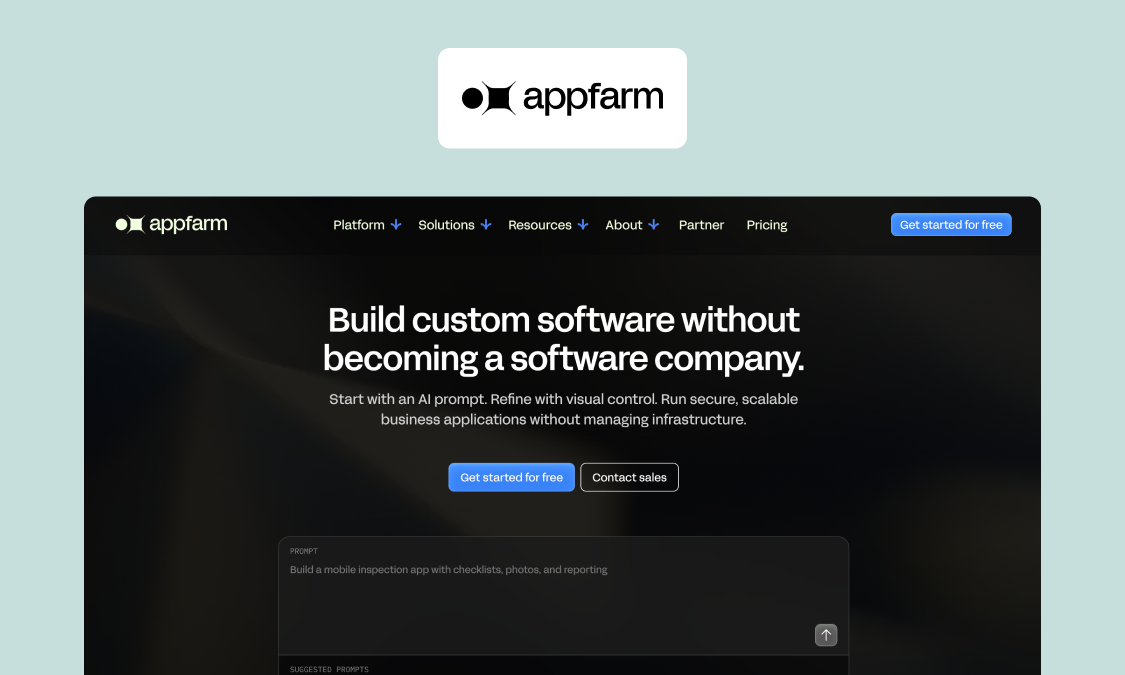
Appfarm is a platform for building custom operational software, often used by construction teams for site inspections. You decide what the app does: the inspection types, checklists and hold points, the sign-off chain, who a failed item routes to and what the QHSE dashboard shows. Appfarm runs everything else, taking deployment, hosting, security, performance and availability off your plate.
You don't have to build it yourself, either. Most teams start with Appfarm or an implementation partner building the first version, then take it in-house later if they want to, while others build directly.
Best for: UK mid-market contractors and infrastructure firms whose inspections must match their exact checklists and reach the right person without re-typing.
What it does well: Every inspection type, from safety walkthroughs to pre-pour and snagging, runs on your own forms. Apps can be built to work offline and sync when the connection returns, which ended double data entry for Skanska’s tunnel crews. Learn more about how Skanska captures tunnel data offline, 7km underground.
Getting started is quick, with building materials firm Feiring implementing its inspection and quality control solution in 12 weeks. Pricing scales with usage: only users who've logged in that month count as active users, and guest users are unlimited. For a handful of users, though, a seat-based tool will cost less.
How it fits and changes: A simple description of what you need lets Appfarm generate a working app, which you can then adjust on the visual canvas or by re-prompting. If a client changes its handover requirements, you can just change the checklist without engaging a new vendor.
Key features:
- Inspection checklists matched to your process, with mandatory fields
- Offline-capable apps with photo and location capture that work across devices, install on phones, and update automatically
- Automated routing to the responsible person, and live dashboards across sites
- Generated PDF inspection reports
- Role-based access for crews, subcontractors and managers
- Integrations with ERP and document systems through any API
- ISO 27001, GDPR and hosting in the EU and European Economic Area (EU/EEA)
Adjacent use cases: The same platform used for inspections can run other mobile field apps for site crews, such as deviation reporting, crew and equipment planning, and subcontractor portals. Essential includes five apps, so these all share one foundation instead of requiring multiple subscriptions and vendors.
Watch out for: Appfarm isn't a downloadable template library. You must define the process first, then there's a short build phase, which Appfarm or a partner can run. Determine if offline is a requirement early, as it should be designed in from the start and is an add-on on the Essential tier. You can export your data at any time, so your records aren’t trapped. There’s no code export, so Appfarm has the same theoretical lock-in as other hosted platforms.
Good fit if: your checklists and sign-offs are specific to your firm or clients, inspections must feed into other systems, or you want to grow into other site apps.
Not a fit if: you need a few standard checklists by tomorrow, or you’re a very small team.
Pricing (EUR): See Appfarm's published plans and active-user pricing. As of October 2026:
- Free €0: 400 Appfarm AI credits, roughly enough to build one app
- Essential €2,350/month: 5 apps, 100 active users
- Professional €3,550/month: unlimited apps, 200 active users
- Dedicated from €5,950/month: 800 active users, dedicated infrastructure
Verdict: Pick Appfarm if your inspection types and sign-offs vary too much for a fixed template, and you want a governed production app you can grow into other site apps.
Website: See the site and inspection apps construction teams build on Appfarm
2. Mitti (formerly SafetyCulture): best for fast off-the-shelf safety and quality checklists
SafetyCulture became Mitti in August 2026.
What it does well:
- Rapid scaling, with Mitti claiming it's used by more than two million frontline workers across 80,000 organizations.
- The Free plan has no time limit, while Premium features unlimited templates.
- Inspections stored on-device can be completed offline.
Key features:
- Inspection templates
- Tasks and issue reporting
- Analytics
- Asset management
- Integrations and API
Watch out for: Workflows follow a template, task and issue model, which is a difference in scope for firms with their own sign-off chains.
Pricing (USD): As of October 2026:
- Free $0 (up to 10 seats, 5 active templates)
- Premium $24 per seat per month billed annually
- Premium $29 per seat per month billed monthly
- Enterprise custom, or location-based pricing with unlimited users
Verdict: Best for those who need to rapidly digitize standard inspections across many sites.
Website: mitti.com
3. Procore: best for firms already running projects in Procore
What it does well:
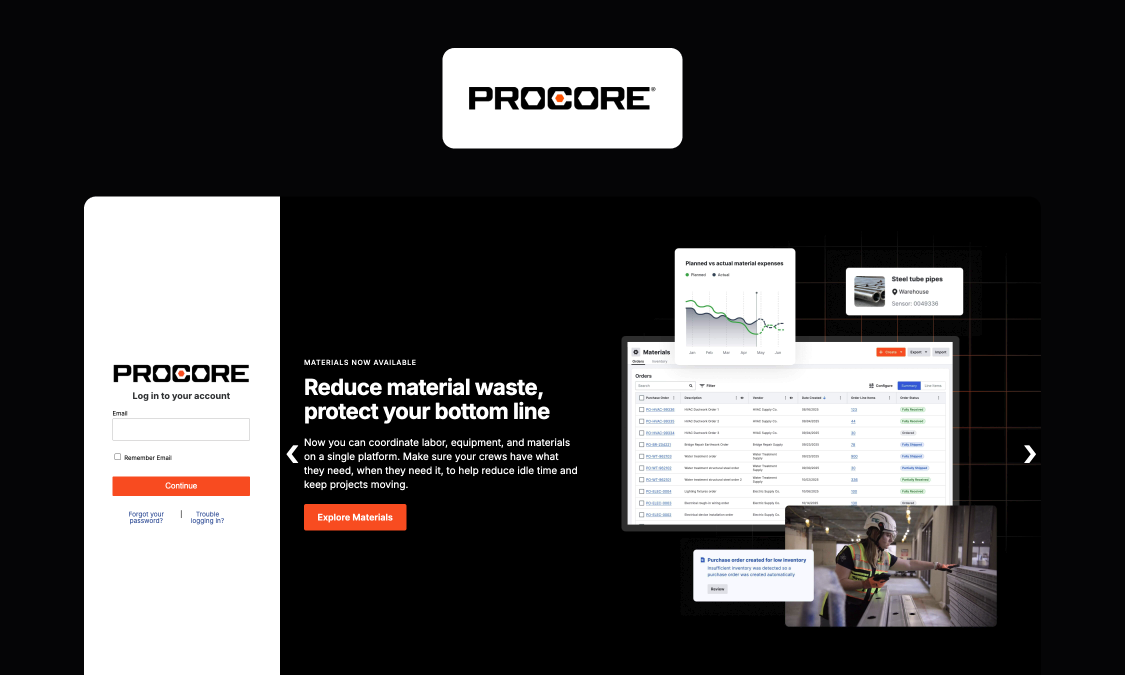
- Admins can adapt company templates project by project, with conditional logic and signers on inspections and items.
- Inspections work offline and sync automatically (on iOS).
- All contracts include unlimited users, which is particularly useful on subcontractor-heavy sites.
Key features:
- Company and project templates
- Conditional logic
- Observations from failed items
- Offline mobile inspections
Watch out for: With pricing set by product and annual construction volume, it's a hefty investment if you just want inspections.
Pricing: An upfront annual fee by product, based on annual construction volume, with unlimited users, data and support. Pricing not public as of October 2026.
Verdict: Best for those already in the Procore ecosystem who want inspections alongside drawings, requests for information (RFIs) and project records.
Website: procore.com
4. Autodesk Forma Build: best for BIM-centric teams
Autodesk Forma Build (formerly Autodesk Build) was renamed in March 2026 with functionality, data and logins unchanged. It remains part of Autodesk Forma (formerly Autodesk Construction Cloud).
What it does well:
- Project management, cost, safety and quality inspections in one platform.
- The cheaper Forma Build Essentials tier has issues, forms, photos, sheets and files for field crews.
- Offline capability in the Forma mobile app.
Key features:
- Forms and checklists with issues and photos
- Sheets and models on mobile
- Offline sync
Watch out for: Suite licensing model and a learning curve for those only interested in inspections.
Pricing (GBP): As of October 2026: Forma Build £106 per user per month and Essentials £60 per user per month, both paid annually.
Verdict: Best for teams that coordinate from BIM models and drawings and want their inspections linked.
Website: autodesk.com
5. Fieldwire by Hilti: best for drawing-based snagging and task tracking
What it does well:
- Plan viewing, task management and checklists are available on every tier, including free
- Pro tier adds reports, exports and photo metadata stamps.
Key features:
- Plan viewing
- Task and punch list management
- Checklists
- Reports and exports (Pro and above)
- Custom forms (Business and above)
Watch out for: Custom forms and integrations need Business tier or above, and API access and single sign-on (SSO) are only available through sales.
Pricing (GBP): Per user per month, billed annually, as of October 2026: Basic free (5 users, 3 projects, 100 sheets); Pro £33; Business £54; Business Plus £76.
Verdict: Good for crews that need snags and tasks pinned to drawings.
Website: fieldwire.com
6. Dashpivot (Sitemate): best for converting existing site forms into digital templates
What it does well:
- Licensing model suits subcontractor-heavy sites.
- Frontline workers can use the Sitemate app on free licenses, while external visitors are free and unlimited on Pro and above.
- Mobile and offline access, dashboards, and unlimited forms and photos are available on every plan.
Key features:
- Form templates with location fields
- Approval signature logic (Pro and above)
- Instant PDF export
- Integrations through Flowsite
Watch out for: Form-centric model with template field limits by plan (250 on Standard, 500 on Pro).
Pricing (GBP): Per contributor, by term and user band. As of October 2026, for 11–30 contributors on a one-year term: Standard £21.24/user/month, Pro £36.54. Unlimited Enterprise option by quote.
Verdict: Best for big crews moving paper and PDF forms into digital templates.
Website: sitemate.com
7. Lumiform: best for multi-industry safety inspections with EU data hosting
What it does well:
- A deep form builder, with logic, required fields, scores and AI-generated forms.
- The mobile apps work offline and capture images, e-signatures and voice-to-text.
- Responses can trigger follow-up actions or forms, and data is stored in the EU (Frankfurt to be precise).
Key features:
- Form builder
- Offline mobile apps
- Voice-to-text
- Corrective actions
- Workflow automation
- Dashboards
Watch out for: Approvals, integrations, API access, webhooks and SSO are paid add-ons on the Professional plan.
Pricing: Quote-based, billed in EUR, GBP or USD by location. Pricing not public as of October 2026.
Verdict: Best for multi-site operations across industries that need a checklist builder with EU data hosting.
Website: lumiformapp.com
8. Power Apps: best for simple inspection forms in Microsoft 365-standardized firms
What it does well:
- Forms connect easily to Teams and SharePoint, and Power Automate flows can route failed items to an owner.
- Strong for simple, Microsoft-centric apps.
Key features:
- Canvas apps
- Power Automate flows
- Premium and custom connectors
- Dataverse storage
Watch out for: Offline works only for Dataverse canvas apps, not SharePoint data or browser apps, and sync needs the app open in the foreground. When its tunnel solution outgrew Power Apps, Skanska moved its app from Power Apps to Appfarm with the help of Godig, and it won Skanska's Innovation Award.
Pricing (GBP): Premium £15.40 per user per month, paid yearly, excluding value-added tax (VAT), as of October 2026.
Verdict: Best for firms already on Microsoft 365 that need simple inspection forms. See how Appfarm compares with Power Apps for field apps.
Website: microsoft.com
Also considered
ErectOS offers inspections as one module of a wider platform, while Boxcore focuses on site safety and access control, and HVI covers heavy equipment inspections.
Rollout and change management for your site inspection software
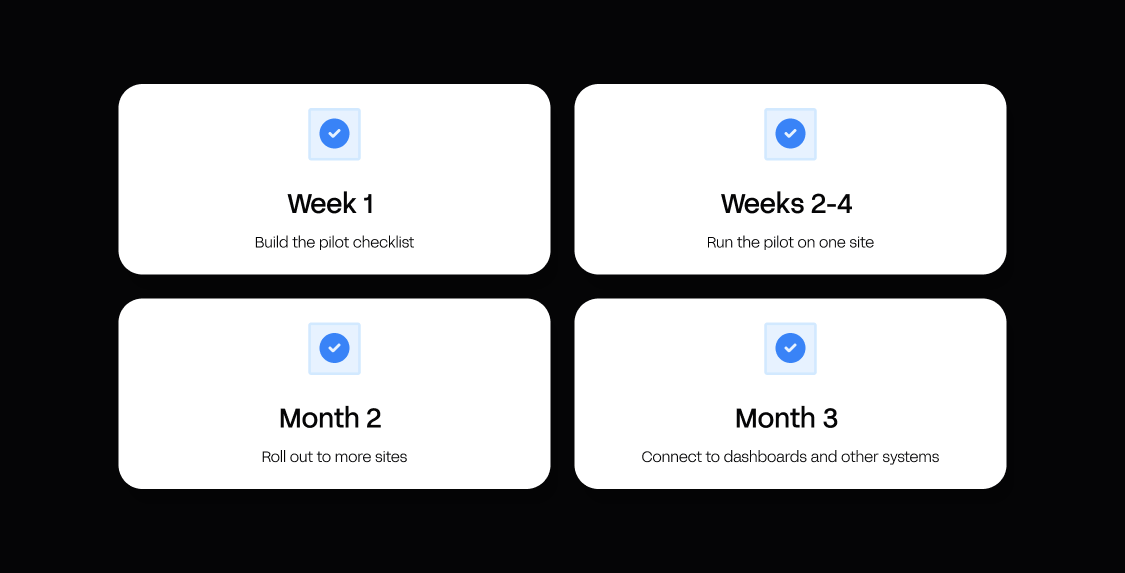
The best approach is to start small, with a single site and inspection type and a timeline of just a few weeks. Build your digital checklists in collaboration with engaged site supervisors and crew members who you know will fill them in.
Avoid lengthy classroom sessions: getting buy-in is a matter of being clear about the benefits for crews, in particular less paperwork and less time spent chasing. For anyone worried about the app monitoring them, keep them informed about exactly what is tracked. Decide early which subcontractors get access to which levels, and keep a paper fallback during the pilot only.
A realistic timeline looks like this:
- Week 1: build the pilot checklist.
- Weeks 2–4: run the pilot on one site.
- Month 2: roll out to more sites.
- Month 3: connect to dashboards and other systems.
| Role | What they own in the rollout |
|---|---|
| Site manager | Runs the pilot and champions it on site |
| QHSE | Checklist content and template versions |
| Project director | Sponsorship and close-out expectations |
| Subcontractor foreman | Closing actions and feedback on usability |
| IT | Access, security and integrations sign-off |
Why Appfarm is the best construction site inspection app for UK site and QHSE teams
Indefensible records stem from ill-fitting forms, photos stuck inside phones, and findings that don't get typed up for days.
Appfarm tackles all of these problems head on, with apps that run checklists tailored to your sites, capture photos and locations offline, and automatically push data to dashboards while notifying those responsible.
Outside the field, IT teams can rest assured that governance is in hand with role-based access, ISO 27001 certification, GDPR compliance and EU/EEA hosting, all set out in Appfarm's security and compliance documentation. Once you've decided what an app does, Appfarm keeps it up and running, and you can export your data at any time.
Start with one inspection type on one site, then extend to deviations, resource planning and portals on the same platform, with Appfarm or a partner building the first version, or building it yourself with AI. See the site and inspection apps construction teams build on Appfarm for yourself.
FAQs
What are some good apps for construction inspectors?
Mitti (formerly known as SafetyCulture) is quickest for standard checklists, Procore suits firms already running projects in it, and Fieldwire by Hilti is strong for drawing-based snagging. Appfarm suits firms that need an app built around their own process.
Is there a free app for site audits?
Yes, albeit with caps. Mitti Free covers up to 10 seats and five templates, Fieldwire Basic five users and three projects, and Appfarm's free tier gives 400 AI credits, roughly enough to build one app. Free options work best for a pilot, rather than an ongoing engagement.
What are the top 5 construction management software tools?
Working out a top 5 depends on your requirements: construction management suites such as Procore and Autodesk Forma are for whole projects, from drawings to cost, while site inspection software focuses on checklists, evidence and close-out.
How do you inspect a construction site?
Plan against the checklist, walk the site, capture evidence, assign actions to owners, then close out and report. Under the Construction (Design and Management) Regulations 2015 (CDM 2015), principal contractors must plan, manage and monitor the construction phase to ensure safety on site. Our step-by-step guide to construction site safety inspections has everything you need to know.
Does construction site inspection software work offline?
Good inspection software will work offline, but depth varies (as does iOS and Android behavior). Look for apps that save a full inspection, photos included, to device and sync once signal is re-established, and make sure to test it in the most adverse site conditions (like a tunnel or basement) during the trial.
What makes an inspection record defensible in an audit or dispute?
A defensible record shows who inspected, what they found, when and where, with photos tied to each item. It also needs sign-offs, the template version used and a tamper-evident digital trail of every change.
Can site inspection software connect to our ERP or document control system?
Integrations are usually standard, but check how they are delivered. "API available" means someone still has to build and maintain the connection, whereas named integrations with your ERP or SharePoint are ready to use.
Where is inspection data stored, and is it GDPR compliant?
The location of data storage depends on the vendor. Ask where data is hosted, whether UK or EU residency is available and which certifications, such as ISO 27001, apply. Appfarm hosts customer data in the EU/EEA under ISO 27001, and customers can export their data at any time.
More reading

There are no items matching your filters. Please try another filter to view results.
We have a lot of helpful resources. Try another filter or reset the filters to find the resource for you.
Digital transformation without disruption