The best business app builder for internal operations: 9 tools ranked (2026)
Compare 9 business app builder tools on governance, ERP integration and database depth, with a scoring rubric and shortlist checklist for UK IT teams.

TL;DR
- Business app builders help you build all the internal apps necessary to keep a business running.
- We scored nine tools from the perspective of a UK mid-market team, focusing on eight criteria vital for building apps that run core operations.
- Production readiness
- Governance features
- Database depth
- Workflow automation
- ERP/API Integration
- Build speed
- Cost predictability
- Long-term ownership
- Our comparison table will help you shortlist three solutions before detailed reviews help you confirm your final choice.
What is a business app builder?
Plenty of tools can build a form. But how many can you trust to run your core operations without burning the house down?
We can all share horror stories about poorly configured business software and procedures. Processes entirely reliant on spreadsheets. Approvals requiring long email chains. Tools that exist in silos. The culprit is often ill-fitting consumer apps being repurposed for business use. While these tools might work well enough to start with, they break once an app becomes core to operations.
That is exactly where a business app builder comes in. Business app builders enable you to build custom applications that work for your staff and partners instead of crossing your fingers and hoping that an off-the-shelf alternative will meet your business needs. With a business app builder, you can build all the internal apps necessary to keep a business running: Think work orders, approvals, inventory tracking, resource planning, client portals, and so on.
How a business app builder differs from lightweight no-code, AI coding tools, and enterprise low-code
Of course, business app builders aren't the only solution to the challenge of creating company workflows. In our comparison of enterprise low-code platforms we showed how enterprise low-code tools can be powerful, but are often heavy in terms of cost and procurement time while requiring specialized developers to use effectively.
Lightweight no-code app builders, meanwhile, are fast to get up and running. But most no-code platforms hit ceilings on data model, governance and scale once an app becomes core. It's a similar story with artificial intelligence (AI) coding tools, which are quick to generate a fully working app, but subsequently require your team to maintain a codebase it had no hand in writing, with no production governance around it.
The key trade-off to bear in mind is this: speed is easy, ownership is hard. While the first version may take a day to build, keeping it running, secure and up to date is the work of years.
How we ranked these business app builder tools (evaluation criteria)
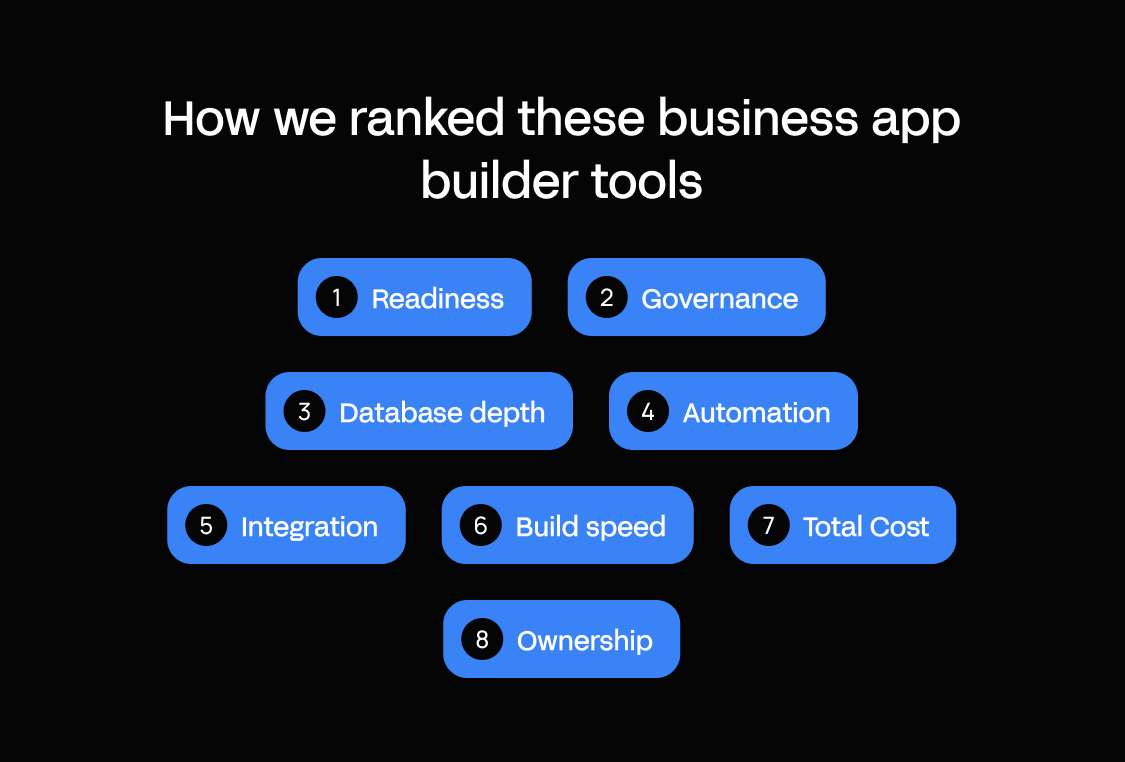
Instead of ranking overall product quality, we ranked how well each tool fits UK mid-market teams that need tailored operational apps.
Our criteria, each scored between 1 and 5, are the same across every tool review:
- Production readiness: How well does it handle environments, reliability, and monitoring?
- Governance: Do RBAC, SSO and audit logs come as standard?
- Database depth: Does it offer a real database app builder, or simply forms on top of tables?
- Workflow automation: What do server-side workflows, scheduled jobs, and approvals look like?
- Integration reality: Is there ERP and API depth?
- Build speed without chaos: How long does it take to get to a governed app in production?
- Cost predictability: Does published pricing show how the cost changes as apps and users grow?
- Long-term ownership: Does it provide truly maintainable software?
As for what the scores mean:
- 1, a feature is absent or needs workarounds.
- 3, a feature is tier-gated, limited, or available as an add-on.
- 5, a feature is native on standard plans.
Cost works slightly differently. We scored how open pricing is, with 5 being public and predictable and 1 meaning pricing is hidden.
Here's the scorecard:
App builder scorecard
| Tool | Production | Governance | Database | Workflow | Integration | Build speed | Cost | Ownership | Total |
|---|---|---|---|---|---|---|---|---|---|
| Appfarm | 4 | 5 | 5 | 5 | 4 | 5 | 5 | 4 | 37 |
| Power Apps | 4 | 4 | 4 | 4 | 3 | 4 | 5 | 3 | 31 |
| Mendix | 4 | 4 | 5 | 4 | 5 | 3 | 3 | 4 | 32 |
| OutSystems | 4 | 3 | 4 | 4 | 4 | 4 | 2 | 4 | 29 |
| ServiceNow App Engine | 4 | 3 | 3 | 4 | 2 | 4 | 1 | 2 | 23 |
| Quickbase | 3 | 3 | 5 | 4 | 4 | 4 | 3 | 4 | 30 |
| Appian | 4 | 5 | 4 | 4 | 3 | 3 | 2 | 4 | 29 |
| Base44 | 3 | 3 | 3 | 3 | 3 | 5 | 4 | 2 | 26 |
| Jotform Apps | 2 | 2 | 2 | 3 | 3 | 5 | 4 | 2 | 23 |
Looking for something you can copy into a request for proposal (RFP) or pilot plan? We've got you covered:
Shortlist checklist
- Can we separate development, test and production, and roll back a release?
- Can we set access by role, sign in with our own SSO, and see who changed what?
- Can the data model link records (assets, sites, teams) with permissions on the data itself?
- Can workflows run server-side and on a schedule, and route approvals without someone chasing them?
- Can it read from and write to our ERP through its API, without paying per connector?
- How long does one real workflow take to reach production under IT's rules?
- What do we pay at three times today's users, apps and environments, and which add-ons raise it?
- Who keeps the app running in three years: us, the vendor, or a contractor?
Comparison table: the best business app builder tools at a glance
Use this table to shortlist three tools, then read the detailed reviews below. Prices are as of October 2026.
| Tool | Best for | Database app builder (relational depth) | Visual development platform (UI, data, and logic in one place) | Workflow automation | Integrations (ERP/API/SSO) | Governance (RBAC/audit/environments) | Hosting/ops ownership | Pricing notes |
|---|---|---|---|---|---|---|---|---|
| Appfarm | Tailored operational apps connected to the ERP | Inbuilt database, conditional data-level permissions | AI and visual canvas on one platform | Server-side and scheduled workflows | Any API; custom SSO on paid plans | Roles, change tracking, four environments on paid plans with rollback | Vendor-managed; European Union (EU) hosting by default | Tiered + active-user based (EUR, public) |
| Power Apps | Microsoft 365 and Dynamics estates | Dataverse, 250 MB per Premium user | Canvas and model-driven app designers | Power Automate flows | Premium, custom, on-premises connectors | Managed Environments, pipelines, source control | Microsoft-managed; UK region available | Per user, or per active user per app (USD, public) |
| Mendix | Enterprise IT app portfolios, formal lifecycle | Full data model in Studio Pro | One development environment for mixed-skill teams | Built into the platform | Identity provider integration from Standard | Up to 3 environments per app (Standard) | Mendix Cloud, Azure, Kubernetes, SAP BTP, own servers | Per-app tiers; users and compute extra (EUR shown in UK/EU, public) |
| OutSystems | Pro developer teams, complex high-scale apps | Database tables priced as Application Objects | Visual development with AI generation | Built into the platform | Enterprise integration, API methods | Dev/test/prod runtimes, built-in deployment pipelines | Vendor cloud; self-managed options | Quote-only; Application Objects + users (pricing not public) |
| ServiceNow App Engine | Organizations already running on ServiceNow | Custom tables; unlimited on Prime | App Engine Studio and Creator Studio | Platform workflows, Process Mining on Prime | Within the ServiceNow platform | Management Center on Prime | ServiceNow-managed | Two packages, sales-led (pricing not public) |
| Quickbase | Ops teams replacing spreadsheets and Access | Relational tables, 13+ report types | No-code builder for business users | Workflow automation on every plan | SSO and user provisioning on Business | Audit logs from Team; sandbox on Business | Vendor-managed | Per user + unpublished platform minimum (USD, public) |
| Appian | Regulated, multi-step process and case work | Data Fabric; 4M–50M rows per record type | Low-code process and app design | Process automation core; bots by tier | Snowflake, Kafka on Advanced and Premium | 99.8–99.99% cloud uptime service level | Appian Cloud, self-managed, hybrid, on-premises | Per user, per month, per app (pricing not public) |
| Base44 | Fast prompt-to-app builds, lighter internal tools | Built-in database generated with the app | Prompt-led, with in-app code edits | Superagents for automation | Credit-metered integrations; GitHub from Builder | Audit logs and SSO enforcement on Enterprise | Vendor-managed; US default, EU/UK on Enterprise | Plans + message and integration credits (USD, public) |
| Jotform Apps | Form-led intake, requests and checklists | Forms and submissions, limited data modeling | Visual drag-and-drop editor for apps | Conditional logic and workflows | 150+ integrations; SSO on Enterprise | Multiuser access only on Enterprise | Vendor-managed; EU data center option | Tiered by submissions, storage, views (USD, public) |
The best business app builder tools (ranked)
1. Appfarm
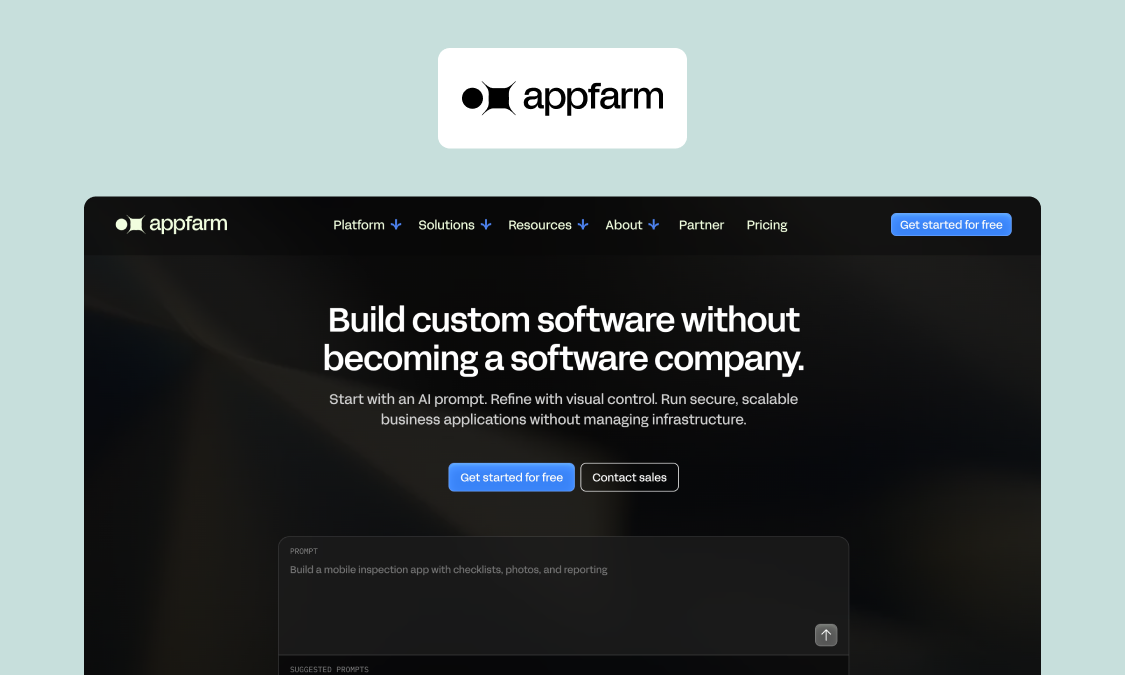
Appfarm is an AI-powered visual development platform for building custom operational software, and apps that run core operations and connect to the ERP are a common use for mid-market teams. Your team keeps full control of an app's function: the forms, rules, approval steps and dashboards. Appfarm runs everything else, taking hosting, deployment, security, scaling, backups and recovery off your plate.
You don't have to build it yourself. Many teams start with Appfarm or an implementation partner, who scope and build the first version with them, then take development in-house later. Tide did exactly that: Appfarm built the first version, and Tide's developers took over after a three-day introductory course. Other teams start building directly.
Because you build the app instead of adopting a vendor's template, it fits how your business actually runs. Describe what you need and Appfarm AI generates the whole working app, which you can then adjust on the visual canvas or by re-prompting. For instance, if purchase requests above a set value need an extra sign-off, you add the rule, route it to the operations manager, and deploy it without a rebuild.
Best for: Mid-market teams that need tailored apps to run core operations and connect to the ERP.
Strengths:
- One unified platform: Resource planning, ERP extensions and approvals portals share a single foundation and subscription. Tide's five operational apps on one platform serve more than 5,000 bus drivers.
- Active-user pricing: You pay for the people who log in each month, with one allowance covering every app. Compare that to Power Apps, which bills active users per app on pay-as-you-go while Premium bills every licensed user.
- Proven in the field: When Skanska moved from Power Apps to Appfarm with the help of implementation partner Godig, the app won the Skanska Innovation Award.
- Safe, secure hosting: EU hosting is the default on every plan, with Appfarm maintaining the technology underneath so apps keep working in the long term.
Key features:
- AI prompt-to-app and the visual canvas on one platform
- Server-side workflows triggered by API calls, schedules or app events
- Any API over REST, SOAP, or GraphQL
- Inbuilt database with conditional, data-level permissions
- Up to four environments (development, test, staging and production environments) with full rollback
- Role permissions, custom SSO on paid plans, access logs, ISO 27001 and General Data Protection Regulation (GDPR) compliance
Watch out for:
- Appfarm isn't built for personal projects or single-user apps.
- As Appfarm builds progressive web apps (PWAs), it's the wrong choice for native apps that rely on operating-system-level device features.
- While you can export your data at any time, there's no code export.
Pricing (EUR): Public, active-user pricing model, with unlimited guest users. As of October 2026:
- Free €0 (400 AI credits)
- Essential €2,350/month (5 apps, 100 active users)
- Professional €3,550/month (unlimited apps, 200 active users)
- Dedicated from €5,950/month (800 active users, dedicated infrastructure)
Start self-serve or take a look at the Appfarm pricing page to talk to sales.
Verdict: Pick Appfarm if your operational workflows vary too much for a fixed template, need to read and write to your ERP, and should run as a governed production system without you running the infrastructure.
2. Power Apps
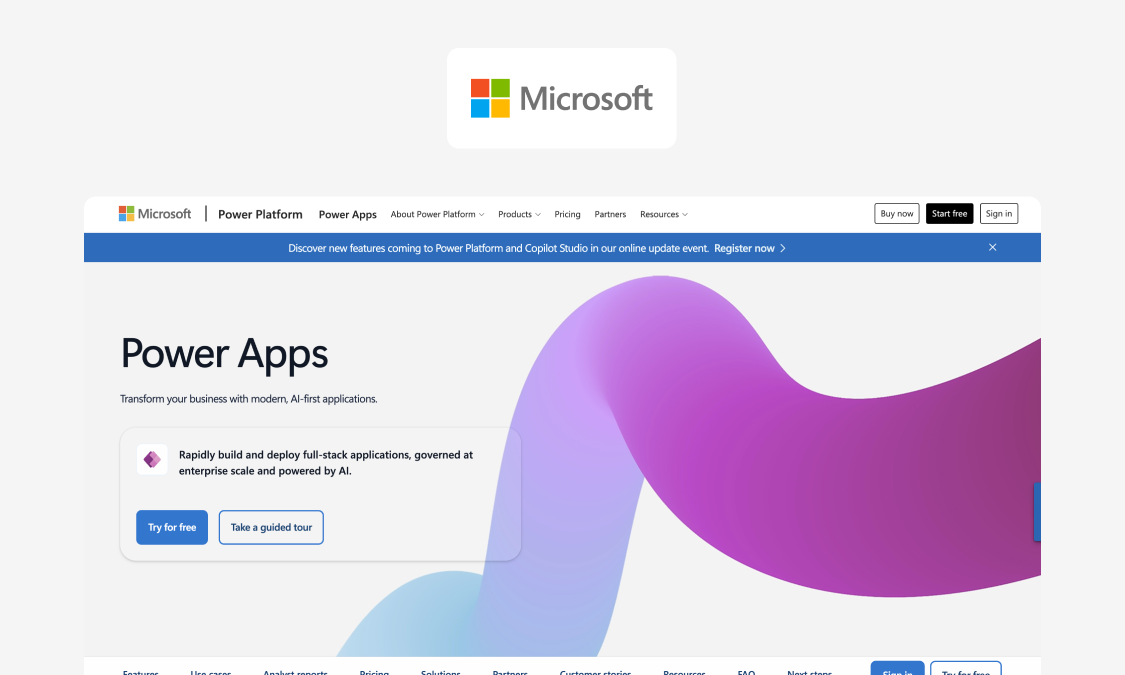
Power Apps is Microsoft's low-code builder, deeply integrated with the Microsoft ecosystem.
Best for: Organizations operating on Microsoft 365, Dataverse and Dynamics.
Strengths:
- One ecosystem: Easily combined with Microsoft 365, Teams, SharePoint and Dataverse.
- Mature governance: Managed Environments, environment groups and rules, built-in pipelines, source control integration.
- Offline-capable: Offline-first modes available for Dataverse canvas apps.
Key features:
- Canvas and model-driven apps
- Dataverse, with 250 MB of database and 2 GB of files per Premium user
- Prebuilt, custom and on-premises connectors on Premium
- Copilot and agent features in apps
- Power Automate for workflows
Watch out for:
- Offline is Dataverse only; SharePoint, Power Automate flows and browser apps aren't supported, and sync needs the app open in the foreground.
- Licensing sits inside the wider Microsoft agreement.
- Pay-as-you-go requires an Azure subscription.
- Non-Microsoft integrations need premium or custom connectors.
- Performance and cost at scale – especially when building and using large apps.
Pricing (USD): As of October 2026:
- Premium is $20 per user per month paid yearly ($12 at 2,000+ seats).
- Pay-as-you-go is $10 per active user per app per month.
- Premium rises to $22 ($14 at 2,000+) from January 1, 2027.
Verdict: A natural choice for building simple apps inside the Microsoft ecosystem. If the app needs to run core operations, first check how Appfarm compares with Power Apps.
3. Mendix
Mendix is a traditional enterprise low-code platform for building web and mobile applications visually.
Best for: Larger IT teams targeting department-wide and mission-critical apps following a software development life cycle (SDLC).
Strengths:
- Mature lifecycle tooling: agile project management and multi-user development are available in one integrated development environment (IDE).
- Deployment choice: Mendix Cloud, Azure, Kubernetes, SAP BTP, StackIT, or your own servers.
- Uptime: Premium adds horizontal scaling, high availability, failover to another region, 99.95% uptime.
Key features:
- Studio Pro development environment
- Maia AI-assisted development
- Identity provider integration from Standard
- Up to three environments per app on Standard
- Project and operations dashboards
- Private component marketplace on Premium
Watch out for:
- Cloud compute isn't in the Standard or Premium license.
- Per-user fees come on top, but Mendix doesn't publish the rate.
- It's typically delivered by certified Mendix developers.
Pricing (EUR): As of October 2026:
- Free tier available.
- Standard from €918/month for one app or €2,295/month for unlimited apps.
- Premium by quote.
Verdict: A strong choice for those building an enterprise app portfolio with developers, but it's overkill for a few operational apps.
4. OutSystems
OutSystems is premium enterprise low-code for professional developers, with a growing focus on AI-generated apps and agents.
Best for: Enterprises with professional developers building complex, high-scale internal and customer-facing apps.
Strengths:
- DevSecOps: Continuous integration and delivery (CI/CD) tooling and built-in security testing at no extra cost.
- Separate runtimes: Development, test and production available as standard.
- AI capabilities: App and agent generation from prompts.
Key features:
- OutSystems Developer Cloud (ODC)
- Three runtimes by default
- 99.5% uptime (99.95% as add-on)
- ISO 27001 included, System and Organization Controls 2 (SOC 2) Type II as an add-on
- 24/7 support as an add-on
Watch out for:
- Pricing scales with Application Objects (screens, database tables and API methods; a typical medium app is about 150) and users.
- It's developer-led, requiring budget for OutSystems technical skills.
- Escalating costs at renewal.
Pricing: as of October 2026:
- Quotes available on application
- OutSystems Developer Cloud (ODC) starts with 100 internal users and one medium-sized production app.
Verdict: Best where performance and scale justify a developer team and an enterprise budget.
5. ServiceNow App Engine
ServiceNow's low-code layer sits on the same platform as its IT service management (ITSM) products.
Best for: Enterprises already running ITSM, human resources (HR) or customer service on ServiceNow.
Strengths:
- Two packages: Foundation for AI-assisted low-code, and Prime for AI agents and enterprise-scale governance.
- Unified oversight: App Engine Management Center (Prime) gives IT one place to oversee custom apps.
- ServiceNow ecosystem: New apps share existing data and users.
Key features:
- ServiceNow Otto for Creator and for App Engine
- App Engine Studio, Creator Studio and Workspace Builder
- Custom tables and scoped apps, unlimited on Prime
- Process Mining and Mobile Publishing on Prime
- Unlimited Virtual Agent conversations
Watch out for:
- The value proposition depends on your existing ServiceNow footprint, with standalone buyers taking on a large platform for a few apps.
- Governance and mobile publishing require Prime.
Pricing: As of October 2026:
- Quotes available on application for both packages
Verdict: The natural choice if ServiceNow already runs your service desk, but harder to justify if starting from scratch.
6. Quickbase
Quickbase's no-code platform for database-backed apps is built for operations teams and citizen developers without coding knowledge.
Best for: Operations teams replacing spreadsheets and Access databases without a development team.
Strengths:
- Powered by real databases: Dashboards, 13+ report types and workflow automation on the entry plan.
- Security first: SSO, automated user provisioning and a sandbox on Business, with encryption and six months of audit logs from Team.
Key features:
- Relational tables and forms
- Workflow automation
- Reports, dashboards and Gantt charts
- Application lifecycle management and three-year audit logs on Enterprise
- Intelligence Pack and Extensions as add-ons
Watch out for:
- Listed prices exclude an unpublished platform minimum.
- Advanced features, including governance APIs and advanced encryption, need Enterprise.
- All users must be on the same plan, so needing SSO moves everyone to Business.
Pricing (USD): As of October 2026:
- Team from $35 per user per month (plus the platform minimum)
- Business from $55 per user per month (plus the platform minimum)
- Enterprise custom
Verdict: Good for ops teams who need to get data out of spreadsheets fast. Price the tier you need for SSO before you commit.
7. Appian
Appian offers process orchestration and business process management (BPM), with a strong track record in regulated industries.
Best for: Regulated organizations required to orchestrate complex, multi-step processes and cases across existing systems.
Strengths:
- Process automation: Case Management Studio and Process HQ on Advanced and Premium tiers.
- Strong operations: A 99.8–99.99% cloud uptime commitment and SOC 1, 2 and 3 attestations.
- Flexible deployment: Deployment in Appian Cloud, hybrid clouds or on-premises.
Key features:
- Standard, Advanced and Premium tiers
- Data Fabric, from 4M rows per record type on Standard to 50M on Premium
- Robotic process automation (RPA), from five bots to unlimited
- Offline mobile and unlimited portals from Advanced
- AI Copilot for developers on every tier
Watch out for:
- Licensing is per user, per month, per app (or platform-wide), by tier, with AI action limits.
- Typically delivered by certified Appian developers or a partner, so budget for that.
Pricing: Pricing not public as of October 2026.
Verdict: Best when the process itself is the product. Overkill for a handful of operational apps.
8. Base44
Base44 uses AI to turn a prompt into a working app.
Best for: Teams that want to turn app ideas into a working app from a prompt, fast: prototypes, minimum viable products (MVPs) and lighter internal tools.
Strengths:
- App generation: It generates a fully functional app, database and user authentication included, from plain language, with no coding skills needed.
- Fully-certified: ISO 27001 certified, with a SOC 2 Type II report available on request.
- Store-ready: Mobile apps for the App Store and Google Play from the editor, with guideline scans and push notifications.
Key features:
- Prompt-to-app generation with in-app code edits
- Built-in database and authentication
- GitHub integration from the Builder plan
- Superagents for automation
- SSO enforcement, publish approvals and audit logs on Enterprise
Watch out for:
- The mobile app is a web-view wrapper, with no full offline mode currently supported.
- Below Enterprise tier, your data may be used for AI training.
- Data sits in the US by default; EU or UK residency (Enterprise, and Elite workspaces created before October 2026) covers app data only.
- Cost is based on usage, with live apps burning integration credits.
Pricing (USD): As of October 2026:
- Free tier gives 25 message credits/month, and up to 5 apps
- Paid plans start at $16/month (Starter)
- Builder $40/month
- Pro $80/month
- Elite $160/month
- Enterprise custom
Verdict: Base44 offers a fast way to a working app, but test governance and ownership before running anything critical.
9. Jotform Apps
Jotform Apps lets users transform Jotform's forms into installable apps, on Jotform's existing pricing plans.
Best for: Teams that need to share form-driven apps for intake, requests and checklists.
Strengths:
- 800+ app templates and a no-code visual builder to build apps for phone, tablet and desktop.
- Apps shared by link and pinned to phone home screens.
- Unlimited apps on every plan, including the free plan.
Key features:
- Jotform Apps builder
- Forms, e-signatures, payments and bookings
- Conditional logic and workflows
- 150+ integrations
- EU data center option in Frankfurt
Watch out for:
- Starter through Gold are single-user plans; multiuser access and SSO are Enterprise only.
- When storage fills, your oldest responses are deleted.
- The data model is built around forms, so it isn't designed to extend an ERP.
Pricing (USD): As of October 2026:
- Starter free
- Bronze $34/month
- Silver $39/month
- Gold $99/month
- Enterprise custom
Verdict: Quick and cost-effective for form-based apps rather than the basis for a core operational system.
Also considered
There's a few options we considered that didn't make it to the list. Most notably, Betty Blocks is built on React and WebAssembly, its app code is portable, and it offers RBAC, SSO, audit logs, ISO 27001, SOC 2 Type 2, and on-premises hosting on its Enterprise tier (priced at quote, with other tiers including Create at €1,500/month and Scale at €3,500/month as of October 2026). For lighter needs, Zoho Creator is an AI-powered low-code solution, priced per user, while Kintone offers no-code database apps and workflows for teams.
How business app builders work (from data to production)
Pretty much every business app builder has the same layers: data, screens, logic, connections, and oversight.
What sets them apart is the depth in each layer. A solution that's as wide as an ocean but as deep as a puddle won't last long in the real world.
Data layer (this is where database app builders matter)
It all starts with data, often pulled from several data sources. A good database app builder will offer a relational data model, for instance linking work orders to assets, sites and teams, while having permissions tied to data and a full audit history in place.
Performance at scale is key here. It should act as an ERP extension, rather than just a fancy spreadsheet with a login.
UI layer (forms, dashboards, mobile access)
People are far more likely to use apps that match how they work. That's why modern business app builders prioritize a visual editor for the user interface (UI), letting you easily construct layouts that deliver responsive design and role-based screens that fit both phone and desktop.
While some tools publish native or app-store-wrapped apps, Appfarm builds PWAs, which can work offline and sync when the connection returns. Before deciding, ask yourself: does it work on-site and on desktop without special deployments?
Business logic and automation (rules, approvals, scheduled jobs)
Spreadsheets, spreadsheets everywhere. Copying rows, chasing approvals, human errors infiltrating the ERP: it's enough to drive anyone crazy. Don't suffer needlessly. Business app builders with rules and validations stop bad data before it can enter the system.
Automate workflows and human fallibility is taken out of the loop, with approvals that route themselves, notifications that tell the next person in the chain what they need to do, and scheduled routine jobs like nightly syncs and overdue checks.
Integrations (ERP, identity, and any API)
Integration is a final hurdle that many apps fail to clear. A business app builder needs to play nice with other systems, three in particular. First and foremost, your ERP. At minimum, it must create and update records while keeping master data consistent.
Your identity solution is next. SSO support, with roles mapped from your directory, is a must. Finally, for connecting external services, REST and SOAP APIs, plus webhooks, are a baseline for mid-market environments.
Governance and operations (security, environments, monitoring)
Enterprise governance constitutes a number of different techniques. Separating development, test, and production; using RBAC so people see and do only what their role allows; SSO for IT login controls; logs and change tracking to keep everything auditable; and monitoring.
But governance is only half the job. The other half is getting apps into production and keeping them running.
What you can trust vs what is directional
Trust published vendor documentation like security and compliance pages, pricing pages, and official feature lists. Reviewer anecdotes, along with migration cost estimates and "time to build" claims, should be treated as directional. Just remember that your shortlist should always be validated with a pilot on one real workflow.
Why Appfarm is the best fit for UK mid-market IT and operations teams
Most teams reach this point because off-the-shelf software doesn't fit the process, lightweight tools don't hold up, and the real work stays in spreadsheets.
Appfarm is the platform for all the applications you need, with several operational apps, such as resource planning, ERP extensions and approvals portals, on one plan (Essential includes five). Each is built around actual workflows, connected to your ERP with fully scalable governance.
Your team, IT and operations together, decides what each app does. Appfarm runs everything underneath it: deployment, hosting, security, performance and availability. Role permissions, SSO, logging and managed hosting come as standard, and you can export your data at any time. Hosting is in the EU/European Economic Area (EEA) by default on every plan, under ISO 27001 and GDPR. That's good news for UK teams. UK adequacy regulations cover all EEA countries, so personal data held there doesn't require extra safeguards.
You don't have to build it yourself. Appfarm or a partner can build the first version, and your team can take it over later. And because Appfarm's AI and visual canvas are one platform, what the AI generates stays something your team can see, adjust and govern. Successful rollout depends as much on change management as on the software, so plan a phased start with the people who'll use the app every day.
Conclusion
Speed is easy. Ownership is hard. That's why tools must be judged on what happens after the first version is shipped, and how they handle future growth. Our recommendation is to score three tools with the rubric we've included, then pilot one real workflow on your top choice before signing anything. If Appfarm makes your shortlist, get started for free, or book a demo if you'd rather talk it through with sales.
FAQs
How much does it cost to build an app for a business?
The cost depends on drivers like active users, environments, integrations, development time, and ongoing maintenance. Make sure you get the latest prices direct from each vendor. Unlike some enterprise platforms, Appfarm publishes its active-user pricing model.
Can ChatGPT build me an app?
ChatGPT can speed up writing code and generate prototypes, but that's only part of a production app. Your team then owns governance, security and maintenance.
What is a database app builder, and do I need one?
A database app builder is a tool that lets you create apps which draw on linked, permissioned data. Reporting and an audit history are built in. You need one if:
- your records link to each other (assets, sites, orders)
- different roles need to see different data
- you report on or get audited from the data in question
What is a visual development platform?
A visual development platform is a way to build data, screens and logic visually in a single location. It's broader than a form builder and faster to share than code-first development, because technical users in IT and non-technical users in operations work on the same model. With Appfarm, AI and the visual canvas are a single platform of adjustable building blocks.
What should IT require before approving a business app builder?
At a minimum, IT needs SSO, RBAC, audit logs, separate environments, monitoring, clear data residency and certifications, alongside robust integration capability. It's also worth asking whether customer data is used to train AI models, and who keeps the app running once it's in production.
Are business app builders secure enough for core operations?
Business app builders are secure for core operations provided they have least-privilege access by role, audit logs, managed operations, recognized certifications, and known hosting and data residency.
More reading

There are no items matching your filters. Please try another filter to view results.
We have a lot of helpful resources. Try another filter or reset the filters to find the resource for you.
Digital transformation without disruption