How to make a production schedule for manufacturing: 11 steps (2026)
Learn how to make a production schedule for manufacturing: inputs, 11 steps, a worked example, and how Appfarm keeps it live when orders change.

TL;DR
- How to make a production schedule for manufacturing: start with five inputs – orders, routings, capacity, materials and constraints.
- Backward-schedule from due dates, load work centers against finite capacity, check materials, then sequence with one priority rule.
- A schedule is only useful while it matches reality, so agree on rescheduling rules early.
- Excel works for one planner and stable demand. It breaks once orders, capacity and materials change independently.
- A scheduling app connected to your enterprise resource planning (ERP) system keeps it current without a daily rebuild.
At 7 am the schedule was right. By 10 am a press was down, a coil delivery had slipped and sales had pushed a rush order to the front. Without a system linking orders, capacity and materials, every schedule is a spreadsheet that breaks when reality changes.
This guide walks through 11 steps, a worked example and the rules that keep a schedule accurate after the first disruption of the day.
What a production schedule is (and what it isn't)
A production schedule assigns specific work orders to specific work centers, people and time slots, within the limits of capacity and material availability. In the production planning process, the plan decides what to make and how much. The schedule decides when, where and in what order.
Why production scheduling matters
A good schedule lines up production capacity, labor and raw materials with customer demand. Machines spend less idle time waiting for work or material, you avoid both excess inventory and production delays, and sales, planners and the shop floor stay on the same page about production priorities.
It also has to survive disruption, which is the normal state. In October 2025, Fluke released a Censuswide survey of 600 senior decision-makers and maintenance professionals in the US, UK and Germany. It found that 61% of manufacturers had unplanned downtime in the past year, costing the sector up to $852 million a week. Every hour of that downtime forces a reschedule.
The three schedule levels
| Level | Horizon | Owner | Changes how often |
|---|---|---|---|
| Master production schedule | Weeks to months | Production or planning manager | Weekly or monthly |
| Weekly work center schedule | One to three weeks | Production planner | Daily |
| Daily or shift dispatch list | One shift or day | Planner, run by supervisors | Every shift, or when a disruption hits |
How your production type changes the schedule
Make-to-stock (MTS) plants build to a forecast of future demand, so inventory levels and run lengths drive the sequence. Make-to-order (MTO) plants build to customer orders, so due dates drive it. Job shops sequence around queues at shared machines, production lines and continuous production around line rate and changeovers, and batch plants around batch size and cleaning.
The inputs you need before you schedule anything
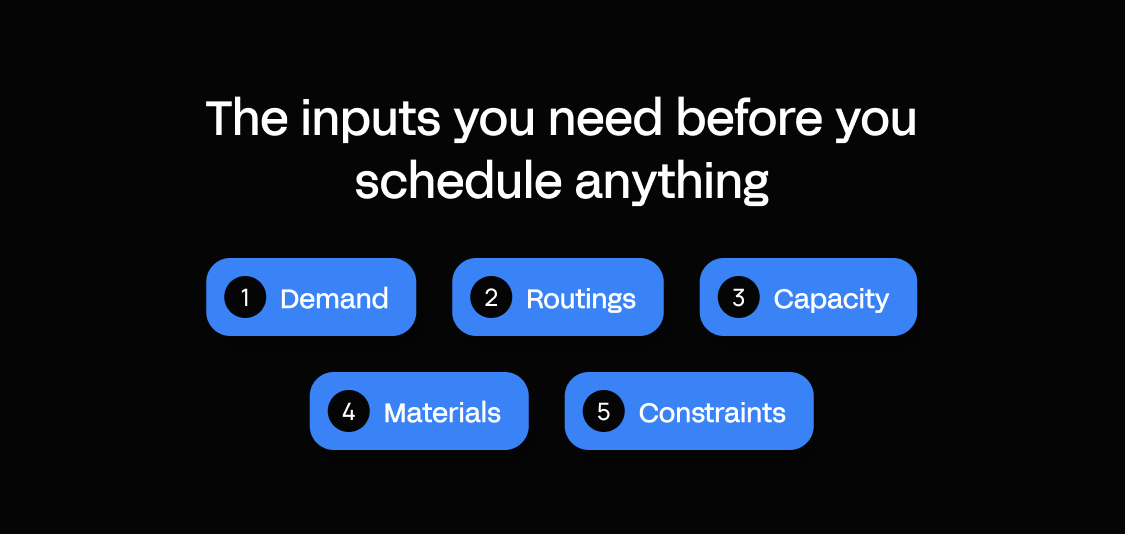
Check off all five inputs before you sequence a single order.
| Input | What to collect | |
|---|---|---|
| ☐ | Demand | Open orders, quantities, due dates, customer priority |
| ☐ | Routings | Operations per product, setup times, run time per unit, queue and move times, expected yield or scrap |
| ☐ | Capacity | Work centers, shift calendars including public holidays, realistic availability based on overall equipment effectiveness (OEE) instead of nameplate, operator skills |
| ☐ | Materials | Raw materials and components on hand, open purchase orders, supplier lead times, bill of materials |
| ☐ | Constraints | Planned maintenance windows, tooling, changeover families, frozen periods |
If these inputs live in five different spreadsheets, the schedule will always lag behind reality.
How to make a production schedule for manufacturing in 11 steps
The production scheduling process runs in three phases: prepare the data (steps 1–4), build the schedule (steps 5–9) and run it on the floor (steps 10–11).
1. Set the horizon and the frozen window
Decide how far ahead you schedule and how many days are locked against change. The horizon should cover your longest material lead time, or shortages will surprise you inside the plan. The frozen window protects the floor from constant reshuffling, because operators can't run a sequence that changes every hour.
Any change inside the freeze needs the planner's sign-off, so make that rule visible to sales. A fabrication shop might schedule three weeks ahead and freeze the next two days. A customer who wants an order pulled into those two days gets a yes only if the planner can show what moves out.
2. Collect and rank the demand
Pull every open production order with its quantity and due date, then rank them with one written priority policy. Without one, the loudest customer usually wins and the schedule turns into a negotiation.
Get both sales and production to sign the policy. For example: orders are ranked by promised ship date, tier A customers break ties, and rush orders inside the frozen window need the plant manager's written approval.
Now every argument has a rule to point at, and the planner stops refereeing calls from sales about whose order matters most.
3. Break each order into routed operations
Split each order into its operations, with setup time and run time per work center. A welded frame might pass through cutting, welding and finishing on its way from raw material to finished product, and each operation needs its own time slot. Add queue and move times between operations, plus expected scrap, so the quantities hold up.
Setup times are where most spreadsheets guess optimistically. A routing that says 15 minutes when the real changeover takes 45 quietly steals capacity every day.
Check routings against what operators actually record. If you have no data, time three changeovers per machine this week and use the average until better data arrives.
4. Calculate real capacity per work center
This is capacity planning at work center level. Available hours per work center are shift hours minus breaks, planned maintenance and expected losses. Nameplate capacity assumes a machine runs every minute, and it never does. Your OEE history shows the losses from stops, slow running and scrap.
Take a welding cell on two 8-hour shifts. That's 16 hours; two 30-minute breaks leave 15, and a one-hour maintenance slot leaves 14. At 85% expected availability from OEE history, you can load about 11.9 hours a day.
In a holiday week, the cell has about 48 hours instead of 60. Labor capacity counts too: if only one qualified welder works nights, that caps the cell.
5. Backward-schedule from the due date
Start from the due date and work backward through each operation to find the latest start. Backward scheduling places each operation as late as possible, which keeps work in progress low. Forward scheduling starts each operation as early as capacity allows, giving the earliest finish.
Use backward scheduling for MTO work with firm due dates. Use forward for MTS runs, or when an order is already late and you need to know by how much.
An order due Thursday with four hours of cutting, six of welding and two of finishing backs up to a Tuesday cutting start. If Tuesday is full, schedule forward and tell sales today.
6. Load against finite capacity
Load each operation onto its work center only up to the available capacity from step 4. Infinite loading places work on its due date whatever else is booked, so overloads stay hidden until the day arrives. Finite capacity scheduling refuses to overfill a work center and pushes extra work to the next open slot, or flags it for a decision.
The difference shows on a load chart. An infinite plan can put welding at 140% on Wednesday and still look fine in a list of due dates. A finite plan moves the extra 40% to Thursday, and you see at once which order slips.
7. Check materials before you commit
Release an order to the floor only when its materials are on hand or confirmed to arrive inside lead time. Check every bill of materials line against stock and open purchase orders, including small fasteners and consumables. An order that starts without its material blocks a machine and leaves half-finished work in the way. Supply chain delays show up here first, so this is where the schedule earns its keep.
If the 3 mm sheet for an enclosure order arrives Wednesday, schedule its cutting for Wednesday afternoon at the earliest. Keep the order visible in the plan with a material hold, so the planner chases the supplier before an operator discovers the gap at the machine.
8. Sequence with one clear rule
Choose one sequencing rule per work center and tell operators what it is. Earliest due date runs the job due soonest first and suits MTO shops judged on delivery. Shortest processing time runs the quickest job first, which clears queues fast but can leave long jobs waiting.
Critical ratio divides the time left until the due date by the work remaining. Anything below 1.0 is already behind, so it suits mixed environments where priorities shift.
First in, first out is the simplest and works on stable production lines. Whichever you pick, operators who understand the rule stop asking the planner what to run next.
9. Group changeovers
Batch orders that share a product family, color or tooling so you change over less often. Every avoided changeover is capacity you get back without adding a shift, which makes grouping one of the cheapest ways to cut production costs. If each color switch on a powder-coating line takes an hour of cleaning, running all black parts before gray saves that hour every time.
The trade-off is lateness. Batch too aggressively and an urgent gray order waits behind a full day of black.
Set a limit, such as never delaying an order past its due date to complete a batch. Inside that limit, the sequencing rule from step 8 decides the order of jobs.
10. Protect the bottleneck with buffers and publish role-based views
Put a time buffer in front of your bottleneck, then publish a different view of the schedule for each role. The bottleneck sets the plant's output, so an hour of idle time there is lost for good. A few hours of queued work in front of it keeps it running when upstream steps slip.
The planner works in a Gantt view. Supervisors see their work center for the shift, and operators get a dispatch list with their next jobs in order.
The planner owns the schedule, and supervisors and sales request changes through the planner. Disagreements the planner can't settle go to the production manager the same day.
11. Close the loop daily
Capture what actually happened every day, then reschedule against your agreed rules. Collect completions, downtime with reasons and material shortages from the floor, ideally as they happen. Compare them with the plan and reschedule only what the rules allow, so the frozen window holds.
Track two numbers. Schedule adherence is the share of planned operations completed in their slot. On-time in full (OTIF) is the share of orders shipped complete on the promised delivery date.
Adherence tells you whether the schedule is realistic, and OTIF tells you whether customers feel it. This step decides whether the other ten still work by Tuesday.
Production schedule example – a worked walkthrough
Take a metal fabrication shop. Each work center has 7 schedulable hours per shift. Black and gray powder coat form the changeover family, and a color switch takes an hour.
| Order | Product | Qty | Due | Cutting (h) | Welding (h) | Finishing (h) | Coat | Material |
|---|---|---|---|---|---|---|---|---|
| 101 | Brackets | 200 | Wed | 3 | 5 | 2 | Black | In stock |
| 102 | Frames | 40 | Thu | 4 | 6 | 3 | Gray | In stock |
| 103 | Guards | 120 | Thu | 2 | 3 | 2 | Black | In stock |
| 104 | Enclosures | 30 | Fri | 3 | 4 | 2 | Gray | 3 mm sheet arrives Wed |
The rule is earliest due date, with color grouping breaking ties, and order 104 stays on material hold. Monday's dispatch list:
| Work center | Sequence | Order | Planned hours | Note |
|---|---|---|---|---|
| Cutting | 1 | 101 | 3 | Due Wed |
| Cutting | 2 | 103 | 2 | Due Thu |
| Cutting | 3 | 102 | 2 of 4 | Finishes Tuesday |
| Welding | 1 | 101 | 5 | Starts when first parts leave cutting |
| Welding | 2 | 103 | 2 of 3 | Finishes Tuesday |
| Finishing | 1 | Oven maintenance | 2 | Planned window, no work released yet |
At 6 am on Tuesday, the welding wire feeder fails and the cell loses 4 hours.
| Work center | Planned Tuesday | After the 4-hour loss |
|---|---|---|
| Cutting | 102 (2 h) | No change |
| Welding | 103 (1 h), 102 (6 h) | 103 (1 h), 102 (2 h), with 4 h of 102 moved to Wednesday morning |
| Finishing | 101 and 103 in black, then changeover to gray | No change |
Orders 102 and 103 are both due Thursday, so the color tie-break keeps 103 ahead and the black family still runs together. Order 102 finishes welding Wednesday morning and finishing that afternoon. All four orders ship on time, because Wednesday had slack and 104 waited for its sheet.
How to create a production schedule in Excel (and where it stops working)
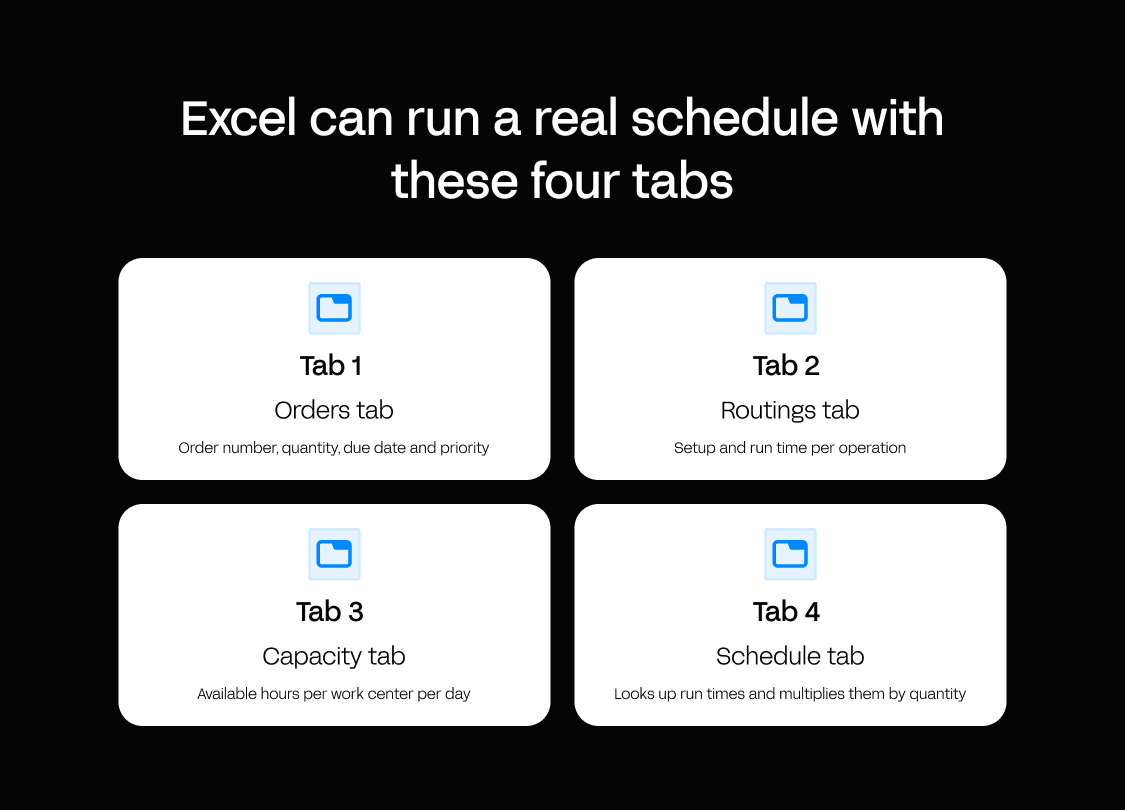
Excel can run a real schedule with four tabs:
- An orders tab with order number, quantity, due date and priority.
- A routings tab with setup and run time per operation.
- A capacity tab with available hours per work center per day.
- A schedule tab that looks up run times and multiplies them by quantity.
Conditional formatting by date gives a Gantt-style view. That's enough for one planner, a few work centers and stable demand. It breaks in four places: orders and stock arrive by copy and paste, one person holds the logic, copies multiply, and only a printout reaches the floor.
Large plants rely on spreadsheets too. Vendor research by Qlector, based on 2025 interviews with several of Slovenia's largest manufacturing companies, found that 50% still used Excel or paper alongside their ERP system.
Capterra's comparison of MRP software and spreadsheets notes that spreadsheets stop supporting reliable planning once routing changes, lead-time shifts and capacity constraints hit procurement, production and delivery together. That's when plants start comparing advanced planning and scheduling (APS) tools and other options.
Choosing your scheduling approach – Excel, ERP module, APS or a custom app
The four options are Excel, an ERP scheduling module, a dedicated APS tool and a custom scheduling app. Details vary by product, so test each against your own routings.
| Excel/Sheets | ERP scheduling module | Dedicated APS | Custom scheduling app | |
|---|---|---|---|---|
| Links orders, capacity and materials live | No, data is copied in by hand | Yes, within the ERP's own data | Usually, through an ERP integration | Yes, through the integrations you set up |
| Fits your actual routings and rules | Yes, until the logic outgrows one person | Within the module's standard logic | Configurable within the product's model, varies by product | Built around your rules |
| Shop-floor views (tablet/mobile, offline) | Printouts or shared files | Varies by product | Varies by product | Designed for your shop floor, offline depends on the platform |
| Voice input for operators | No | Varies by product | Varies by product | Depends on the platform or build |
| Time to first working version | Fastest to start | Depends on how much ERP configuration is needed | Usually a vendor project, varies by product | Depends on scope and who builds it |
| Who maintains it | The planner who built it | Your ERP team or partner | The vendor runs the product, your team maintains configuration and data | Managed platform: your team owns rules and screens, the platform runs everything underneath |
| Best for | One planner, few work centers, stable demand | Standard flows already modeled in the ERP | Plants whose main problem is heavy optimization | Plants whose rules, routings or shop-floor needs don't fit standard tools |
Ask about voice input in every evaluation. Operators in gloves next to a noisy press can report completions, downtime or scrap hands-free.
Keeping the schedule live when reality changes
Rescheduling against agreed rules as conditions change is often called dynamic scheduling. Agree on the rule for each common disruption in advance, so on the day the planner applies a rule instead of making a judgment call.
| Disruption | Rule to agree in advance |
|---|---|
| Machine breakdown | Protect frozen-window orders by due date, and move the rest to the next open slot or an alternative work center |
| Material shortage | Put the order on hold, pull forward the next order with confirmed materials, and give sales the new date |
| Rush order | Accept it inside the freeze only with plant manager approval and a named order that moves out |
| Absent operator | Reassign by skill, and if nobody qualified is free, cut that work center's capacity and reload it |
Then decide what syncs and how often. Orders and stock come from the ERP, at least before every shift. Machine status comes from real-time monitoring in a manufacturing execution system (MES), or from operators as it happens. Maintenance windows come from the maintenance plan once booked, and feed the capacity figures from step 4.
How Appfarm handles production scheduling
Appfarm is a platform for building custom operational software, and a production scheduling app is a common one for manufacturers. Your team decides what the app does: the routings, priority rules, frozen window, changeover families and the view each role sees. Appfarm runs everything underneath it, including deployment, hosting, security, performance and availability.
You don't have to build it yourself. Most teams start by working with Appfarm or an implementation partner to scope and build the first version, then take the build in-house later if they want to. That's how Appfarm partner ControlC built Cocottes' ERP-like system for production, planning and sales. The Luxembourg fresh-food producer moved off faxes and manual processes, and the project won the Innovation in Craftsmanship prize. Other teams skip that step and start building directly.
A scheduling app doesn't have to be the only thing you get out of it. Quality and deviation reporting, inventory and material tracking or operator skills and availability planning can run on the same foundation instead of becoming three more subscriptions. The Essential plan includes five apps (as of October 2026), which covers a scheduling app and those three with one to spare. Pricing is public and based on active users: each plan includes a set number of them (100 on Essential), and only people who log in that month count, so occasional shift users don't add cost.
You build the app around your plant instead of adopting a module's template, so it follows your routings and rules rather than forcing planners to work around fixed screens. Describe what you need and Appfarm AI generates a working app, which you then adjust with building blocks you can move and change, or by prompting again: the priority rule, who approves a rush order inside the freeze, what the downtime form asks for.
A scheduling app on Appfarm can:
- Pull orders, stock and purchase orders from your ERP, because Appfarm connects to any system with an API.
- Recalculate work center load on a timetable with scheduled workflows (a plan add-on as of October 2026).
- Total scheduled hours per work center for the load chart, even across thousands of operations.
- Use calendars for shifts, public holidays and maintenance windows.
- Update the planner board as supervisors log changes, and notify the planner when a work center is overloaded.
- Put each operator's dispatch list on shop-floor tablets, in an app that works across devices, installs on the tablet and updates automatically. Offline use is available as a plan add-on.
- Limit access by role, so operators see only their own work.
- Export tables to Excel. You can also export your data at any time.
Back to Tuesday's welding failure. The supervisor logs the downtime on the tablet, the next scheduled run shows welding overloaded, and the planner gets a notification. The planner moves order 102, and operators see the new dispatch list that morning. When the plant changes a rule later, such as adding an approval step for rush orders, the change goes into the app instead of into another spreadsheet tab.
A common path is to replace the scheduling spreadsheet first, connect ERP data, then add apps across the plant. Appfarm runs on Google Cloud in Belgium, is ISO 27001 certified and is GDPR compliant (see Appfarm's security and compliance details).
Building materials producer Feiring got a tailored system for production planning and quality control, with apps for production planners, samplers and analysts, implemented in 12 weeks.
If your ERP scheduling module already fits your flows, use it. Appfarm fits when your rules and routings vary too much for a fixed template, and you want the scheduling app run and maintained for you.

Rolling out a new schedule on the shop floor
- Pilot one cell, with the old spreadsheet running in parallel for two weeks.
- Use the pilot with real operators to surface usability issues before a wider rollout.
- Involve a lead operator and a supervisor, so the dispatch list matches shift handovers.
- Make reporting easier, with preset downtime reasons and voice input if your tool supports it.
- Show operators what they gain, such as fewer surprise changeovers.
- Retire the spreadsheet on a set date once adherence holds.
- Track the share of completions reported in the app and adherence per shift.
Building the app is the quick part. Changing how people work takes longer, so give the rollout as much attention as the schedule itself.
Conclusion
Gather the five inputs, schedule against finite capacity and close the loop every day. The method works in a spreadsheet until orders, capacity and materials start changing on their own. After that, a schedule you can't update is only a record of what you intended.
See how manufacturers run operations on Appfarm
FAQs
Can you provide an example of a production schedule?
Yes. The worked example above schedules four orders across cutting, welding and finishing, with a material hold and a four-hour welding loss. Its dispatch list is the shift-level output, showing each work center's jobs in sequence with order number, planned hours and notes.
What are the 5 steps of production planning?
The classic five steps are routing, loading, scheduling, dispatching and follow-up, also called expediting. Routing sets the path, loading assigns work to work centers and scheduling sets times. Dispatching releases jobs, and follow-up tracks progress. Scheduling is the part of planning that decides when and where.
How can I create a production schedule in Excel?
Build four tabs for orders, routings, capacity and the schedule. Look up run times, multiply by quantity and compare the load with available hours. Conditional formatting gives a Gantt-style view. Move beyond Excel when orders, capacity and materials change independently, or when several people need to edit.
What is the best production scheduling software for manufacturing?
It depends on fit. An ERP scheduling module suits standard flows your ERP already models. A dedicated APS tool suits plants whose main problem is heavy optimization. Generic project management software can draw a Gantt chart, but it doesn't model routings, finite capacity or materials. A custom scheduling app suits plants whose rules or routings don't fit standard tools. List your rules first, then test each option.
What is the difference between forward and backward scheduling?
Forward scheduling starts each operation as early as capacity allows and shows the earliest finish date. Backward scheduling works back from the due date to the latest possible start, keeping work in progress low. Use backward for MTO work with firm dates, and forward for MTS runs or late orders that need the earliest possible finish date.
More reading

There are no items matching your filters. Please try another filter to view results.
We have a lot of helpful resources. Try another filter or reset the filters to find the resource for you.
Digital transformation without disruption