


The best safety inspection software for field teams in 2026
Compare 6 safety inspection software options with a weighted scorecard, and see what it takes to escalate failures and keep an audit-ready record.

TL;DR
- Safety inspection software should do more than digitize a checklist: it needs to reflect your actual hazards, escalate failures, and leave a complete, audit-ready record.
- For buyers, the most useful comparison criteria are checklist flexibility, corrective-action workflows, offline use, evidence capture, governance, integrations, and the full cost of rollout.
- This guide profiles six strong options, from ready-made inspection tools like Mitti and GoAudits to build-your-own platforms such as Appfarm and Power Apps – with a simple scorecard to help navigate your options.
- Shortlist three options, then pilot each on a real inspection workflow to see how it handles the hazards, escalation, evidence, and environments your team actually deals with daily.
What is safety inspection software (and what an app for safety inspections actually needs to do)
Safety inspection software lets field teams plan and run inspections and capture safety data on mobile devices, covering routine checks such as site walkdowns, vehicle and equipment inspections, and depot or plant rounds.
Many safety inspection apps and spreadsheets stop at the checklist, with templates that don’t match your hazards. Failures don’t trigger new tasks and evidence ultimately ends up scattered across phones and inboxes. In the end, teams complete the checklist but unsafe conditions remain open unless someone else follows up manually.
Imagine a failed guardrail check. On paper forms or in Excel, photo evidence stays on the inspector’s phone and the fix depends on someone chasing it up. With a governed safety inspection process and the right software solution (which this guide helps you find), the failure triggers a corrective action, assigns an owner and due date, and feeds into a single exportable record that shows what was checked, what failed, and how it was resolved.
The results are faster inspections, traceable closeout, and audit-ready reports that support compliance with relevant safety regulations.
Health and safety inspection software vs EHS inspection software: what’s the difference?
Health and safety inspection software runs the inspection workflow itself: checklists, evidence, corrective actions, and inspection reports. Its job is to make inspections consistent, traceable, and audit-ready.
EHS inspection software comes as part of a broader EHS software suite that covers incident management, training records, risk assessments, and workplace safety audits.
If your safety programme already spans those areas, a suite makes sense, with the extra cost and setup that comes with it. If inspections are the thing going wrong today, buy for inspections. A suite is a much bigger procurement, and it won’t fix checklists that don’t match your hazards.
Safety inspection software evaluation criteria (shortlist 3 tools with this scorecard)
No single inspection software wins for every team, so score your options against what will genuinely strengthen your operation.
A template library with basic pass/fail checks is often enough to standardize routine inspections. If that’s what you need, a simple, focused app saves your budget. If hazards vary by site, failures need automatic escalation, or audit-ready evidence matters in your industry, customizable checklists alone probably won’t scale.
Score your shortlist against the criteria below, weighted by what matters most to your operation.
| Criterion | Suggested weight | What to check | Score (1–5) | Weighted score |
|---|---|---|---|---|
| Hazard-specific checklist flexibility | 15 | Site/asset/role-specific checks, conditional logic, thresholds | ||
| Escalation + corrective actions lifecycle | 15 | Automatic escalation, ownership, due dates, reminders, verified closeout | ||
| Offline/mobile usability | 10 | Fast field UI, offline capture, reliable sync | ||
| Evidence capture | 10 | Photos, annotation, notes, signatures tied to findings | ||
| Exportable inspection record and audit trail | 10 | Complete record of inspection, evidence, actions, changes, and closeout | ||
| Roles/permissions and governance | 10 | RBAC, controlled checklist editing, change history | ||
| Reporting and dashboards | 5 | Inspection reports, trends, hotspots, overdue actions | ||
| Integrations / API extensibility | 10 | ERP/CMMS/HR/BI connections, APIs, automated handoffs | ||
| AI features | 3 | Useful generation or assistance with clear human control | ||
| Implementation effort | 5 | Migration, configuration, training, rollout | ||
| Cost drivers | 7 | Users, sites, inspections, storage, connectors, add-ons | ||
| Total | 100 | __/500 |
Using this scorecard: Rate each tool 1–5 per criterion, multiply by the weight for the weighted score (e.g., 4 × 15 = 60), then total the column for a score out of 500. Adjust the weights to fit your operation, ensuring they total 100.
Comparison table: the best safety inspection software and safety inspection apps at a glance
The faster you land on the right inspection app, the sooner you can improve safety performance and prevent accidents.
Use this table to shortlist three solutions, then read the detailed reviews below.
| Tool | Best for | Hazard-specific checklists | Escalation + corrective actions | Offline-first mobile | Exportable inspection record | Governance | Customization approach | Pricing notes |
|---|---|---|---|---|---|---|---|---|
| Appfarm | Custom, governed inspection workflows for field operations | Built around your own sites, assets, roles, and logic | Automatic escalation with verified closeout | Offline-capable PWA with sync | Complete exportable inspection record | RBAC, controlled changes, audit trails, SSO | Build | Public active-user pricing (billed on monthly logins); from €2,350 |
| Mitti (formerly SafetyCulture/iAuditor) | Fast, standardized inspections across many sites | Templates + logic-based triggers | Actions, alerts, and closeout tracking | Yes; offline mobile with sync | Instant reports, exportable (PDF) | Role-based access; SSO on paid tiers | Configure | Free up to 10 active users; Premium from $24/seat/month |
| GoAudits | Affordable multi-site inspections with corrective-action tracking | Templates, conditional logic, scoring | Owners, due dates, evidence, tracked to closure | Yes; offline capture | Branded reports + Excel export | Roles/permissions on Enterprise | Configure | Starter £8/user/month; Enterprise £24/user/month |
| Vector EHS (Vector Solutions) | Inspections inside a broader EHS program | Configurable, asset-linked checklists | Alerts, reminders, corrective-action workflow | Yes; offline mobile | Reports and OSHA logs; audit trail | Enterprise EHS; configurable access | Configure | Custom quote |
| Safety Reports | OSHA-oriented inspections and formal safety reporting | OSHA-aligned templates + custom uploads | Corrective actions with email notifications | Yes; full offline mode | PDF and Word reports | User/company groups; admin controls | Configure | Free tier; paid plans quote-based |
| Power Apps | Simple internal inspection apps in Microsoft environments | Build your own forms, data, and logic | Build via Power Automate | Available, but offline performance is a watch-out | Build to your requirements; no packaged inspection record | Microsoft identity/access controls | Build | From $20/user/month; connectors/storage can add cost |
Note: All prices are as listed by each vendor and shown in their original currency. Check vendors’ sites for current rates and your local pricing.
The best safety inspection software in 2026 (ranked for field operations teams)
The six tools below span three approaches: purpose-built inspection apps (Mitti, GoAudits, Safety Reports), an EHS suite (Vector Solutions), and build-your-own platforms (Appfarm, Power Apps).
Appfarm leads because it lets you build a safety inspection app tailored to your hazards and workflows, not around a template library designed for thousands of teams at once.
1. Appfarm
Best for: service operations and field managers whose inspections are a business-critical record, not a tick-box exercise – where the checks, the escalation path, and the audit trail have to match your own risks and stand up to scrutiny afterwards.
Appfarm lets you build and maintain bespoke safety inspection software without writing code or depending on a dedicated dev team.
What it does well: Getting a first version quickly is no longer the hard part – any AI tool can do that. What matters is what you’re left holding once it exists. Appfarm doesn’t hand you a codebase to review, scan, and maintain: prompt the AI for a working version in minutes, then refine it on a visual canvas, shaping data models, checklists, logic, workflows, and permissions in the same place you generated them.
What the AI produces stays transparent – visual building blocks you can inspect and change, rather than a mystery codebase your team has to own. You own what the app does; Appfarm owns keeping it running, with hosting, scaling, monitoring, and recovery all handled.
Governance comes built in: role-based access control (RBAC), controlled changes, audit trails, and SSO through your identity provider. That matters most when an inspection record has to hold up months later, in front of a regulator, a client, or an insurer. It all runs on Appfarm’s managed enterprise cloud, hosted in the EU/EEA.
Key features:
- AI app generation: describe the inspection app you need in a prompt and get a working first version in minutes
- Visual data modeling: model your own hazards, sites, assets, and relationships to match how your operation actually works
- Visual logic and workflows: choose what should happen when conditions change, whether that’s requiring extra evidence after a failed check or routing issues to the right people
- Server-side workflows: automate background processes like triggering follow-ups for failed inspections, updating records, and syncing safety data with back-office systems
- Full offline capture: crews complete inspections with no signal at all – photos, notes, and signatures included – and everything syncs the moment they reconnect, so nothing gets re-entered from memory at the end of a shift
- Progressive web apps (PWAs): the same app runs on any phone, tablet, or desktop your teams already carry, with no app store rollout or device management programme to run first
- API integrations: sync inspection data with ERP, CRM, dashboards, and other back-office systems to eliminate double data entry
- Real operational proof for inspections: Bertel O. Steen runs damage reporting and inspection handling across a fleet of more than 30,000 vehicles a year on a custom app built with Appfarm, linked back to its ERP system
Watch-outs: Appfarm builds PWAs for enterprise teams, not single-user apps or native iOS/Android apps. In practice, the limit is anything that needs deep OS-level access – pairing directly with Bluetooth instruments like gas detectors or thermal cameras, say, or tracking location continuously in the background with the app closed. Everyday field hardware is fine: camera, photos, and offline storage all work. If you need app-store distribution specifically, a PWA wrapper covers it. And if you just need a basic inspection checklist, Mitti or GoAudits fit better.
Good fit if:
- You want full control over how your safety inspection app works and what it records, without a large dev team on hand
- You run inspections at offline sites but still need data to sync to your ERP or other back-office systems
- Your inspection records have to survive an audit, with permissions and history to match
Not a fit if:
- You only need a basic template checklist with no automations or back-office sync
- Your inspections depend on hardware that needs native device access
Pricing: Public, active-user pricing: you pay for users who actually log in during a given month rather than every provisioned seat. Plans start at €2,350/month (September 2026). Check pricing for full info.
Website: appfarm.io
2. Mitti (formerly SafetyCulture, iAuditor)
Best for: Teams that want a large ready-made template library and fast, standardized mobile safety inspections across many sites.
Mitti is one of the best-established safety inspection apps, with 80,000+ customer organizations. Much of its reputation was built under the names SafetyCulture and iAuditor, before an August 2026 rebrand.
What it does well: Speed and simplicity. Build digital checklists from a deep template library, add logic-based triggers (so a failed check can require a photo or raise an action, etc.), and generate detailed reports as checks close.
You can assign and track corrective actions, the mobile app supports offline access for fieldwork, and access controls help keep checklist data accurate and secure. All in all, it’s a polished, enterprise-friendly app that most frontline teams will pick up fast.
Key features:
- Deep template library (60,000+ inspection templates, as of August 2026) with logic-based triggers to automate follow-ups
- Corrective actions assigned, tracked, and closed out (with alerts on flagged issues)
- Offline inspections on the mobile app, syncing once re-connected
- Analytics via instant reports and live dashboards
Watch-outs: Mitti’s limited when you need workflows that go beyond inspections, checklists, and corrective actions. When checks need to tie into your own asset data or back-office processes, a build-your-own platform offers more flexibility. Some field users also report syncing issues in low-signal areas.
Pricing: Free for small teams of up to 10 active users; Premium from $24/seat/month (annual billing, August 2026).
Website: mitti.com/inspections-and-reports
3. GoAudits
Best for: multi-site operations teams that want affordable, mobile-first safety inspections with corrective-action tracking and no enterprise complexity.
GoAudits is a purpose-built inspection and auditing app with adopters in retail, hospitality, facilities, manufacturing, and construction.
What it does well: Templates and straightforward automation. Start from 100s of pre-built health and safety audit templates (1,500+ templates for other audit types too), then add your own conditional logic and scoring.
Professional-looking reports generate automatically when an inspection closes, with results also exportable to Excel. Corrective actions go to a named owner with due dates and photo evidence, while reports and dashboards surface recurring failures and historical trends.
Key features:
- Checklist and template library serving 20+ industries, with conditional logic and a drag-and-drop customization
- Free configuration service for existing checklists
- Offline mobile capture with photo annotation and e-signatures
- Corrective actions with owner, due date, and photographic proof, tracked to closure
- Multi-site dashboards to track scores and trends across locations
Watch-outs: GoAudits supports conditional logic and configurable workflows, but it’s built mainly around inspections, actions, and reporting rather than fully custom operational data models. Roles and permissions, audit scheduling, advanced analytics, and back-office sync via its REST API are also locked to the top-tier Enterprise plan.
Pricing: Starter £8/user/month, Enterprise £24/user/month (annual billing, August 2026).
Website: goaudits.com/health-safety/
4. Vector EHS (Vector Solutions)
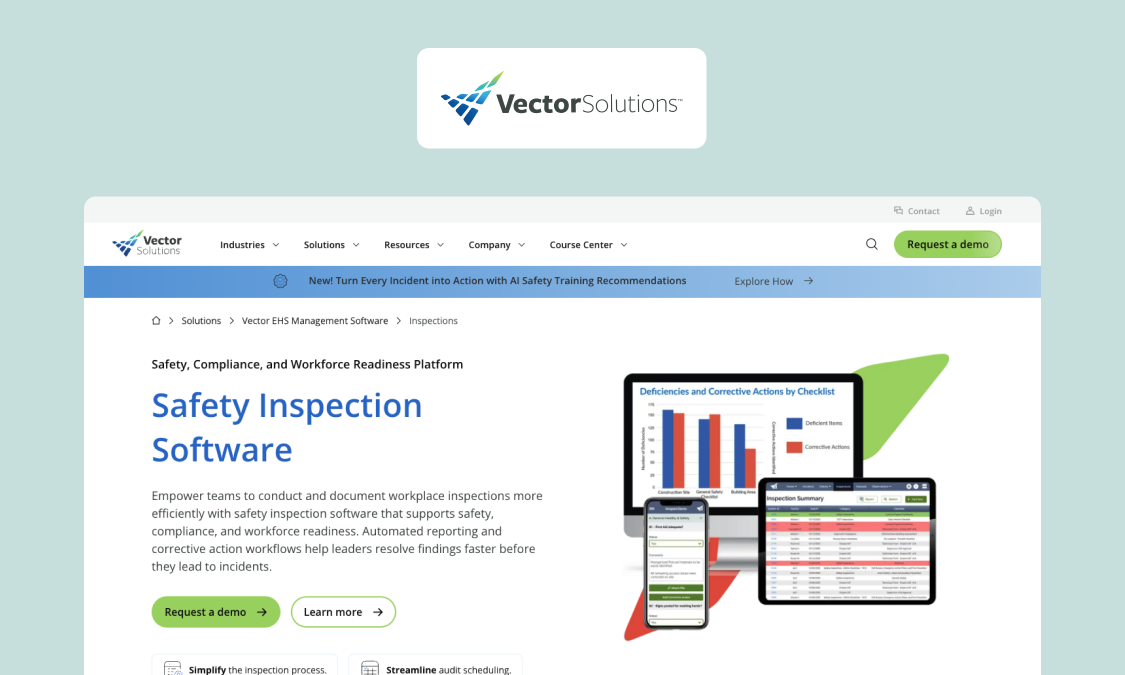
Best for: teams looking to run inspections as one part of a wider environment, health, and safety (EHS) suite, not a standalone app.
Vector EHS (by Vector Solutions) – likely this list’s most comprehensive option – connects inspections with hazard/incident reporting, root cause analysis, workforce training, and chemical management.
What it does well: Suite breadth. Inspection findings feed the same platform that handles incidents, training records, safety compliance, and a lot more. Data syncs across various functions, without you switching interfaces – useful if you’re managing safety end to end. Vector EHS itself is part of an even bigger ecosystem that can handle inventory and policy management, shift scheduling, risk management, and regulatory compliance.
Key features:
- Configurable inspection and safety checklist templates, asset-linked
- GPS logging keeps records tied to precise locations (e.g., sites, assets)
- Enhanced communication – automatically alert employees of audit responsibilities and trigger reminders for corrective actions
- Offline mobile access, including photo attachments
Watch-outs: Optimal ROI comes from using Vector Solutions’ wider EHS suite, not just the inspections module. If safety checks matter most to you, a dedicated or custom solution is more cost-effective.
Pricing: Custom quote only; no public pricing (August 2026).
Website: vectorsolutions.com/solutions/vector-ehs-management-software/
5. Safety Reports
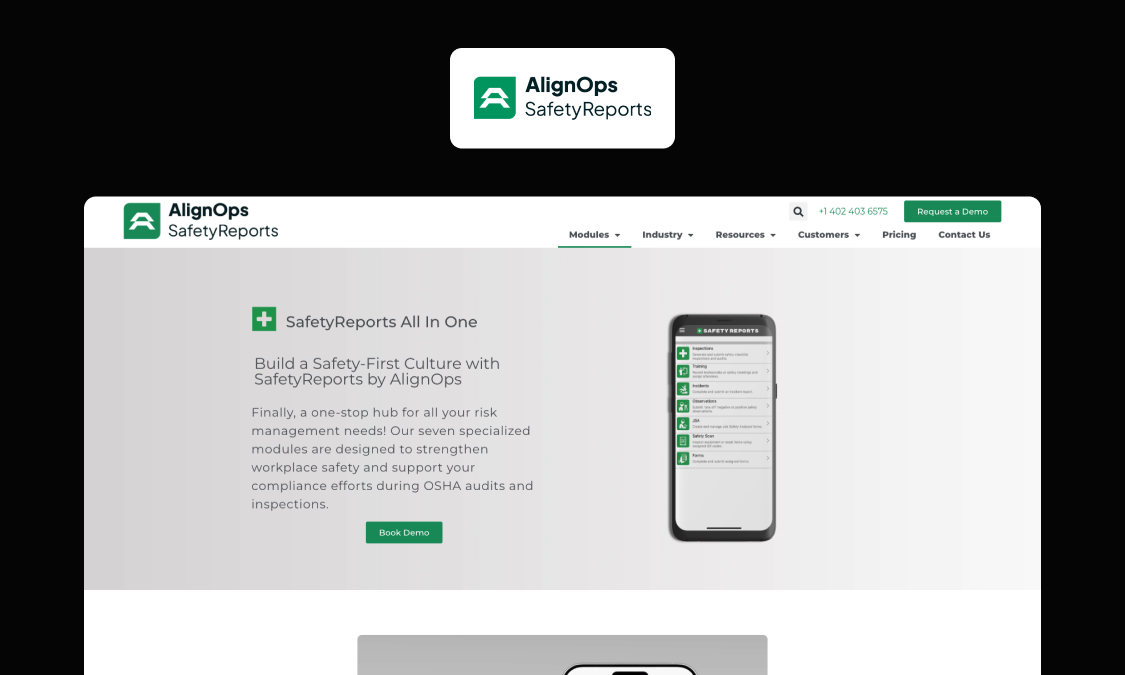
Best for: safety teams and consultants, especially in construction, that run OSHA-compliant inspections and need audit-ready reports generated fast and often.
AlignOps’ Safety Reports is inspection and safety-reporting software built around preloaded, OSHA-aligned checklists and instant reports (OSHA is the US safety regulator, so it’s less relevant to European teams).
What it does well: Regulatory reporting. Run inspections from OSHA-aligned templates or your own uploads, score findings by severity, and export in the formats auditors and clients expect. Its general workflow will suit construction firms and safety consultants who live by defensible documentation.
Key features:
- Checklists that cite the applicable OSHA standard and link straight to OSHA.gov, in both the app and the report
- Objective, severity-weighted scoring designed for formal Safety Recognition Programs
- Electronic corrective action tracking with email notifications – recipients don’t need the app
- Reports built for consultants: branded cover letters, embedded photos (media capture), and recommendations – in PDF or Word
Watch-outs: Safety Reports is now part of AlignOps’ broader construction operations suite. If you need deep integrations or capabilities beyond safety reporting, check how much sits in the standalone app versus the wider platform.
Pricing: Custom quote only; no public pricing (August 2026).
Website: safety-reports.com
6. Power Apps
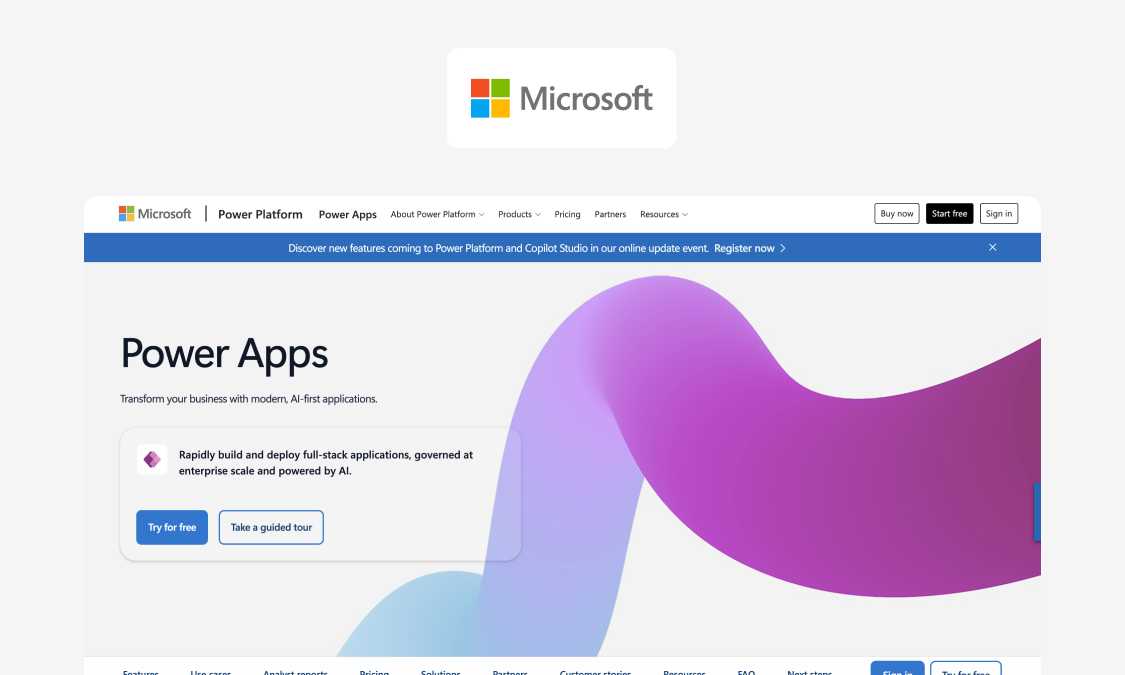
Best for: smaller teams building simple internal apps in Microsoft-standardized environments.
Power Apps is Microsoft’s low-code development platform for building custom business apps. Many teams already have some Power Apps access through Microsoft 365, so it’s a common first stop for building basic inspection forms when an off-the-shelf app won’t fit. We go deeper on where it hits limits in Appfarm vs Power Apps.
What it does well: Microsoft-native speed and governance. Build canvas or forms-based safety apps, connect them to Dataverse (Microsoft’s cloud database), SharePoint, or Excel, and add automation via Power Automate. If you already use those tools, Power Apps slots in neatly. Identity and access also tie into familiar Microsoft controls, which can make it easier to get IT’s backing for a new app.
Key features:
- Canvas and forms-based app-builders for citizen developers
- Deep integration with Teams, SharePoint, Dataverse, Excel, and the rest of Microsoft 365
- Large partner and developer ecosystem to support advanced projects
- Easy procurement for existing Microsoft customers
Watch-outs: Some users say the claimed offline support is weak in practice – poor connectivity could slow business-critical safety inspections. Licensing starts simple but gets complex with scale, and per-user pricing punishes large frontline teams.
Pricing: From $20/user/month, with steep discounts at high seat counts (billed annually, August 2026). Premium connectors and Dataverse storage cost extra.
Website: microsoft.com/en-gb/power-platform/products/power-apps
What good safety inspection software does across the full lifecycle (not just checklists)
Managing safety in the field is a repeatable lifecycle: you build checks around your hazards, capture evidence, escalate failures, close them out with proof, and track patterns over time.
Consistently following that process enables organizations to enhance safety performance and compliance without slowing day-to-day work. If your inspection app only handles the checklist part, your team has to do the rest by hand.
Here’s what that looks like at each stage, and what to hold out for.
What you can trust vs. what is directional
When you compare tools, keep facts and claims apart.
You can trust the actual records that a system produces: exported inspection reports, timestamps, completion rates, overdue action counts, etc.
Vendor ROI figures, “time saved” promises, and incident-reduction claims without controlled data require more scrutiny. Use those to inform questions for a trial.
Checklist building that matches your hazards (not a template library)
Hazard-specific means the checks reflect your operation: nothing essential missing, and no irrelevant items cluttering the screen.
A walkdown can look very different depending on the site, asset, role, or shift it checks. Depots and plants carry different risks, as do forklifts and scaffolds. Operators and safety leads need to check for different things, and night work has its own hazards.
Good apps for safety inspections let you encode that logic, including different acceptable thresholds and failure conditions, so team members are always presented with the appropriate checks for that context. They should also let you update and version those checks in a controlled way as regulations, equipment, or safety protocols change.
For example, a single checklist item can carry a rule: if the machine guard is missing → mark fail → require a photo → trigger immediate escalation.
Mobile capture in the real world (photos, notes, signatures, offline reality)
Inspectors need a fast mobile-friendly UI with minimal taps: tap pass, tap fail, move on. A check that takes too long gets skipped or backfilled later from memory.
Evidence must attach to the specific question that failed. The photo of the cracked guard belongs on the guard item, with a note and a timestamp, so it’s unambiguous afterward. Leaving evidence floating at the end of a check just creates manual work for whoever has to connect the dots.
Then there’s the hardware reality. Field teams are working on phones and tablets, often in areas with poor connectivity. Capture has to work offline and sync when signal returns, or the inspection stops the moment signal drops.
Automatic escalation and corrective actions (where risk stops lingering)
A checklist that records what fails without making sure anyone fixes it won’t improve workplace safety standards. Automatic escalation turns findings into actions that reduce risk.
Escalation is triggered by the finding itself – a failed check, a high-severity hazard, or the same issue recurring – and who’s notified follows from that. It could be a supervisor for a routine fail, the safety lead for a serious hazard, maintenance for a broken asset.
Whatever the precise logic, a typical escalation flow looks like this: fail → action created → due date → reminder → verification → closed with evidence. Every failure travels the same path, so nothing slips off the list.
The inspection record: audit-ready proof you can export and defend
A defensible record shows who ran the inspection, when and where, what was checked and failed, the evidence attached to each finding, and the corrective actions that closed it out. That’s what separates proof from a claim.
This data also has to leave the system cleanly. You should be able to export a complete inspection – findings, photos, and action trail – as a PDF or into a usable spreadsheet format. Auditors, clients, or managers can then review the full record without needing access to the original app. And you can take your inspection history with you if you ever switch vendors.
Reporting and analytics (what you track weekly, not once a year)
A safety reports inspection app produces two kinds of output, and they serve different purposes.
A PDF report documents a single inspection – the record you hand an auditor or other stakeholder to prove checks took place. Operational dashboards help you identify trends across multiple inspections: which hazards recur, which sites have the most problems, and how many corrective actions are overdue.
A field manager analyzes data in dashboards week to week. Rather than re-reading completed inspections, they check what failed recently, what’s still open past its due date, and where the same issues keep coming back.
Integrations and handoffs (email is not a system)
A safety inspection usually triggers work elsewhere. Your inspection software needs to connect to the systems that schedule or manage that work. Otherwise, turning results into corrective action becomes someone’s manual job.
For example:
- A failed asset should raise a maintenance work order in your CMMS or asset management system
- A training gap should reach your HR or training system
- Inspection trends should feed your business intelligence tool
- Access should run through your identity provider (SSO), so people sign in with existing logins
Forwarding a PDF by email does none of this. It relies on someone remembering to act, and leaves no record if they don’t. With proper integrations, the next step happens automatically and you can confirm it did.
Governance basics (permissions, roles, audit trail, retention)
Most guides skip over governance for being less glamorous or harder to quantify than checklists and mobile apps, but controls keep a safety program trustworthy once it’s live.
These crucial features are especially important:
- Role-based access control sets who can do what. For example, an inspector completes checks but only a safety lead should be able to change the checklist itself. Blurring that line causes standards to drift.
- An audit trail records who changed what and when, so an edited checklist or a reopened action stays traceable.
- Retention controls keep records intact and available for a set period and can enforce data residency when the hosting location matters. For example, Appfarm runs on managed cloud hosted in the EU/EEA.
No field manager wants shadow safety processes living in random tools. Governance keeps one controlled version of the workflow, with a defensible record of all changes.
Why Appfarm is the best fit for service-operations and field managers
If you manage a mobile team, your inspections live or die in the field: on phones, in depots, at sites with no signal, and in the hands of workers who have no patience for a slow app.
Spreadsheets and generic checklist apps struggle when those variables pile up. They handle the first moment – box-ticking – and little or nothing after it. The check happens, but the failed item still waits for someone to remember to chase it. The longer it sits open, the bigger the risk.
Appfarm lets you build a safety inspection app around your own hazards and roles without becoming a software company first. Checks reflect your sites, assets, and shifts. When something fails, it automatically escalates to the right person with a due date and a verified closeout, so nothing sits open by default. Every inspection becomes a complete, exportable record of who checked what, what failed, the evidence, and how it was resolved.
Built for production use, your custom app stays governed as it grows. Role-based permissions separate who can complete checks from who can change them; updates are controlled, not ad hoc, and rollout scales across sites without the workflow fragmenting – all on the same EU/EEA-hosted managed cloud.
Pricing is active-user based and public, too. It’s based on monthly logins, so you’re not buying named seats for inspectors who only log in occasionally.
This combination is the point: fast to build like an AI tool, but governed and maintainable for real operations, all on one platform you can keep shaping and running as needs change.
FAQs
What is the best EHS software?
That depends on what you need. A full suite fits safety teams handling risk management, incident tracking, training, and audits together. If your real problem is inspections that don’t match your hazards, focused safety audit software will fit better and likely be more cost-effective. A lot of teams fix inspections first, then expand later.
What are the 4 types of inspection?
Field operations typically use four types of inspection:
- Pre-use checks happen before equipment or a vehicle is used
- Routine inspections run on a regular rhythm (usually daily or weekly)
- Periodic checks are more comprehensive inspections at longer intervals
- Ad hoc or incident-triggered inspections respond to a fault or near-miss
An app with automated scheduling keeps the regular audits (routine and periodic) on track.
What is the best home inspection software?
This guide covers operational safety inspections for field teams in industrial, logistics, and construction settings, not residential property inspection. Use tools built for real estate reporting (not EHS workflows) to inspect homes.
What should a health and safety inspection software record include?
A complete record should capture:
- A timestamp, the inspector’s identity, and site or location
- The checklist version used
- Evidence of the findings (photos, videos and notes)
- Details of what was checked and what failed
- Corrective actions taken or scheduled, with verification
- A reference to any applicable regulatory standards
- Export options so records can leave the system cleanly
Good software also makes it easy to record findings, log safety observations, and tie in any related safety incidents.
What’s the difference between off-the-shelf safety inspection apps and a custom safety inspection app?
Off-the-shelf safety inspection apps are fast to start: adopt a template library and go. A custom safety inspection app is built around your own hazards, escalation rules, and integrations.
Off-the-shelf handles a broad range of standard checks while custom suits a safety manager who keeps hitting the limits of fixed templates.
Does safety inspection software work offline?
Good safety inspection software does. Offline means inspectors capture checks, photos, and notes with no signal, then sync automatically when connectivity returns. This keeps inspections running in remote locations and cuts the manual data entry of writing things up afterward.
Test any workplace safety apps on a real low-signal site before you commit since offline depth varies.
How do you choose between buying EHS inspection software vs building your own?
Buy if a template library and light workflow are enough, because that’s the fastest route. Build if hazard-specific checks, roles, escalation, and integrations are business-critical and off-the-shelf keeps falling short.
Appfarm is the middle path: a governed way to build workplace safety inspection software that fits your operation without owning the stack, so you can improve compliance and monitor progress as you scale.
More reading
There are no items matching your filters. Please try another filter to view results.
We have a lot of helpful resources. Try another filter or reset the filters to find the resource for you.
Digital transformation without disruption

