


How to create a customer portal: 8 proven tips for B2B companies (2026)
Build a secure, integrated customer portal in weeks. 8 proven tips for B2B mid-market firms to deliver self-service without a long project.

TL;DR
- Creating a customer portal starts with your customers' jobs-to-be-done (order tracking, invoices, support requests), mapped to the systems that hold that data, before you pick a platform.
- The build-versus-buy decision turns on integration complexity, governance (authentication, audit, data residency), and speed to market.
- A production-ready portal needs secure authentication (single sign-on preferred), role-based access control, row-level filtering to stop cross-customer leaks, and audit logging.
- Mid-market B2B firms choose between extending a CRM (customer relationship management) or service platform, custom development, or a platform like Appfarm, where the portal is built around your own systems and data, and Appfarm or a partner can build the first version with you.
- The eight tips cover requirements, security, integrations, user experience, and a phased launch, the platform-agnostic framework most guides skip.
Your customers want self-service: check order status, download invoices, submit support requests, and update account settings without emailing your support team. Knowing how to create a customer portal that delivers this, integrated with your existing systems, is the hard part. Most firms stall between a six-month custom build and a rigid off-the-shelf tool. This guide gives you a governed middle path: eight steps to a portal that connects to your CRM and ERP (enterprise resource planning) systems and keeps running afterward.
What is a customer portal and why B2B companies need one in 2026
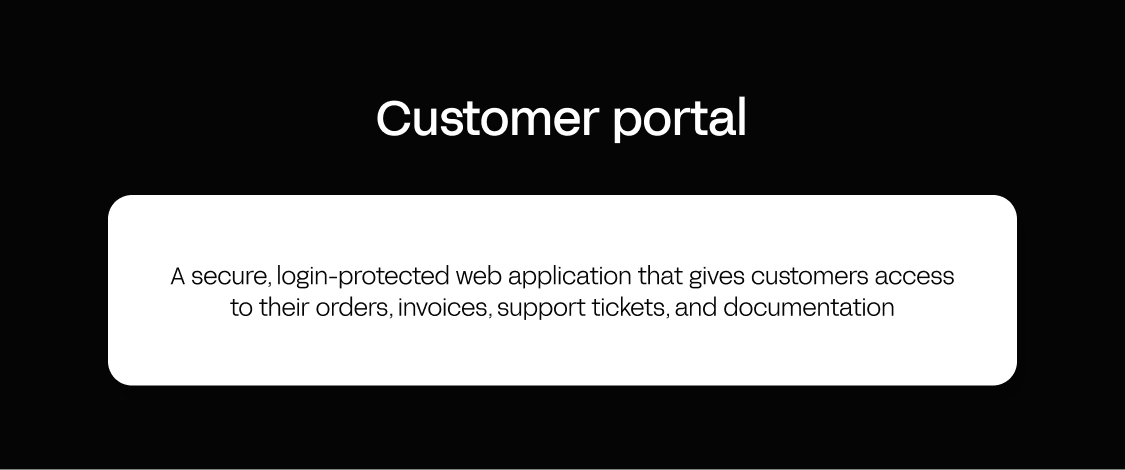
A customer portal is a secure, login-protected web application that gives customers access to their orders, invoices, support tickets, and documentation. It connects to your CRM, ERP, billing, and ticketing systems so customers see live data, not static exports. Done well, it cuts support volume and scales service delivery without adding headcount.
The operational case is concrete. Customers call to ask "Where's my order?" or "Can I get last month's invoice?" Your team answers manually across several systems, and the work scales with your customer base. A portal shifts that to self-service. Gartner found only 14% of customer service issues are fully resolved in self-service, even though 73% of customers use self-service at some point (Gartner, 2024, across all industries and channels). That is the headroom a well-built portal can capture.
A note on terminology. The same thing goes by several names, and the label usually reveals who is talking. Product, manufacturing, and logistics firms say customer portal or customer service portal. Professional services firms, consultancies, and creative agencies say client portal, and the client portal software and client portal tools marketed to them lean toward client onboarding, document sharing, and billing, because most client interactions there concern deliverables rather than ERP order data. Support teams call it a self-service hub. The underlying build is the same: secure access to the records a specific account is allowed to see. This guide uses customer portal throughout, but every tip applies whether you call the people on the other side of the login page customers or clients.
Modern customer portals converge on a common set of portal features, whichever label you use:
- Orders and project data: live status pulled from your ERP or project management tool, not a nightly spreadsheet.
- Invoices and billing details: downloadable documents, payment history, and in some portals online payments.
- Ticket tracking: a place to submit support requests and follow them to resolution.
- Document management and secure file sharing: contracts, specs, and deliverables in one governed place instead of email threads.
- Secure messaging: client communication attached to the record it concerns, so context is not lost.
- Self-service resources: knowledge base articles, FAQs, and guides that answer the question before a ticket is opened.
- Automated workflows: approvals, notifications, and status changes that fire without anyone re-keying anything.
B2B buyers now expect the self-service options they get as consumers from Amazon or Stripe, so a portal is table stakes for retention.
How to create a customer portal: 3 paths (and how to choose)
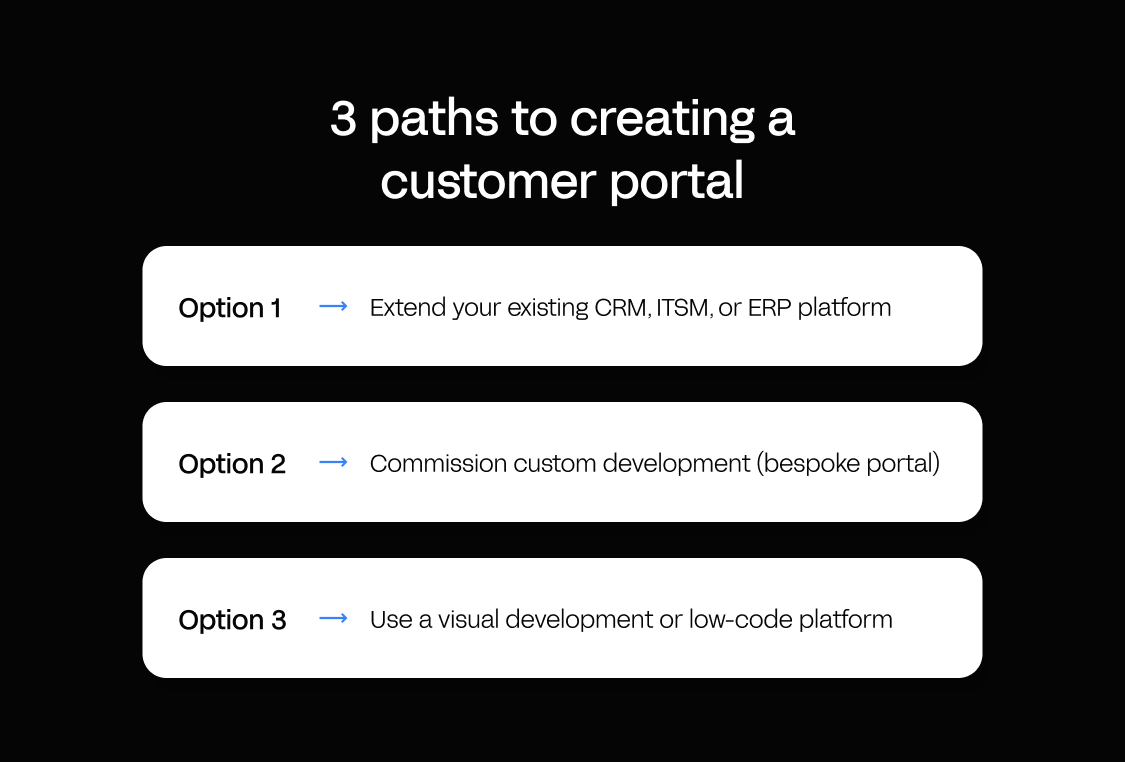
Customer portal building splits into three common approaches, each trading off speed, cost, flexibility, governance, and, often missed, who owns keeping it running. Your path depends on integration complexity, service complexity, governance needs, and whether developers or operations and IT build it.
Option 1: Extend your existing CRM, ITSM, or ERP platform
This suits organizations already standardized on one CRM, IT service management (ITSM), or ERP platform (Salesforce, HubSpot, ServiceNow, Microsoft Dynamics), using the vendor's built-in portal module. Setup is fast and governance is baked in. HubSpot's setup guide shows this path in practice.
It hits a ceiling on cost and fit. Licensing scales per login or per seat: Salesforce publishes self-service portal pricing from $10 per member per month or $4 per login. These modules are shaped around their own CRM or ITSM (IT service management) data model, so pulling orders from a separate ERP or tickets from another helpdesk means stitching connectors it was not built for. Choose it when the portal lives inside one vendor's estate.
Option 2: Commission custom development (bespoke portal)
This suits large enterprises with unique requirements and the budget and timeline for a fully tailored build by an internal or agency dev team. It is the route to a genuinely custom client portal when nothing off the shelf models your business.
The ceiling is time and ownership. A production-ready custom portal with authentication, permissions, integrations, and responsive design commonly takes 6–12 months, with a six-figure build (verify current rates in your own currency). You then own the codebase, infrastructure, and security patching forever, with no governance layer supplied. It fits a core competitive differentiator, but for most mid-market cases the cost and ownership are prohibitive.
Option 3: Use a visual development or low-code platform
This suits mid-market operations and IT teams that need a production-grade, integrated customer portal in weeks, without building a dev team or committing to a six-figure project. Platforms such as Appfarm, Retool, and OutSystems let you build visually, integrate with APIs, and deploy on managed infrastructure. Many offer single sign-on, role-based access control, audit, and compliance certifications, so treat that enterprise-grade security as category table stakes, not one vendor's differentiator.
The ceiling: each tool has its own data model, and some (OutSystems, Mendix) are aimed mainly at professional developers. Pricing varies and shifts often, so re-verify each vendor's model and currency before you commit. Watch how each vendor counts users, too: some client portal solutions advertise unlimited clients on a flat fee, others bill per seat, and the two diverge sharply as you grow. OutSystems pricing, for example, is custom and not public, and Gartner flagged in 2024 that low-code platform licensing changes are driving large proposed renewal price increases, including for OutSystems. These platforms differ most on lifecycle: who keeps the app running, how pricing scales, and where data is hosted.
| Approach | Time to production | Typical cost | Who keeps it running | Best for |
|---|---|---|---|---|
| Extend your CRM, ITSM, or ERP | Days to weeks | Per-member or per-login licensing (e.g. Salesforce from €10 per member/mo) | The CRM, ITSM, or ERP vendor | Portals scoped to one vendor’s data; small user base |
| Custom development | 6–12 months | Six-figure build, plus ongoing maintenance | Your team: codebase, infrastructure, and security patching | Unique requirements with a large budget and timeline |
| Visual development platform | Weeks | Subscription, varies by vendor (Appfarm: tiered and active-user based, public € pricing) | The platform vendor: hosting, security, and patching | Integrated portals across several systems; no in-house dev team needed |
The 8 proven tips to create a customer portal that works

These tips are platform-agnostic, grounded in what mid-market B2B firms need. They apply whichever portal software you land on, and they decide which customer portal features are worth building first. Follow them in order.
Tip 1: Start with customer jobs-to-be-done, not features
Most teams list features before understanding what customers want to accomplish. Map jobs-to-be-done instead: interview 5–10 customers or review your ticket history for the tasks they handle today. Common B2B portal jobs include:
- Check order status and delivery tracking
- Download invoices and review billing details
- Submit and track support requests
- Manage account settings and preferences
- Access product documentation and training
- Request quotes or reorders
If you are a service provider rather than a product company, the same exercise surfaces different jobs: client onboarding steps, approvals on deliverables, and the ability to manage projects and see where each one stands.
Prioritize by frequency and ticket volume. Your MVP (minimum viable product) should handle the top three-to-five jobs, each mapped to its source: order status to the ERP, invoices to billing, tickets to the helpdesk.
Tip 2: Define roles, permissions, and data visibility rules before you build
The risk teams underestimate: a portal that shows Customer A's orders to Customer B because permissions were not designed upfront. Map each role and what it can see and do:
- Customer admin (account owner): sees all company data; can manage users, billing, and tickets.
- Customer user (team member): sees only their own orders and tickets, or a defined subset.
- Partner or reseller: sees data for multiple end customers, with distinct permissions.
- Internal support or sales: read-only access for troubleshooting, with elevated permissions.
For each role, define its data scope (enforced by row-level filtering), allowed actions, and interface visibility, your RBAC (role-based access control) specification. Enforce permissions at the data and API layer, never in the interface alone, so every query filters by the user's role and customer ID. This is what keeps client data separated when several users access the same portal from different companies.
Tip 3: Design a simple, task-focused information architecture
Do not replicate your internal admin navigation; customers think in tasks, not your taxonomy. Design a flat IA (information architecture) with four-to-six top-level sections:
- Dashboard: recent orders, open tickets, and outstanding invoices at a glance.
- Orders: a searchable, filterable table with status, tracking links, and detail views.
- Invoices and billing: downloadable invoices, payment history, and account balance.
- Support: submit tickets and view history and status.
- Account settings: manage users, contact info, and notification preferences.
- Resources: knowledge base articles, FAQs, and user guides.
Keep navigation no more than two levels deep, and use plain labels ("Orders," not "Sales Order Management"). Put the self-service content where the question arises rather than in a separate help site, so the relevant resources sit next to the task. Many B2B users open portals from the field, so a well-built portal works just as well on a phone as on a desktop.
Tip 4: Plan your integration architecture (and test it early)
Your portal is only as useful as its data, which lives in your CRM, ERP, billing system, helpdesk, and project management tool. Map integrations before the interface. For each job from Tip 1, identify the source system, what kind of API it offers and how well it's documented, the update frequency you need, and how the portal authenticates to it. Three patterns cover most cases:
- Live API calls: the portal queries the source on demand. Always current, but slower and dependent on that system's uptime.
- Scheduled sync: a background job pulls data into the portal database every few minutes. Fast and resilient, but data can be slightly stale.
- Event-driven sync: the source pushes updates via webhooks when data changes. Near real time, but it needs webhook support at the source.
Start with scheduled sync for your MVP, then move high-priority data such as order status to event-driven in v2. Be skeptical of any vendor claiming its portal will integrate seamlessly with your existing tools: third-party software with a documented, well-maintained API integrates cleanly, and everything else takes work. Test integrations in week one; projects stall when an ERP API is undocumented, rate-limited, or separately licensed. The goal is one connected system where order, project data, and ticket history reconcile, not three portals wearing the same logo.
On Appfarm, the portal can connect to any system with an API, so order, project, and ticket data can sit behind one login.
Tip 5: Implement secure authentication and session management
Verify who the user is (authentication) and ensure they see only their own data (authorization, from Tip 2). Choose a method that balances security and user experience:
- Single sign-on (SSO) via SAML or OAuth: best for enterprise customers with an identity provider. SAML (Security Assertion Markup Language) and OAuth (Open Authorization) let users sign in with existing work credentials; SSO enables central provisioning and MFA (multi-factor authentication).
- Email and password with MFA: best for smaller or mixed customer bases, though you manage resets, lockouts, and MFA yourself.
- Magic links (passwordless email login): low friction for infrequent users, but email delivery and link expiry need care.
Offer SSO to enterprise customers and email plus MFA to smaller ones; many platforms, including Appfarm, support several in parallel. For sessions, set an inactivity timeout (15–30 minutes for sensitive data), require re-authentication for sensitive actions, log every authentication event, and use HTTPS everywhere. Treat the login page as part of the product: a branded portal that looks like yours, not the vendor's, is the first signal customers get that this is a supported channel.
Tip 6: Build in phases: MVP, v1, v2
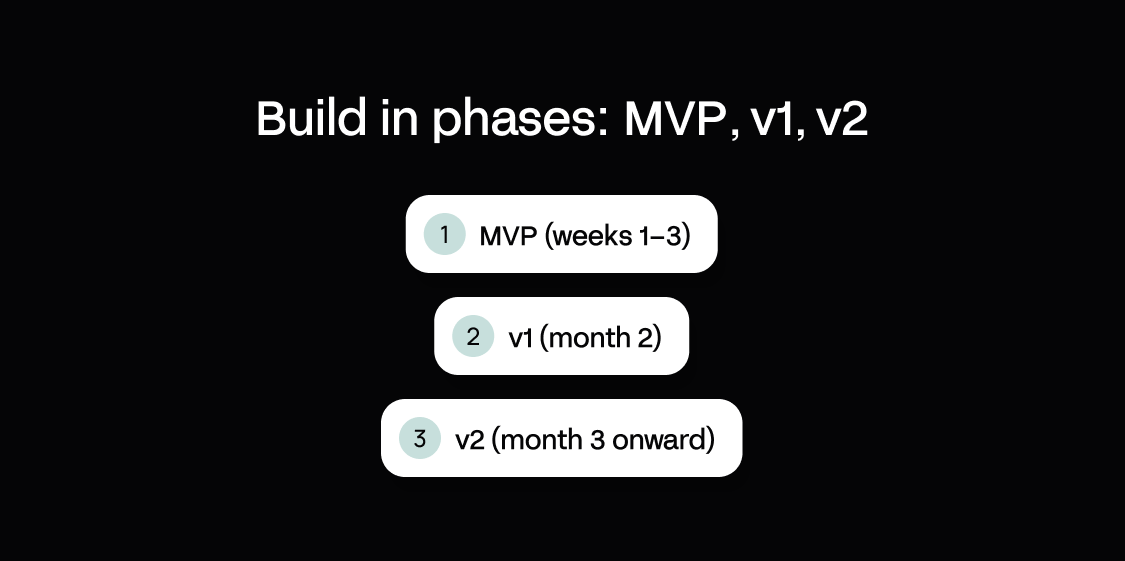
Do not build every feature before launch. Ship a working MVP in weeks and iterate.
Phase 1, MVP (weeks 1–3). Replace your highest-volume support task: login, dashboard, one core feature such as an order-status table, and basic account settings. Target: 10–20% of customers complete the core task without contacting support.
Phase 2, v1 (month 2). Expand to the top three-to-five jobs. Add invoices, ticket submission and history, secure file sharing, and a knowledge base. Target: 30–40% ticket deflection and a CSAT (customer satisfaction) score for portal users.
Phase 3, v2 (month 3 onward). Add notifications, advanced search, secure messaging, and partner views. For mobile, prioritize a fast, responsive portal that customers can install on their phone over a separate native build. Testing with real users in production is what surfaces the last user experience issues, and a managed platform handles uptime, patching, and disaster recovery. Target: 60% or more of customers using the portal as their primary service channel.
Tip 7: Measure what matters (and iterate based on data)
Define success metrics before launch and track them monthly:
- Adoption rate: share of customers who have logged in at least once (target 60–80% within three months).
- Active usage: share who log in monthly (target 40–60%).
- Ticket deflection: reduction in tickets for portal-covered tasks (target 20–40%).
- Time to resolution: average time from submission to closure, which should fall as customers self-serve.
- CSAT: survey portal users and compare to non-portal customers.
Every four-to-six weeks, review what customers use, ignore, and search for that you do not offer, then act on it. Search terms with no results are the cheapest roadmap you will ever get, and acting on them is what turns a static login into a customer experience people come back to.
Tip 8: Choose a platform that keeps the app running and scales with you
Lock-in exists in every software choice; the bigger risk is staying stuck in spreadsheets. The real question is lifecycle: does the platform keep the app running and let you keep building as the business grows, or do you hit a ceiling at v2 and inherit a maintenance burden? Evaluate platforms before you commit:
- Who keeps it running: does the vendor host, secure, patch, and maintain the underlying technology, or does your team inherit that?
- Integration depth: can it connect reliably to the systems you already run, through well-maintained connections?
- Data model flexibility: can you model complex relationships such as customers to orders to line items?
- Governance: SSO, RBAC, audit logging, and ISO 27001 are table stakes, so also ask where your data is hosted (EU/EEA versus US).
- Pricing predictability: does it scale per user, per transaction, or on an active-user model that counts only who logs in?
- Data portability: can you export your data at any time if you leave?
- Performance at scale: does the platform auto-scale as active users and data grow?
- How you keep building: can you move between AI generation and a visual canvas without starting over?
On portability, ask two separate questions. The business question is what happens to your data if you leave: with Appfarm, you can export your data at any time. The IT question is whether you can export the code: Appfarm has no code export, so it carries the same theoretical lock-in as comparable hosted platforms. What you're really investing in is the business logic and processes you codify, and whether the platform keeps running them as you grow.
How Appfarm helps B2B companies build customer portals around their own systems
A CRM portal module is shaped around that vendor's data, and an off-the-shelf portal tool is shaped around someone else's idea of what your customers need. A B2B portal usually has to do something neither does well: put orders from your ERP, invoices from billing, and tickets from your helpdesk behind one login, with permissions that match how your customer accounts are actually structured.
Appfarm is a platform for building custom operational software, and a customer portal is a common one for B2B companies. You decide what the portal does: which jobs it covers, which systems it pulls from, what each role can see, and how it looks to your customers. Appfarm runs everything underneath it: deployment, hosting, security, performance, and availability, hosted in the EU/EEA on an ISO 27001 certified platform with GDPR compliance.
You don't have to build it yourself. Most teams start by working with Appfarm or an implementation partner to scope and build the first version, then take the build in-house later if they want to. Other teams start building directly. Saltimport's ordering portal, Salt.no, was built on Appfarm by implementation partner Avo Consulting, with custom pricing, branding, and transport arrangements for its road-contractor and fishery customers.
A portal doesn't have to be the only thing you get out of it. The internal apps behind it can run on the same foundation and share the same data, instead of becoming more subscriptions. When Ahlsell's Project Logistics division built Ahlsell Flow with Appfarm, the customer app for tracking deliveries and placing orders came with a terminal app for warehouse intake and an admin app for permissions, so what customers see matches what's happening on the ground.
Because you build the portal instead of configuring someone else's template, it fits how your customer relationships work. Describe what you need and Appfarm generates a working, full-stack app, with the data model, interface, logic, and permissions in place. You then adjust it on the visual canvas or by prompting again, moving between the two as you go: the approval step for a reorder, which contacts at a customer account can see invoices, what the ticket form asks for. When a customer asks for a new view or your billing system changes, the change can be live the next day.
Pricing is public, in euros, and based on active users: Appfarm counts only the people who log in in a given month, not every registered contact. That suits a portal, where many customer contacts log in occasionally rather than daily. Visitors to public pages that don't need a login, such as a knowledge base, don't count at all. The Essential plan includes five apps, so the portal and the internal apps behind it can sit on one plan.
See how B2B companies build customer, vendor, and partner portals on Appfarm.
Conclusion
Creating a customer portal is a planning problem before it is a tooling problem. Start with jobs-to-be-done, design security and integration up front, ship in phases, measure the results, and choose a platform that fits your systems, keeps the app running, and scales with you. Get those right and you can reach a production-ready, integrated portal without a six-figure build or a rigid off-the-shelf tool, and every release after that makes for smarter self-service rather than more support load.
See how B2B companies build customer, vendor, and partner portals on Appfarm.
FAQ
What is the best customer portal software?
There is no single best customer portal, because the requirement differs by what sits behind the login. The best client portal for a consultancy is document-heavy, built around onboarding and approvals. The best customer portal software for a manufacturer or distributor is integration-heavy, built around live ERP order data. Score candidates against the Tip 8 criteria for your own case: integration depth, data model flexibility, governance and hosting, pricing model, and who keeps the app running.
How long does it take to build a customer portal?
It depends on the path. Extending a CRM or service platform takes days to weeks. Custom development commonly runs 6–12 months. A visual development platform lands in the middle, with an MVP in weeks.
How much does a customer portal cost?
Costs vary by approach and vendor. Platform modules charge per login or per seat. Salesforce publishes self-service portal pricing from €10 per member per month or €4 per login, and HubSpot includes its customer portal from Service Hub Professional, from $90 per seat per month billed annually (as of October 2026). Custom development is commonly a six-figure build plus maintenance you own. Appfarm uses a tiered, active-user model with public pricing in euros, counting only users who log in in a given month.
Do I need developers to build a customer portal?
Not always. Custom development needs a dev team, and some low-code platforms (OutSystems, Mendix) are aimed mainly at professional developers. On a platform like Appfarm, you can have Appfarm or an implementation partner build the first version, then extend it in-house with operations and IT working together if you want to.
Where is my portal data hosted, and does it meet EU/EEA requirements?
That depends on the vendor. Several platforms are US-hosted and offer EU data residency only on higher tiers; Bubble, for example, offers hosting-location control only on its Enterprise plan (as of September 2026). Appfarm is fully EU/EEA-hosted, ISO 27001 certified, and GDPR-compliant across plans, which suits data-residency requirements while remaining relevant globally.
More reading


There are no items matching your filters. Please try another filter to view results.
We have a lot of helpful resources. Try another filter or reset the filters to find the resource for you.
Digital transformation without disruption

