


Resource Allocation: Spreadsheets, Off-the-Shelf Tools or Custom-Built in 2026?
Discover how to allocate resources effectively. Compare spreadsheets, off-the-shelf tools, and custom apps for real-time capacity planning in 2026.
TL;DR
- Allocation decisions made on stale spreadsheets, without real demand or capacity data, consistently over- or under-commit your people.
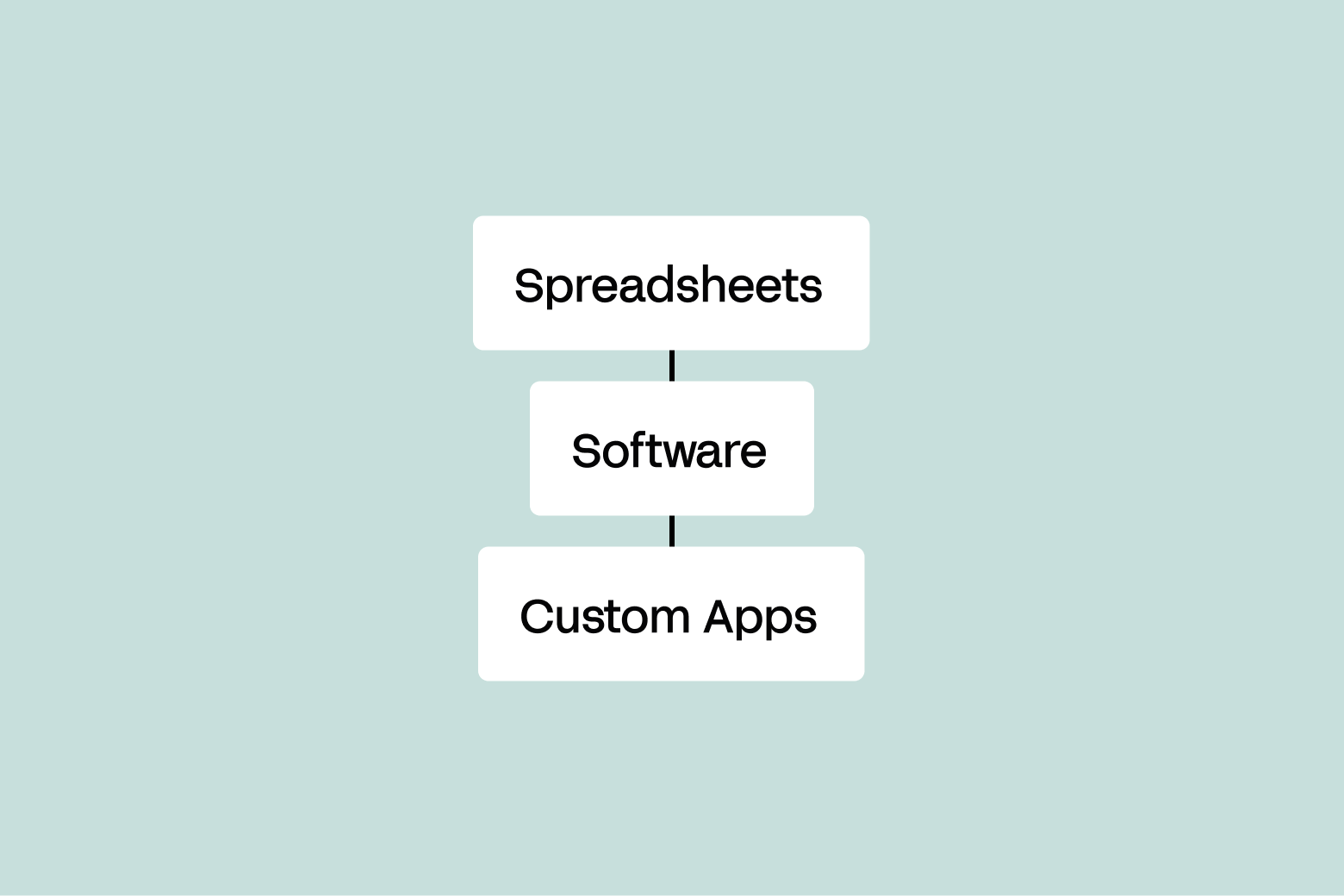
- There are four practical paths, not three: spreadsheets, general-purpose resource management tools, industry-specific field service platforms, and custom-built allocation apps.
- Choose by constraint, not by category. Your limiting resource, your workflow complexity, your integration needs, and who carries the software in production should decide it.
- Be honest about price. Per-seat tools stay cheaper than a custom platform until you are several hundred seats in. The case for custom-built is fit, integration depth, and governance, not headline cost.
- Custom-built apps via Appfarm match project demands to real capacity, skills, and certifications in real time, EU-hosted and governed, without your team becoming a software company.
Your morning starts with a phone call. A crew is on site with no excavator, because the machine they were promised is 40 miles away on another job. Someone updated a spreadsheet late, and someone else never saw the change. That is a resource allocation failure, and for UK project- and service-based firms it happens often.
Resource allocation is the daily work of matching your people, equipment, and time to the jobs that need them. When it works, crews arrive to ready sites and billable hours stay billable. When it fails, you firefight all day.
This article walks through the four paths teams take in 2026, what each genuinely costs, where each breaks, and how to choose between them. It includes live pricing for the tools named, and it is upfront about where custom-built is the wrong answer.
Why Resource Allocation Breaks (and What It Costs You)
Picture a Tuesday. Two site managers both book the same crane for 7 a.m., one in a shared spreadsheet, the other by email that never makes it back to the sheet. Neither knows until the crane can only go to one place, so one crew waits and the other job slips.
The root cause is almost always stale data. Your allocation picture is only as current as the last update, which in a busy operation is always a step behind reality.
The cost adds up fast. Idle equipment still depreciates and carries finance charges, and crews on standby still draw wages. Project delays trigger penalty clauses and strain client relationships. In regulated trades, sending someone to an uncertified task turns a scheduling slip into a compliance risk. None of this shows up as a line item, which is exactly why it persists.
What Is Resource Allocation (in Operational Terms, Not Theory)
Resource allocation is the process of assigning your available resources – people, equipment, time, and financial resources – to specific jobs so that demand and capacity stay in balance. Financial resource allocation follows the same logic as the physical kind: budget is just another constrained supply that has to meet a queue of demand.
Four things make the resource allocation process work:
- Demand is the queue of project tasks waiting for resources, each with its own deadline and requirements.
- Capacity is what you actually have. Resource availability is never the same as what you have on paper once you subtract holidays, servicing, and breakdowns.
- Constraints are the rules that cannot be broken: a certification requirement, a maximum shift length, rotational patterns, or a service level agreement (SLA), the contractual promise on response or delivery times you have signed with a client.
- Visibility ties it together, because resource allocation decisions made without current information are guesses, however confidently the spreadsheet presents them.
Most operational failures fall into a few modes. Stale data means the plan no longer matches the ground. Rigid workflows mean the tool cannot represent how your business really assigns work, so people work around it. Invisible bottlenecks mean a shortage of one skilled operator or one machine quietly throttles everything downstream until a job is already late.
Common Resource Allocation Challenges
Before comparing tools, name the problems you are actually trying to solve. Most resource allocation challenges fall into five buckets.
Competing priorities across multiple projects. When two project managers both need the same operator, someone has to arbitrate. Without a shared view of project priorities, that arbitration happens by whoever shouts loudest rather than by project objectives. The job of a good system is to balance resource allocation against real project timelines, so the trade-off is explicit rather than political.
Resource shortages that surface too late. A certification lapses, a machine goes in for service, someone resigns. If your resource allocation plan cannot see future resource requirements, you find out when a crew is already standing in a field. Forward visibility of resource needs is the difference between recruiting in good time and paying agency rates in a panic.
Project scope that moves. Scope creep changes project demands mid-flight. If reallocating resources means rebuilding a schedule by hand, the plan silently drifts out of date instead.
No feedback loop on resource usage. If you cannot see current resource utilization, you cannot tell over-allocation from genuine demand. The project team ends up managing resources on instinct, and instinct is optimistic.
Fragmented systems. Job data in the ERP, certifications in a spreadsheet, the schedule in a third place, and general project management tools holding the client-facing plan. Aligning resources across three disconnected sources is manual work that nobody is paid to do, so it gets done late or not at all.
The Four Paths for Resource Allocation (and What Each One Actually Costs)
There is no single correct answer, only the right fit for your complexity, budget, and appetite for ownership. Strengths first, then limits.
Path 1: Spreadsheets Are Free, Familiar, and Fragile
Spreadsheets win on day one. They cost nothing beyond a licence you already own, everyone can read one, and you can build a working resource allocation template in an afternoon. For a small team with few resources and slow-changing jobs, a shared sheet is often genuinely the right answer, and swapping it for software would be a downgrade in speed for no gain in control.
The fragility shows up as you scale. In practice the sheet isn’t where allocation actually happens – one person ends up owning the master file, and everyone else feeds them changes by text, call, or email. Those requests get actioned late or missed entirely, so the sheet is always a step behind the real plan, and the person maintaining it becomes a bottleneck and a single point of failure. It has no live link to your other systems, so the moment a job moves the sheet is wrong until someone updates it by hand, and it keeps no real audit trail of who changed what.
A 40-person groundworks firm might lose six billable hours a week to double-bookings and standby time caused by a sheet that is always slightly out of date. At a conservative blended rate, that is thousands of pounds a month leaking out of a file nobody owns. The figure is illustrative, but the pattern is real: the spreadsheet is free to buy and expensive to run.
Path 2: General-Purpose Resource Management Tools Set Up Fast and Fit Loosely
General-purpose resource management software exists because spreadsheets buckle. Tools like Resource Guru, Float, and Teamdeck give you a purpose-built product with real strengths: setup in days, clean interfaces, real-time dashboards showing who is booked and who is free, and roles most schedulers pick up in a day. For professional services teams – agencies, consultancies, studios booking people against client work – this category is a genuine upgrade and often the end of the search.
The trade-off is fit. This category of project management software ships with an opinion about how you should schedule, and your business bends toward it. They are built around booking named people against projects, which is why they suit billable-hours businesses better than plant-heavy ones. Certification and ticket expiry is the classic gap: the tool does not model it, so it goes back into a sheet, and now you run two sources of truth.
On price, Resource Guru bills per person added to the account, whether or not they ever log in. Its public pricing lists Grasshopper at $5, Blackbelt at $8, and Master at $12 per person per month on monthly billing, with annual plans including two months free; Enterprise is custom. Non-human resources such as vehicles and plant are charged separately at roughly $2.50–6 per unit per month depending on tier, which matters if your fleet is large. For a 50–60 person field team on Blackbelt, that is about $400–480 per month before annual discounts and before equipment, and every new hire raises the bill.
One correction worth making to the usual pitch against this category: these tools are not automatically weak on governance. Resource Guru includes SSO and unlimited activity history on its Master tier. The real limit is not the login page, it is how deeply the tool reaches into your other systems and how much of your allocation logic it can represent.
Pricing checked against vendor pages in September 2026.
Path 3: Industry-Specific Platforms Fit Your Trade, Not Your Company
For UK field and plant operations, the closest match off the shelf is usually not a generic scheduler but an industry platform: Simpro, BigChange (acquired by Simpro Group in October 2024), Joblogic, Re-flow, and similar. These are built for the work described at the top of this article. They model jobs, engineers, vehicles, certifications, and compliance out of the box, often with mobile apps for field staff and vehicle tracking built in.
If your operation looks like a standard trade – reactive maintenance, installations, servicing – this is frequently the highest-value path, and you should cost it seriously before considering anything custom. Skipping this category is the most common flaw in tool comparisons written by software vendors, and it is worth naming rather than quietly omitting.
The limit is the word standard. A vertical platform encodes an industry’s assumptions, which is exactly why it delivers value quickly and exactly why it constrains you when your process is your differentiator. If your allocation logic is unusual – a bespoke skills matrix, a scheduling rule specific to your contracts, an approval chain no vendor anticipated – you will find yourself either paying for customisation or working around the product. Integration with your existing enterprise systems ranges from solid to superficial depending on vendor, and pricing is typically quoted rather than public, so real cost comparison requires a sales conversation.
Path 4: Custom-Built Allocation Apps Fit Your Process
Custom-built changes the ownership question. Your team owns what the app does; the platform owns keeping it running. You get software shaped around your actual allocation logic instead of a product you work around, without taking on hosting, patching, security, uptime, and disaster recovery yourself.
Fit is the headline strength. A custom app can model your real constraints – skills matrices, certification expiry, equipment servicing windows, SLA deadlines – in one place with no side spreadsheet. It integrates deeply and in real time with your ERP (enterprise resource planning system, the backbone software running finance, procurement, and operations), HR, and scheduling systems, so the plan reflects the ground as it changes. Off-the-shelf resource allocation tools also offer real-time dashboards, so the honest difference is depth of fit, depth of integration, and a full audit trail rather than live data as such.
Now the part most vendor articles skip: the price comparison does not favour custom-built at mid-market scale. Appfarm’s pricing is public on the Appfarm pricing page and billed on active users, meaning people who actually log in during a given month rather than everyone with an account. There is a free tier for building and evaluating. Paid plans start at €2,350 per month for Essential (5 apps, 100 included active users), €3,550 for Professional (unlimited apps, 200 active users), and from €5,950 for Dedicated (800 active users).
Compare that honestly with Path 2. At 50–60 people, Resource Guru Blackbelt runs roughly 400–480 per month; Appfarm Essential is €2,350. On headline price alone, the crossover where active-user billing beats per-seat billing sits north of 300 seats. If your only goal is the cheapest way to see who is booked next Tuesday, do not build a custom app.
The reason to go custom is what per-seat pricing cannot buy: an allocation model that matches your business exactly, live integration with the systems that already run it, and governance that keeps you compliant with health and safety and working-time regulations – proving crews were certified for the work they were sent to, and that no one was scheduled past their limits, without anyone reconstructing it after the fact.
Two further honest limits. Custom-built needs a platform or a delivery partner, a dependency you do not have with a spreadsheet, and time to first value is longer than an off-the-shelf tool. On portability, Appfarm has no code export, so lock-in is comparable to any managed product rather than better.
Visual development is its heritage and the real differentiator against pure AI app generation. You start from an AI prompt and refine on a visual canvas, moving between the two freely and even at the same time, without burning AI credits while you work in the canvas. Appfarm generates a PWA, a progressive web app, which runs in the browser but installs and behaves like an app, including offline access for field staff who lose signal on site. You can read more on the resource planning use case and how AI fits into building.
Four-Path Comparison
How to Choose: A Four-Step Decision Framework
You need four honest answers. No committee required.
Step 1: Name the constraint.
Identify the one resource that limits everything else – a scarce skill, a single machine, a hard SLA. If you cannot see that constraint clearly in your current tool, the tool is too shallow. Of all the principles of resource allocation, this one does more for effective resource allocation than any feature comparison: you cannot allocate project resources sensibly until you know what you are short of.
Step 2: Map your complexity honestly.
Few resources and slow-changing jobs means a spreadsheet, and you should stay there. A growing team that mainly needs live visibility into resource availability means general-purpose resource management tools. A standard trade operation means an industry platform. Many constraints, deep integration with existing enterprise systems, and compliance rules that must hold means custom-built.
Step 3: Model the real cost over 12 months.
Put every option in one currency and one time frame. Include licence fees, per-seat growth as you hire, equipment or non-human resource charges, hours spent maintaining side spreadsheets, and the cost of the failures each option lets through. Do this before you talk to any vendor, Appfarm included. The cheapest sticker price is often the most expensive to run – and sometimes it genuinely is the cheapest, in which case buy it.
Step 4: Pressure-test integration, governance, and data residency.
Ask whether the tool connects to your systems through a real API, what its audit trail actually records, whether SSO is included on the tier you would buy rather than an upgrade away, and where your data physically lives. For UK firms handling personal data, EU/EEA hosting is a cleaner answer than a US-hosted tool with residency bolted on later.
When to stay off-the-shelf.
Three signals say do not build: your process is genuinely standard for your industry, your headcount is stable and under a few hundred, and no regulator or client contract requires an audit trail your tool cannot produce. If all three hold, a bought product will serve you better and cheaper for years. Revisit the decision when one of them stops being true.
Tracking Resource Allocation Once the Plan Is Live
Choosing a tool is the start. Resource allocation practices that survive contact with a live schedule share a few habits, whatever you buy.
Keep one source of truth so the resource allocation plan never goes stale. Track resource utilization continuously rather than in a monthly review, so over-allocation shows up while you can still act on it. Track project progress against the plan and treat variance as a signal to adjust resource assignments, not as a reporting exercise. Use resource leveling to smooth peaks rather than hiring for them. And forecast resource demands across the entire project lifecycle so future resource requirements are visible early enough to recruit, train, or subcontract against.
The habit that matters most is the dullest one: track resource allocation against what was actually planned. Without that record, resource management practices never improve, because nobody can tell a bad estimate from a bad day. Over a few months it also turns strategic planning from guesswork into arithmetic, since you finally know what your real capacity has been.
Agile resource allocation is less about a methodology than about cycle time: the shorter the gap between something changing on the ground and the plan reflecting it, the less firefighting you do. This is where integration depth pays back, because a plan that updates itself from the ERP is one nobody has to rebuild on a Monday morning.
Treat allocation as a strategic process rather than a scheduling chore, and the payoff compounds. The best resource allocation strategies are simply the ones where allocation aligns with business objectives week after week, instead of being reverse-engineered to explain what already happened.
Resource Allocation Example: From Spreadsheet Chaos to Real-Time Capacity Matching
Here is an illustrative before-and-after.
Before: a regional maintenance firm runs allocation in a shared spreadsheet. Dispatchers phone engineers to confirm availability, certifications live in a second sheet, and the ERP holds job data nobody can see from the schedule. Double-bookings are weekly, and a manager rebuilds the plan by hand every Monday.
After: the same firm moves to a custom allocation app. Jobs flow in from the ERP automatically. The app checks each engineer’s certification before offering a slot, flags conflicts before they happen, and updates on every phone the moment a job changes. The Monday rebuild disappears because the plan is never out of date.
That pattern is exactly what one Appfarm customer built. POB Entreprenør, a Norwegian construction firm with over 100 staff and more than 80 vehicles, was planning around 300 simultaneous projects across whiteboards, Excel files, and PDFs – with a handful of people holding all the planning knowledge. They built a custom resource planning app on Appfarm that connects to their existing project (SmartDok) and HR (Simployer) systems, allocates people and equipment in real time, filters by role, availability, and certification, and flags conflicts and over-allocation automatically. Field staff get a mobile app for their schedules and hour registration, and overtime is flagged proactively to stay on the right side of working-time rules. Read the POB Entreprenør case study in full, or browse more customer stories.
What Makes Appfarm the Right Platform for Custom Resource Allocation Apps
If Step 2 pointed you to custom-built, four things matter.
Speed to a working app
Traditional custom development means months before anyone sees a screen. On Appfarm it’s weeks. You describe the allocation workflow you need and get a working app – data model, interface, and logic – to refine on a visual canvas, rather than starting from nothing. In practice most teams don’t do this single-handedly: Appfarm or an implementation partner leads the early build with you, so the operational know-how stays in-house while the app is stood up fast – and refining on the canvas doesn’t burn AI credits. AI is steadily bringing more of that first build within reach of your own team.
Production ownership and governance
Appfarm reviews, secures, patches, hosts, monitors uptime, and handles disaster recovery, which splits the technical and operational aspects of ownership cleanly: your team decides what the app does, the platform keeps it running. A governed app still has an accountable owner in your IT team – typically the IT director who approves it and carries the risk. You get SSO and identity support, audit trails, and IT sign-off before anything ships. Learn more on the platform overview.
Flexibility
You can connect any API – ERP, scheduling, HR systems, customer portals – and model your real allocation logic instead of forcing it into someone else’s template. Integrating resource management tools with the systems that already hold your job and people data is what turns a schedule into a live picture.
EU hosting and longevity
Appfarm is EU/EEA hosted, GDPR-compliant, and ISO 27001 certified, a real difference from US-hosted tools. The platform maintains the underlying technology so your app keeps running over time.
Key Takeaways
- Resource allocation fails on stale data, rigid workflows, and invisible bottlenecks, and the cost lands in idle equipment, standby wages, project delays, and missed SLAs.
- Spreadsheets suit small teams with slow-changing jobs. They are free to buy and expensive to run once conflicts and side sheets multiply.
- General-purpose resource management software sets up fast and fits professional services well. Resource Guru’s 5–12 per person per month is competitive up to a few hundred seats, and higher tiers include SSO.
- Industry platforms like Simpro, Joblogic, and Re-flow are the strongest off-the-shelf fit for UK field and plant operations, and deserve costing before anything custom.
- Custom-built wins on fit, integration depth, and governance, not on licence cost. Appfarm starts at €2,350 per month, so build when your process is your differentiator, not to save money.
- On Appfarm, visual development is the differentiator: build from an AI prompt, refine on a canvas, run a PWA with offline access, EU-hosted and governed on public, active-user pricing.
Frequently Asked Questions About Resource Allocation
What Is Meant by Resource Allocation?
Resource allocation is the strategic distribution of available resources – people, equipment, time, and money – across the work that needs them, so that supply and demand stay balanced. Done well, it keeps crews busy, equipment used, and deadlines met. Done poorly, it produces idle machines, waiting staff, and late jobs.
What Is an Example of Resource Allocation?
A maintenance firm assigning engineers to service calls is a clear example. It matches each job to an engineer who is available, certified, and close enough to arrive on time, then adjusts as new jobs arrive and priorities shift through the day.
What Is Project Resource Allocation?
Project resource allocation is assigning the right resources to the tasks of a specific project so it finishes on time and on budget. It balances competing demands for the same team members or equipment, respects task dependencies, and reallocates as timelines move. This makes it central to resource allocation in project management, and a direct contributor to project success.
What’s Another Word for Resource Allocation?
Common alternatives include resource scheduling, resource assignment, resource distribution, capacity planning, and resource management. Each carries a slightly different emphasis: scheduling stresses timing, assignment stresses matching, and capacity planning stresses whether you have enough supply to meet demand in the first place.
How Do You Allocate Resources Effectively?
Start by naming your limiting constraint, then match supply to demand against it using current data. Keep one source of truth so the plan never goes stale, treat certifications and SLAs as hard rules rather than warnings, monitor project progress against the plan, and review capacity on a regular cycle. Managing resources effectively is mostly a data-freshness problem, which is why a connected system beats manual updates and why efficient allocation follows from good plumbing more often than from good intentions.
What Is the Difference Between Resource Allocation and Resource Planning?
Resource planning is the longer-range view: forecasting what people and equipment you will need over weeks or months. Resource allocation is the near-term act of assigning those resources to specific jobs now. Planning sets the supply; allocation puts it to work day to day.
How Do Resource Allocation Tools Support Risk Management?
By making shortages visible before they become incidents. A tool that models certification expiry, servicing windows, and SLA deadlines turns those from things somebody has to remember into constraints the system enforces. That moves risk management from post-mortem to prevention, which is the practical difference between a schedule and an allocation system.
More reading
There are no items matching your filters. Please try another filter to view results.
We have a lot of helpful resources. Try another filter or reset the filters to find the resource for you.
Digital transformation without disruption

