


Softr alternatives for enterprise teams: how to compare and choose in 2026
Looking for Softr alternatives? Compare 10 enterprise-ready platforms and see how they stack up on workflows, integrations, governance, pricing, and scale.

TL;DR
If Softr got your first portal or internal tool live but now creaks under the weight of more users, deeper permissions, and business-critical workflows, it’s time to find a new system.
This guide compares 10 Softr alternatives for enterprise teams – from lightweight intuitive builders to governed, production-grade platforms. It’s also a useful reference if you’re close to choosing Softr but still not convinced it can really handle everything you need it to.
As well as profiles, you’ll get a practical evaluation checklist covering what matters once an app becomes business-critical: data model depth, workflow automation, role-based access, integrations, and who keeps it secure, updated, and running after launch.
Each entry in the guide covers who it’s for, its real strengths, and where it hits a ceiling. By the end, you’ll be ready to shortlist three, run a small pilot, and validate governance before committing.
Why teams outgrow Softr
Softr is strong at getting client portals and internal tools live quickly, especially when your data already sits in Airtable, Google Sheets, or another connected source. The strain shows when that lightweight front end starts handling more of the day-to-day work – usually in these areas:
- Front end vs operational system. Softr shines at presenting and updating existing data, but more complex data relationships and application logic can push beyond what a lightweight builder is designed to handle.
- Workflow orchestration. Simple automations are covered; multi-stage approvals with SLAs and branching exceptions take more work to manage reliably.
- Governance and auditability. Enterprise apps need a clear record of who changed what and when, plus separate environments for developing and releasing changes safely.
- Permission depth. Per-user row visibility suits a portal; access rules that vary by role, department, or location become harder to manage as the app grows.
- Integration reality. REST connectors cover many cases, but extending an enterprise resource planning (ERP) system or connecting older enterprise systems can take deeper API support or enterprise identity integration.
- Performance at scale. A portal for 20 users is a different proposition from one serving 500 at once. More users = larger datasets and far less tolerance for downtime.
None of this automatically makes Softr the wrong tool. For a client portal, directory, or internal tool on data you already keep – with manageable user numbers, straightforward permissions, and simple workflows – it’s a solid, cost-effective choice. But does that still describe the app you have or plan to build, or do you need more than Softr is built for?
What a "Softr alternative" really means (for enterprise teams)
A Softr alternative is any platform that can replace Softr when you need more than a lightweight portal and need to start running governed, production-grade apps. That covers a broad range of tools, from more capable no-code platforms for enterprises to enterprise low-code.
The main distinction for tech and operations teams is scope. Softr is great at putting a clean front end on existing business data, but a true alternative for more demanding operational apps should be able to manage more of what happens around that data: enforcing more complex business rules and workflows, and connecting cleanly to systems such as your ERP, CRM, or identity provider.
How a Softr-style front-end differs from a production operations platform
A simple client portal that reads and updates Airtable data has a fairly contained job: show the right records, let users make simple changes, and keep the front end easy to use. But once the app becomes the main system people use to run the process, it also needs to route approvals, enforce business rules, and handle exceptions when something doesn’t follow the normal path.
The difference is even clearer after launch. You can update a lightweight portal with relatively little ceremony. A production app needs tighter control: IT has to review access, respond to audit requests, approve changes, keep development separate from production, and make sure the app stays secure and reliable as more of the business depends on it.
Evaluation criteria that matter most when comparing app builders
Compare each platform against the same criteria so you’re looking beyond AI feature lists and grand, unverified claims:
- Data model flexibility. Check whether you can model related records, enforce constraints, and handle growing datasets without relying on duplicated fields or spreadsheet workarounds.
- Workflow automation. Check support for server-side workflows, scheduled jobs, approvals, and exception handling. Automations should run without someone keeping the app open.
- Role-based access control (RBAC) and permission granularity. Make sure permissions can reflect how access works in practice (e.g., by role, site, region, or individual record).
- Single sign-on (SSO) and identity integration. Confirm the platform works with the identity provider your IT team already manages (e.g., Microsoft Entra ID or Google Workspace) and supports the sign-in controls your organization requires. Compatibility simplifies procurement.
- Auditability and change control. Check whether you can track changes, separate development from production, and control how updates are released.
- Integration depth. Test the systems you need to connect (including ERP or legacy systems where relevant) and check support for REST APIs, SOAP (Simple Object Access Protocol), MCP, or custom APIs.
- Performance and reliability. Test the platform with the data volumes, concurrent users, and workflows you expect in production. Check how it behaves as records grow and more people use the app at once.
- Extensibility. Check how far you can extend the app when visual building hits a ceiling, whether through custom logic, reusable components, or code.
- Total cost drivers. Model costs at your expected scale across users, apps, environments, storage, and usage. Check what "unlimited users" actually covers. Appfarm, for example, bills by active-user pricing, while guest users who never log in are unlimited; other platforms charge per user, app, or usage, so costs can shift quickly as adoption grows.
- Maintainability and lifecycle ownership. Be clear on who handles hosting, patching, backups, and ongoing maintenance once the app is live, and whether you can keep evolving it without rebuilding.
What you can trust vs what’s directional
Published pricing pages, product documentation, security certifications, and licensing terms are the inputs you can verify. Estimates around time-to-build and total cost of ownership are more directional because they depend heavily on the app, user base, and implementation.
Softr alternatives compared: key differences at a glance
Use this table to shortlist 3 tools – then read the detailed reviews below.
| Tool | Best for | Governance depth | Workflow automation | Integrations | Production readiness | Extensibility | Pricing notes (Sep 2026) |
|---|---|---|---|---|---|---|---|
| Appfarm | Governed operational apps owned by ops + IT | RBAC, audit trails, separate environments, ISO 27001 | AI automations, server-side + scheduled workflows | REST, GraphQL, MCP, SOAP + custom APIs | Managed EU/EEA cloud; offline-capable web apps | Custom code and APIs | Tiered; monthly active users; guests who never log in unlimited |
| Power Apps | Microsoft-standardized organizations | Entra ID, DLP + admin controls | Power Automate | Microsoft + premium enterprise connectors | Azure/Dataverse; mature enterprise administration | Custom connectors + code components | Per-user + pay-as-you-go; limited per-app availability |
| Mendix | Complex enterprise and industrial apps | SDLC + lifecycle governance | Visual logic + workflows | Marketplace + enterprise APIs | Enterprise lifecycle tooling; native mobile | Java/JavaScript extensions | Free + Standard; Premium custom; compute extra on Standard/Premium |
| OutSystems | Large, mission-critical enterprise apps | Full SDLC + enterprise security controls | Visual logic + process automation | Enterprise connectors + APIs | Cloud-native ODC; full application lifecycle | Custom code + reusable components | Custom quote; licensed capacity reflects app complexity |
| Quickbase | Operational process apps without a dev team | Role-based permissions + audit logs | Pipelines | REST APIs, webhooks + connectors | Managed SaaS for operational apps | APIs + custom integrations | Per-user tiers or usage-based; Enterprise custom |
| Retool | Developer-led internal tools on databases/APIs | Permissions + audit logging; deeper controls on higher tiers | Retool Workflows | Databases, SaaS + APIs | Cloud or self-hosted | React/TypeScript + direct code editing | Builder/internal-user tiers; Enterprise custom |
| ServiceNow App Engine | Existing ServiceNow estates | RBAC, audit trails + controlled releases | Flow Designer | Integration Hub | Managed Now Platform | Platform scripting + custom integrations | Custom quote |
| Zoho Creator | Budget-conscious Zoho teams | Role-based access + admin controls | Built-in workflows + Deluge | Zoho, third-party APIs + custom connectors | Managed cloud; native mobile + offline | Deluge + serverless functions | Per-user tiers; Flex custom |
| Bubble | Customer-facing SaaS, web + mobile products | Enterprise governance mainly on custom tier | Visual workflows | API Connector + plugins | Managed hosting; native mobile in beta | Plugins + APIs; no code export | Workload-based; separate web/mobile/combo plans; Enterprise custom |
| Glide | Lightweight internal tools on existing data | Row Owners + roles; SSO on Enterprise | Workflows + computed columns | Business data sources + external integrations | Managed PWA; no native apps | Components + integrations | Public tiered, credit-based; Enterprise custom |
The 10 best Softr alternatives in 2026: ranked
1. Appfarm
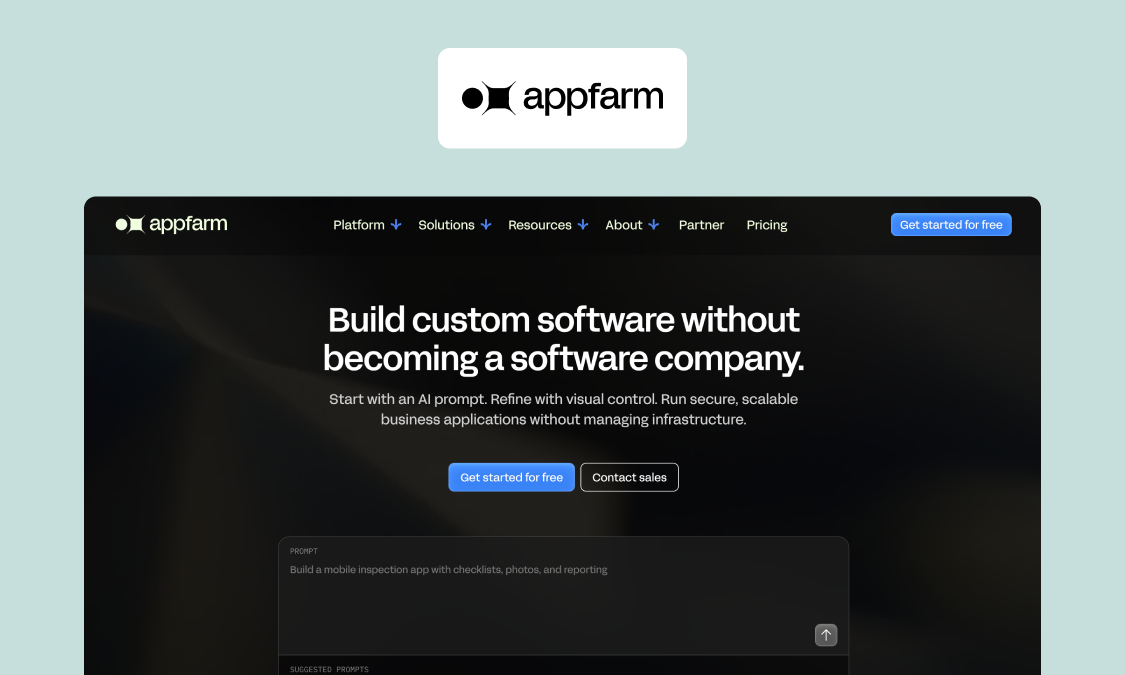
Best for: governed, production-grade operational apps that operations and IT own together.
Appfarm is an AI-powered visual development platform that lets you build governed business applications without becoming a software company first. It brings the database, UI, logic, integrations, and managed infrastructure you need for enterprise software into one place, so you don’t need to piece together a stack of separate tools.
AI is part of the development process, not a black box you hand the project over to. Describe your app idea in a natural-language prompt and Build mode generates a working first version, while Ask helps with analysis and dev support. Everything stays visible in the visual canvas where you can review and edit directly.
Appfarm takes full care of what keeps the app running. Hosting, security, patching, uptime, backups, and disaster recovery are all handled, leaving your team to focus on what the app needs to do and how it should evolve. That model is already proven at scale: Tide uses apps built with Appfarm for resource planning and maintenance across an operation supporting more than 5,000 bus drivers in the Nordics.
Key features:
- AI with Ask and Build modes, fluidly combined with visual development
- Managed EU/EEA cloud hosting, ISO 27001 certification, and GDPR compliance
- Server-side workflows and scheduled automation, including AI steps – call an LLM or AI service inside a workflow to classify, extract, summarize or route, triggered on a schedule or an event
- Integrations for any REST, GraphQL and SOAP API and also an Appfarm MCP
- Visual canvas for UI, logic, and data model, with an inbuilt database
- Transparent visual models for UI, logic, and data: inspect, change, and audit everything the AI produced, with no generated code to maintain
- Offline support for field and mobile apps, with local caching and sync when connectivity returns
Watch-outs: Appfarm isn’t designed for personal or hobby projects, or native mobile apps that need deep access to iOS or Android features. It builds progressive web apps (PWAs).
Pricing: Public tiered plans with monthly active-user pricing; guest users who never log in are unlimited on paid plans (September 2026)
Use the public pricing page to find the best plan for your business.
Verdict: The top choice for technically capable operations teams who want to build independently on a platform IT has already signed off – certified hosting, inspectable models and a clear audit trail from first build through to production and ongoing change.
Website: appfarm.io
2. Power Apps
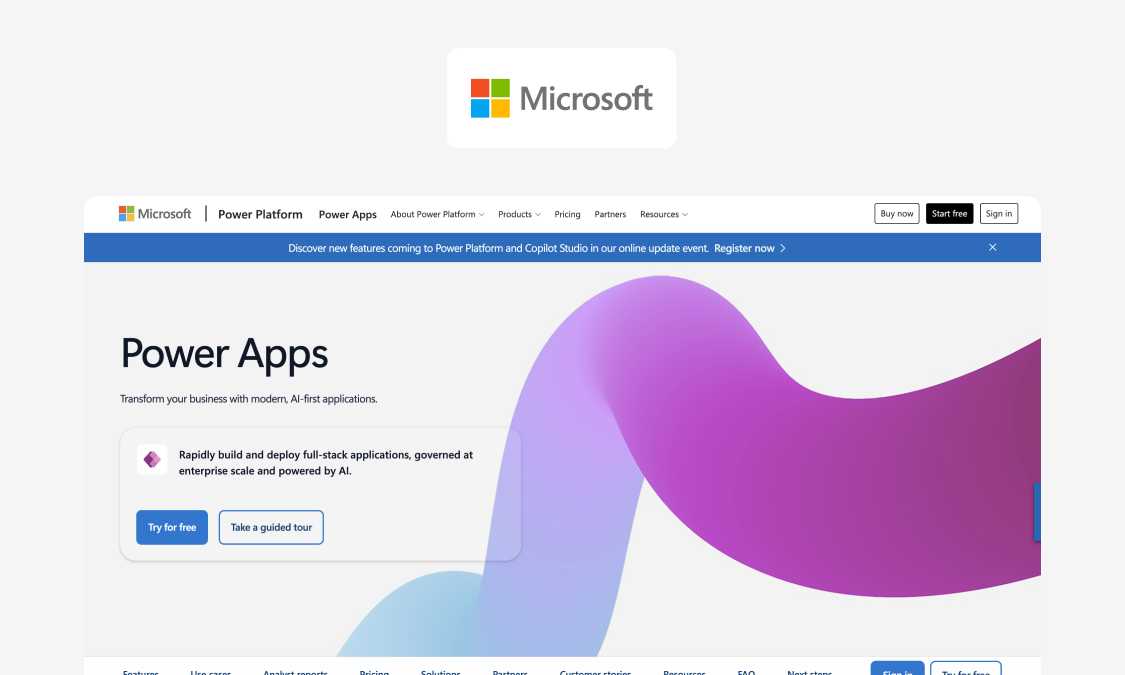
Best for: IT departments in Microsoft-standardized organizations running governed citizen-developer programs, especially when apps stay inside the Microsoft data estate.
Power Apps is Microsoft’s low-code app builder, with deep links into Microsoft 365 and a mature governance setup for IT. Dataverse gives apps their own structured data layer, while Power Automate handles complex workflows and connectors pull in multiple data sources from Microsoft and external systems.
Learn more: If you’re weighing Power Apps directly against Appfarm, our Beyond Power Apps comparison goes deeper into the differences.
Key features:
- Canvas and model-driven apps for different application structures
- Dataverse enables structured, relational application data
- Power Automate for approvals and workflow automation
- Microsoft Entra identity, data loss prevention policies, and Power Platform admin controls
- Premium connectors linking apps to SQL Server, SAP, Salesforce, and other external data sources
- AI Builder for adding AI capabilities to apps
Watch-outs: Power Apps solves much of Softr’s governance gap, but replaces it with licensing complexity. Costs can climb as you add users, Dataverse capacity, and premium capabilities. More demanding operational apps can also expose limits around UI flexibility, performance, and offline use.
Appfarm partner Godig switched from Power Apps to Appfarm on a complex Skanska solution after hitting functional limits. The finished solution even won Skanska’s Innovation Award.
Pricing: Public per-user and pay-as-you-go; per-app licensing remains available through some Microsoft partners and for some existing customers (September 2026)
Verdict: Makes the most sense when Microsoft already runs through the business and governance matters more than keeping licensing and integrations simple. For a wider survey, see our guide to Power Apps alternatives.
Website: microsoft.com/power-platform/products/power-apps
3. Mendix
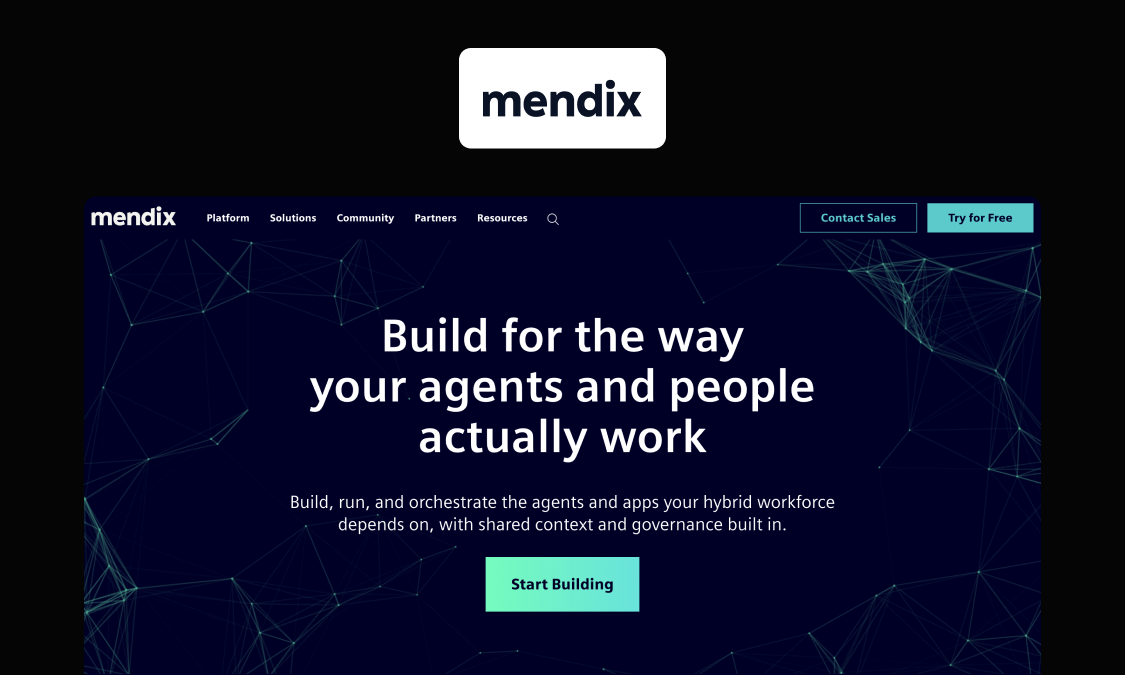
Best for: enterprise IT teams with in-house or partner Mendix developers building complex, business-critical apps – especially in Siemens-adjacent industrial, manufacturing, and IoT environments.
Mendix is a Siemens-owned enterprise low-code platform built for complex applications. It combines strong domain modeling, a visual editor, pro-code extensibility, native mobile support, and mature governance, with particular credibility in industrial and IoT environments due to its Siemens ties.
Key features:
- Domain-model-driven development with visual modeling of data, logic, and relationships
- Studio Pro combining visual development with pro-code extensibility
- Native iOS apps and Android apps alongside web applications
- Marketplace connectors and reusable components to speed up common builds
- SDLC and governance tooling spanning development, deployment, and app management
Watch-outs: Serious Mendix apps still tend to need specialist developers. Standard and Premium plans exclude compute infrastructure (billed separately), while per-user charges and add-ons increase total cost. If you’re coming from Softr, hiring or contracting Mendix expertise can be a big part of the move.
Pricing: Free and public Standard plans; custom Premium (September 2026)
Verdict: A credible enterprise step up from Softr, with deeper modeling, governance, and native mobile support, but the move comes with a much heavier dependency on specialist skills and a more complex cost base.
Website: mendix.com
4. OutSystems
Best for: large enterprises with a funded IT program and partner support, where the spec is delivering mission-critical and customer-facing applications at scale.
OutSystems goes a lot further than Softr on the software-development side. Its platform covers the full application lifecycle, from building and testing through deployment and governance, with visual development at the core and custom code for more advanced features and logic.
Key features:
- OutSystems Developer Cloud (ODC) with cloud-native development and deployment
- Full SDLC tooling spanning testing, releases, and lifecycle governance
- AI-assisted development, including generated logic and help with repetitive build tasks
- Custom-code extensibility when visual development reaches its limits
- Enterprise security controls and certifications
- A large marketplace of reusable components, connectors, and integrations
Watch-outs: Cost and minimum commitment can put OutSystems out of reach for mid-market teams. It’s also developer-oriented, so expect a much steeper learning curve and a greater need for specialist skills if you’re accustomed to Softr.
Pricing: Custom, quote-based (September 2026)
Verdict: What OutSystems gives you in enterprise depth, you pay for in platform cost, specialist skills, and a heavier implementation model than most teams leaving Softr will be used to.
Website: outsystems.com
5. Quickbase
Best for: operations teams running multiple process apps – such as work orders, inspections, project tracking, and inventory – without a development team.
Quickbase is a no-code application platform with a far more structured data model than Softr. Relational tables let you model linked records inside the platform, while forms, reports, dashboards, permissions, and Pipelines cover the workflows and controls around them. You get more room to build operational processes without relying on a spreadsheet-style backend plus a separate front end.
Key features:
- Relational tables with one-to-many relationships, key fields, and linked records
- Visual app builder with role-based forms, reports, dashboards, and granular permissions
- Pipelines for workflow automation and integrations across apps and services
- RESTful APIs, webhooks, and audit logs, plus dedicated construction and field-operations solutions
Watch-outs: Highly bespoke customer-facing UX can require extra code or API work, while specialized ERP or SOAP integrations may need more effort than the standard connector layer covers. Per-user pricing can also get expensive for large frontline workforces, although there is a usage-based licensing option, too.
Pricing: Public tiered per-user, with a usage-based option; custom Enterprise (September 2026)
Verdict: A sensible move up from Softr when the priority is a stronger data model, process automation, and governance – just as long as you don’t need highly bespoke front-end design or deep enterprise integrations.
Website: quickbase.com
6. Retool
Best for: engineering and technical-ops teams building internal dashboards, admin panels, and other tools directly on top of databases and APIs they already run.
Retool is built for technical teams creating internal software on top of databases and APIs. Its new AI-native app builder generates React apps from prompts, connects them to real data, and lets developers inspect or edit the underlying code directly. You can plug into the databases and external services you already run, or use Retool’s own managed PostgreSQL database when you need a backend as well.
Key features:
- AI-native React app builder with prompt-based generation and direct code editing
- Native database and SaaS connectors, plus a built-in database powered by PostgreSQL
- AI app generation and Agents
- Self-hosted deployment and Git source control on Enterprise
Watch-outs: Retool still leans technical, with its deepest control coming through React, TypeScript, SQL, and APIs, so it’s a bigger jump from Softr for non-technical operations teams. Seat-based pricing can also add up across large user bases, while audit logging and richer permissions start on the Business tier.
Pricing: Public tiered by builder and internal user; custom Enterprise (September 2026)
Verdict: One of the more natural Softr upgrades when developers are available and want much more control over the data, logic, and integrations behind their internal software.
Website: retool.com
7. ServiceNow App Engine
Best for: large organizations already running on ServiceNow that want to extend it with governed workflow apps.
ServiceNow App Engine is the low-code layer for turning the Now Platform into custom workflow apps. A lot of the plumbing is already there: platform data, identity, access controls, workflows, and governance can all carry across into the apps you build. That lets teams extend the systems IT already trusts instead of rebuilding those controls app by app.
Key features:
- Low-code app building in App Engine Studio, with access to existing ServiceNow data and tables
- Complex workflows, approvals, and reusable process logic through Flow Designer
- External system connections through Integration Hub, using prebuilt or custom integrations
- Role-based access, audit trails, app reviews, guardrails, and controlled deployments across the platform
Watch-outs: ServiceNow is expensive, creates platform lock-in, and brings its wider service-management architecture and conventions into general operational apps. That can be more platform than a crew or work-order app needs, so App Engine makes most sense when your organization already runs on ServiceNow.
Pricing: Custom, quote-based (September 2026)
Verdict: Fits well as an extension of an existing ServiceNow estate, but it’s a lot of platform to adopt purely as a Softr replacement.
Website: servicenow.com/products/now-platform-app-engine
8. Zoho Creator
Best for: budget-conscious teams that already run part of the business on Zoho and need straightforward internal apps quickly.
Zoho Creator is at the lighter, more affordable end of enterprise low-code: it’s an accessible step up from Softr for teams that don’t need Mendix- or OutSystems-level complexity. If your CRM, finance, support, or other business data already lives in the wider Zoho ecosystem, Creator is a relatively direct way to turn it into custom operational apps without bringing in a specialist dev team.
Key features:
- Drag-and-drop app builder with forms, reports, dashboards, and workflow automation
- Deluge scripting and serverless functions for custom logic
- Zoho and third-party integrations, including custom connectors and external APIs
- Native iOS and Android apps with offline form submission and automatic sync
Watch-outs: Highly bespoke or polished customer-facing interfaces can be harder to achieve with the drag-and-drop interface, and complex operational workflows tend to need more custom work. The further you move beyond the wider Zoho ecosystem, the more integration and UX work lands on your team.
Pricing: Public tiered per-user; custom Flex (September 2026)
Verdict: A practical upgrade from Softr for teams that want more workflow depth and control without jumping to heavyweight enterprise low-code – especially those already reliant on the wider Zoho suite.
Website: zoho.com/creator
9. Bubble
Best for: founders and small product teams building customer-facing web and mobile apps, and SaaS products, without hiring a developer.
Bubble is the no-code option here that leans furthest into building a complete customer-facing product over an internal workflow app. It’s known for allowing deep customization to complex web apps: non-technical users get granular control over interface, data, and logic, while a large plugin library (1,000+ available) leaves plenty of room for the app to grow.
Key features:
- Visual editor spanning responsive UI, database, workflows, and custom logic
- Plugin marketplace and API Connector for external APIs and added functionality
- AI-powered app generation from natural language, with editable output
- Native iOS and Android apps (in beta as of September 2026), with app store publishing to the Apple App Store and Google Play, and a shared backend across web and mobile
Watch-outs: Workload-unit pricing means inefficient workflows and database queries can push usage, and therefore cost, up as the app grows. Enterprise governance is also thinner below the custom tier, there’s no code export, and Bubble doesn’t have a strong offline field-use story.
Pricing: Public workload-based plans, with separate web, mobile, and combination pricing; custom Enterprise (September 2026)
Verdict: Bubble gives you far more freedom than Softr to build a polished customer-facing product, although its pricing model and governance credentials make it a less natural choice for enterprise operations.
Website: bubble.io
10. Glide
Best for: small and mid-size teams building internal tools and lightweight business apps, especially around existing business data.
Glide is a no-code app builder you can use to turn business data into polished internal tools and lightweight apps incredibly quickly. Start from Airtable or Google Sheets, Excel, SQL databases, or Glide’s own tables, then build the interface from ready-made components without needing much technical skill.
Key features:
- Apps built from Glide Tables, Big Tables, Google Sheets, Airtable, Excel, and SQL data sources
- Prebuilt components for forms, lists, cards, maps, file uploads, and other common app interactions
- Row Owners and roles to control which users can see or edit specific records
- Workflows, computed and AI-powered columns, plus integrations with external services
Watch-outs: Glide apps are progressive web apps rather than true native iOS or Android apps, and native push notifications were removed because Glide couldn’t make them reliable enough across devices.
Pricing: Public tiered, credit-based; custom Enterprise (September 2026)
Verdict: Glide’s easy to move to from Softr, but that’s partly because the two tools share a similar lightweight-app appeal. If deeper governance, permissions, or application logic are why you’re switching, signing up for Glide may postpone the same decision rather than resolve it. See our Glide alternatives guide for even more options.
Website: glideapps.com
How to choose between these Softr alternatives: a simple decision path
Narrow your shortlist around the main constraint your next app has to solve, like so:
| If you need… | Start with… | Why |
|---|---|---|
| A lightweight portal over existing data | Softr, Glide, Zoho Creator | Fast to build; Zoho Creator gives you more workflow depth |
| Governed operational apps across teams and roles | Appfarm, Quickbase, Mendix, OutSystems | Deeper permissions, workflows, and production controls |
| A platform that fits an existing Microsoft or ServiceNow estate | Power Apps, ServiceNow App Engine | Reuses identity, governance, and integrations you already manage |
| Developer-built tools on existing databases and APIs | Retool | Gives engineers direct access to SQL, APIs, and JavaScript |
| A highly customized customer-facing product | Bubble | More control over interface, application logic, and mobile apps |
| EU/EEA hosting or lots of unauthenticated portal users | Appfarm | EU/EEA hosting plus active-user pricing and unlimited guest users who never log in |
Why Appfarm is the best fit for technical and operations teams moving off Softr
Once a Softr app starts running business-critical workflows, the requirements change. Operations still needs to shape how the app works; IT needs enough control over permissions, integrations, releases, security, and production to sign it off with confidence.
Appfarm is built around that shared ownership. Technically capable ops teams can work with IT in the same environment, using AI and visual development together: generate a working app from a prompt, inspect the output, and keep refining the UI, data model, logic, and integrations visually.
The same platform carries the app into production. Your team owns what the app does; Appfarm owns keeping it running, including hosting, patching, uptime, backups, disaster recovery, performance, and ongoing platform maintenance. EU/EEA hosting, ISO 27001 certification, and GDPR compliance give IT a stronger governance base, while the visual models stay maintainable as the app and its requirements evolve.
FAQs
Is there a free version of Softr?
Yes, there is. As of September 2026, Softr’s no-code app builder has a free plan with unlimited apps, 5 app users, 5,000 database records, 500 workflow actions, and 5 AI credits. Paid plans currently start at $19/month when billed annually.
Appfarm has a free plan, too: one with 400 AI credits and enough capacity to build and deploy a first working app.
Which is better, Glide or Softr?
Glide is a solid Softr alternative for mobile-friendly internal tools and internal dashboards built around existing data.
Softr is geared more toward building internal business tools and client portals, with its own database, workflow automation, user authentication, and connected external data sources.
For either no-code platform, check how your permissions, workflows, integrations, and user numbers fit before treating it as a straight swap.
What are some cheaper alternatives to Softr?
"Cheaper" depends on more than the entry price of the paid plans.
Glide’s Basic plan currently starts at $25/month, while Bubble’s web-only Starter plan starts at $29/month billed annually; Softr itself starts at $19/month annually, so the lower-cost option changes once you factor in users, apps, automations, workload, and integrations.
For larger deployments, the pricing model matters more. Appfarm prices around monthly active users and includes unlimited guest users on paid plans. That can make more sense when an app has lots of external users who don’t need to log in.
What’s the best Softr alternative for enterprise governance?
Appfarm is built for governed operational apps, with granular control over role-based access, audit trails, separate development and production environments, managed hosting, and EU/EEA data residency. It also takes responsibility for patching, uptime, backups, and the infrastructure underneath the app.
Power Apps, Mendix, OutSystems, and ServiceNow App Engine also provide substantial enterprise governance, so the shortlist should depend on your existing systems and who will build and maintain the apps.
What’s the best Softr alternative for internal tools vs client portals?
For internal business tools, prioritize workflow depth, permissions, integrations, and how much control you need over the underlying data model. If you need to build client portals or other external portals, user authentication, permissions, and external sharing become more important, along with what the pricing model does as more users interact with the app.
Appfarm can support both, and paid plans include unlimited guest users who never log in. Softr itself remains well suited to customer portals where its current permission and workflow depth is enough for the process.
Do I need to replace my database to move off Softr?
Usually not. Many Softr alternatives can connect to external sources where your own data already sits, while you rebuild the front end and workflows. Glide, for example, builds apps and internal dashboards on top of Google Sheets and Airtable data.
You can then decide whether to keep that setup or move the data into the new platform’s own database for stronger governance, better performance, or a more complete foundation for the app.
More reading


There are no items matching your filters. Please try another filter to view results.
We have a lot of helpful resources. Try another filter or reset the filters to find the resource for you.
Digital transformation without disruption

