


Construction resource management: a practical guide and software shortlist
Construction resource management made practical. Learn the workflow, compare software, and build a 30–60–90 rollout for crews, plant, and materials.

TL;DR
The more projects you run, the easier it is for crew, plant, and material records to end up split across disconnected spreadsheets. Each one looks fine on its own, but across the firm, the same excavator’s booked twice, a crew sits idle, and you only find out when it’s already on the trailer. Every conflict costs time, money, or both.
Construction resource management software pools people, plant, and materials into one constraint-aware view across every project. Conflicts show when you can still act on them, so you can keep crews working and plant moving to the right places.
This guide gives you the process, the evaluation criteria to demand of any tool, a software shortlist to start with, and a 30–60–90 rollout you can run without stalling work.
What you’ll learn:
- How to run a single source of data truth for crews, plant, and materials across sites in a way that improves overall project efficiency
- What to track weekly – and what to leave out
- How to choose between a scheduling tool, a point solution, and ERP
- What “good” resource planning software must do in a real construction environment
What construction resource management is (and why spreadsheets break at scale)
Construction resource management is the planning, allocating, and tracking of people, plant, and materials across every construction project your firm runs at once, against the real constraints that govern them.
Those constraints separate resource allocation in the construction industry from the simple allocation job you might have elsewhere. Operators’ certifications, machine maintenance windows, material lead times, and travel between sites all help determine whether a resource is actually available.
Managing resource usage across projects gets harder when supervisors, project managers, planners, and project controls all work from their own disconnected sheets. One spreadsheet can show what its own project needs, but not the knock-on effect those assignments have across the firm.
If you’re still running on spreadsheets, you might have already hit some or all of these issues:
- An excavator’s double-booked, and nobody spots the clash until it’s already on the trailer
- A crew gets moved twice in the same week, pushing overtime up elsewhere
- Materials arrive too early or too late, leaving you with storage problems, damage risk, or a crew waiting around
- Someone gets assigned before their certification or site access is checked, creating a compliance gap
- Utilization looks healthy on each individual project, but across the firm you have people or plant sitting idle
Construction resource management isn’t project scheduling. A schedule sequences the work, sets project deadlines, and maps the path to project completion. Resource management helps ensure the people, plant, and materials the work depends on are actually free when the schedule says go. A programme can be perfectly logical and still undeliverable if the equipment it assumes is ready is actually being used on another site. That’s why you need both.
How construction resource management differs from construction enterprise resource planning
These are two more terms that sound similar but focus on different problems:
- Construction enterprise resource planning (ERP) is the financial system of record. It covers procurement, payroll, asset accounting, and project financials. Some ERP software has resource management features, but that’s generally not its focus.
- Construction resource management is the operational system of record. It’s for organizing and monitoring who and what is available, what they’re assigned to, the constraints in play, and how utilization is tracking day to day.
For most firms, the two are complementary. ERP holds the financial truth; resource management holds the operational truth. Integrating them ensures master data and cost actuals flow between the two and records stay consistent.
How construction resource management works in practice (the workflow end-to-end)
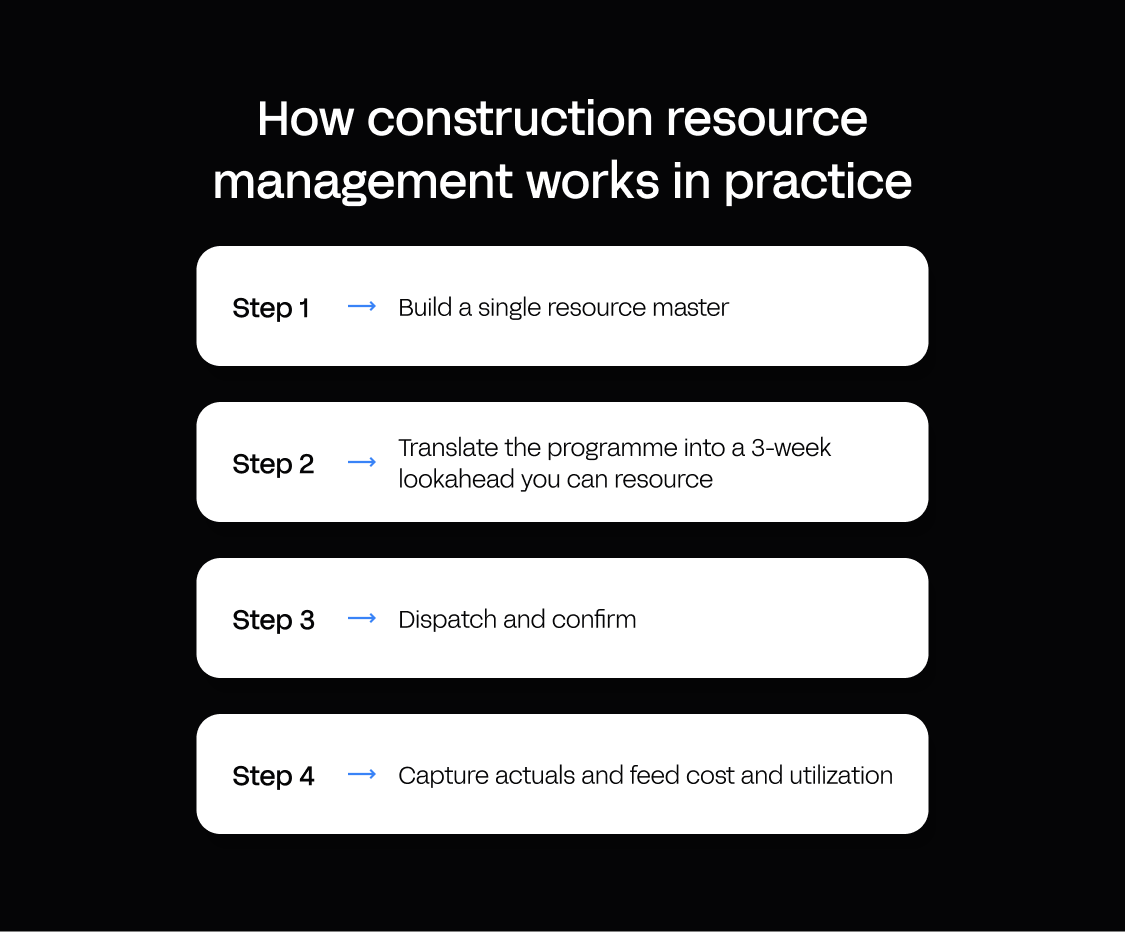
Construction resource management runs as a loop. It moves from the programme, to a resourced lookahead, to dispatch, to the actuals it produces (what really happens in the field), and back again. Here’s how that loop works, step by step.
Step 1 – Build a single resource master (people, plant, materials)
Everything downstream reads from this shared resource list. Build a single master, standardized from the start so a crew or machine means the same thing on every site, with the fields you need to plan and assign resources:
| Resource | Key planning fields to standardize |
|---|---|
| People | Role or trade, home depot, competencies, tickets and certifications, shift pattern, cost rate, union/non-union flag (where relevant) |
| Plant | Class, attachments, location, equipment status, availability windows, maintenance blocks, operator requirement, transport lead time |
| Materials | Item or category, lead time, supplier, storage constraints, substitute rules, minimum order quantities |
Don’t overmodel. Start with the fields that prevent conflicts – availability, location, certifications, and lead times – then add the rest once the basics are working.
Step 2 – Translate the programme into a 3-week lookahead you can resource
A three-week lookahead turns your programme into something you can actually resource, with enough detail to match each activity to the people, plant, and materials it needs.
For every upcoming work package or activity, capture at least:
- Activity and location – what the work is, and which site or area it’s on
- Planned dates – the window it has to happen in
- Required crew composition – trades and headcount, not just “a crew”
- Required plant – class and attachments, with any operator requirement
- Required materials and lead times – so ordering starts early enough
- Constraints and dependencies – access, permits, weather, and what has to finish first
That’s the minimum unit that lets you spot a conflict before it reaches the field. Here’s an example lookahead row:
| Work package/activity | Location | Planned dates | Required crew | Required plant | Required materials | Constraints/dependencies |
|---|---|---|---|---|---|---|
| Groundworks | Site A | Week 2 | Groundworks crew | Excavator | Aggregate (2-day lead) | Access confirmed; excavator available |
Step 3 – Dispatch and confirm (field-first)
Once the work is ready, turn the plan into a clear dispatch flow:
Request → approve → assign → confirm arrival → start → finish
That flow needs to work from the site, where plans change throughout the day, so keep the mobile experience simple enough for crews and supervisors to confirm assignments, track progress, and record why something changed without going back to the office.
Use consistent reason codes for changes. These cover most scenarios:
- Weather
- Access
- Permit
- Breakdown
- Late delivery
That gives planners something more useful than a changed date. They can see what disrupted the plan and start spotting recurring causes across projects.
Step 4 – Capture actuals and feed cost and utilization
Actuals are what really happened, and you don’t need to turn resource management into a time-tracking exercise to make them useful. Capture four things:
- Hours worked, from timekeeping or daily logs
- Plant hours or meter readings, where they’re available
- Delivery confirmations, showing what arrived and when
- Variance reasons – the reason codes from dispatch
Feed these back into project costs and utilization and the loop closes: the next lookahead is built on what actually happened. If a job runs over on Tuesday, the planner sees it on Tuesday, not in Friday's timesheet review.
What you can trust vs what is directional
Actuals from timekeeping and telemetry are the figures you can trust as a record of what happened. Forecast utilization and capacity are directional. They’re useful for project forecasting, but are still estimates rather than facts. Keep both in the same system so you can compare the forecast with the actuals that test it.
The evaluation checklist for construction resource management software (what to demand)
Use this checklist to test whether each solution can handle the constraints, field changes, integrations, and governance that come with running resources across multiple projects.
Multi-project capacity planning and conflicts
- Global view across projects – see crews, plant, and materials across the whole firm, not one project at a time
- Conflict detection – flag double bookings, travel-time clashes, maintenance windows, and other availability issues before dispatch
- What-if scenarios – test how moving a resource from one project affects the others before you commit
Real constraints
- Skills and certifications – stop people being assigned where their competencies, tickets, or certifications don’t meet requirements
- Plant dependencies – account for attachments, operators, maintenance schedules, and transport rather than treating equipment as a standalone calendar slot
- Material availability – factor in lead times, supplier availability, storage constraints, and substitutes
Field adoption
- Simple mobile experience – supervisors and crews should be able to confirm, update, and close work without fighting the interface; a progressive web app (PWA) is suitable if it fits the job
- Offline considerations – check what happens when connectivity drops, even if you don’t need full offline operation
- Fast confirmations and change notes – make it easy to record arrivals, finishes, and reasons when the plan changes
Integrations
- Programme or schedule import – bring planned work into the resource process, even if you begin with a manual import before the construction project starts
- ERP integration – use ERP master data and feed actual costs back without rekeying information
- Open API approach – make sure you can connect the resource-planning app to the systems you use now and those you add later
Governance and control
- Role-based access control (RBAC) – restrict what each user role can see and change
- Audit trail and change history – know what changed, when, and who did it
- Governed deployments – if you’re building a custom app, separate development and production so changes can be reviewed before release
Hosting, security, and data
- Data residency – know where your data is hosted and whether that fits your compliance requirements
- GDPR and security certification – check for relevant controls and recognized certifications such as ISO 27001
Production ownership and lifecycle
- Clear production ownership – establish who keeps the app running, patched, secure, and online after go-live
- Uptime and disaster recovery – understand what happens when infrastructure fails and who’s responsible for recovery
- Maintainability – if the tool creates a custom application, make sure your team isn’t left with a raw codebase it now has to own
Reporting
- Live utilization, overtime trend, idle time, forecast vs actual accuracy, and variance reasons – the numbers that tell you whether the system is working
Look out for red flags. Unless you’re sure it fits your use case, walk away from a tool that only works one project at a time, runs no conflict checks, keeps no audit trail, hands your team a raw codebase to maintain with no production governance, or needs a dedicated dev team every time you want to change it.
Comparison table – construction resource planning software vs ERP vs scheduling tools
These tools overlap, but they solve different parts of the resource planning problem most construction teams face. Use this table to work out which type of software addresses your main challenge, then shortlist tools in that category.
| Category | Best for | What it solves | What it doesn’t solve | Usually connects to | Typical implementation |
|---|---|---|---|---|---|
| Construction resource management/planning software | Efficient allocation of resources across multiple projects | Availability, conflicts, constraints, utilization | Payroll, accounting, full procurement | Scheduling system + ERP | Start with one resource type or workflow, then expand |
| Construction ERP | Financial control across the construction company | Project financials, procurement, payroll, asset accounting | Day-to-day resource allocation and conflicts | Scheduling + resource-planning tools | Usually remains the financial system of record |
| Scheduling tools | Programme and lookahead planning | Activities, dates, sequencing, dependencies | Firm-wide resource availability and conflicts | ERP + resource-planning tool | Often used alongside a separate resource-planning tool |
| Spreadsheets | Simple, low-complexity planning | Basic allocation and tracking | Reliable cross-project visibility, conflict checks, governance | Usually updated manually from other systems | Quick to start; harder to coordinate as the construction business grows |
Many firms use the top three software categories together: ERP for financial truth, scheduling for the programme, and resource management for day-to-day availability and allocation. Integrations keep project data consistent across the board.
The best construction resource management software options to shortlist (ranked)
The best resource management software depends on the problem your construction firm needs to solve. Use this shortlist to compare where each option fits before the full reviews below.
| Tool | Best for | Category | Cross-project resource planning | Field/offline | Pricing model (Sep 2026) |
|---|---|---|---|---|---|
| Appfarm | Mid-market firms needing a resource system shaped to their own construction workflows | AI-powered visual development for custom apps | Custom pooling, conflicts, constraints, and utilization across projects | Offline-capable PWA | Tiered plans with active-user pricing |
| Outbuild | Schedule, lookahead, and field coordination | Construction scheduling & planning | Pro adds portfolio utilization and conflict visibility | Offline sync on reconnect | Annual subscription based on construction volume |
| Quickbase | Flexible resource tracking and custom workflows | Configurable work management | Crews, equipment, and materials across jobs | Offline through FastField | Tiered per-user; custom enterprise pricing |
| Autodesk Forma | Autodesk teams connecting schedule, field, and cost workflows | Construction management software | Mainly project-level planning | Mobile offline support | Quote-based |
| Power Apps | Microsoft-first IT teams building simple internal apps | Low-code app development | Cross-project planning must be configured into the app | Offline available, with reported limitations | Per-user/per-app + pay-as-you-go |
| Procore | Contractors wanting resource planning inside a broader construction system | Construction management software | Workforce and equipment planning across projects | Mobile offline support | Quote-based |
| Construction ERP | Firms needing finance, payroll, procurement, and asset accounting in one centralized platform | Construction ERP (its own category) | Varies by vendor; usually not focused on live dispatch conflicts | Varies by vendor | Varies; enterprise pricing often quote-based |
1. Appfarm (custom, governed construction resource planning app)
Best for: Mid-market construction and infrastructure firms that need one pooled view of crews, plant, and materials across projects, integrated with ERP and the programme.
Appfarm is an AI-powered visual development platform for building custom, production-grade business software – like a construction resource planning app shaped to how your firm actually works.
Usually, a custom-coded app leaves your team or supplier responsible for maintaining the code and keeping the app running. But with Appfarm, your team owns what the app does and Appfarm handles hosting, security, patching, uptime, and disaster recovery. You or your IT team still signs off what goes into production, but without taking on the infrastructure behind it.
You can build a resource system tailored to your operation. Pool crews and plant across every project, track material inventory, model the constraints that decide availability, and watch utilization update live as the field confirms and closes out work. That app can also connect to your ERP for core business data and cost actuals, and to your scheduling system for programme dates and activities.
Key features:
- Create from an AI prompt, then move fluidly to the visual canvas to refine – no hidden generated code, and no credits burned while building visually
- Visual data model for resources, projects, and constraints
- EU/EEA managed cloud hosting with data residency, GDPR, and ISO 27001 certification
- Integrations with ERP and any API for master data and actuals
- Offline-capable field apps for crews working on construction sites with low or no signal
- Real-time updates and dashboards for utilization
- Governed deployments with role-based access control and change/audit history
Watch-outs: You still need process ownership and clean resource definitions, and while building is fast, change management takes work. Appfarm generates progressive web apps (PWAs), not native mobile apps, so it's not the right fit if the app depends on hardware access that browsers restrict, such as Bluetooth or NFC.
Pricing: Tiered plans with active-user pricing (September 2026). Appfarm counts only users who log in during a given month, with a bucket of active users included in each plan. Check the public pricing page for full details.
Verdict: A strong fit for building the resource system your operation actually needs, then running it on the same managed platform with governance built in – all without becoming a software company first.
Website: appfarm.io
2. Outbuild

Best for: Construction teams that need collaborative programme and lookahead planning, with constraints and field commitments tied to the schedule.
Outbuild is a construction scheduling and planning platform built around the flow from master schedule to lookahead to weekly work plan. Field teams and trades can break scheduled activities into executable tasks, track roadblocks and constraints, make weekly commitments, and feed project progress back into the master schedule.
Key features:
- Master Schedule activities pushed into configurable lookaheads
- Weekly Work Plans created from lookahead commitments
- Roadblocks and constraints tracked against upcoming work
- Portfolio-level resource utilization and project timelines for spotting resource conflicts across jobs
Watch-outs: Outbuild is built around schedule reliability and lookahead planning rather than a detailed resource master for people, plant, and materials. Its Pro tier adds portfolio-level resource utilization and conflict visibility, but the core workflow is still schedule-led.
Pricing: Quote-based; annual subscriptions based on construction volume (September 2026).
Verdict: A solid fit for contractors that want the master schedule, lookahead, weekly commitments, and field progress tied together in one planning workflow. It’s strongest on schedule reliability and coordination between office and field teams.
Website: outbuild.com
3. Quickbase
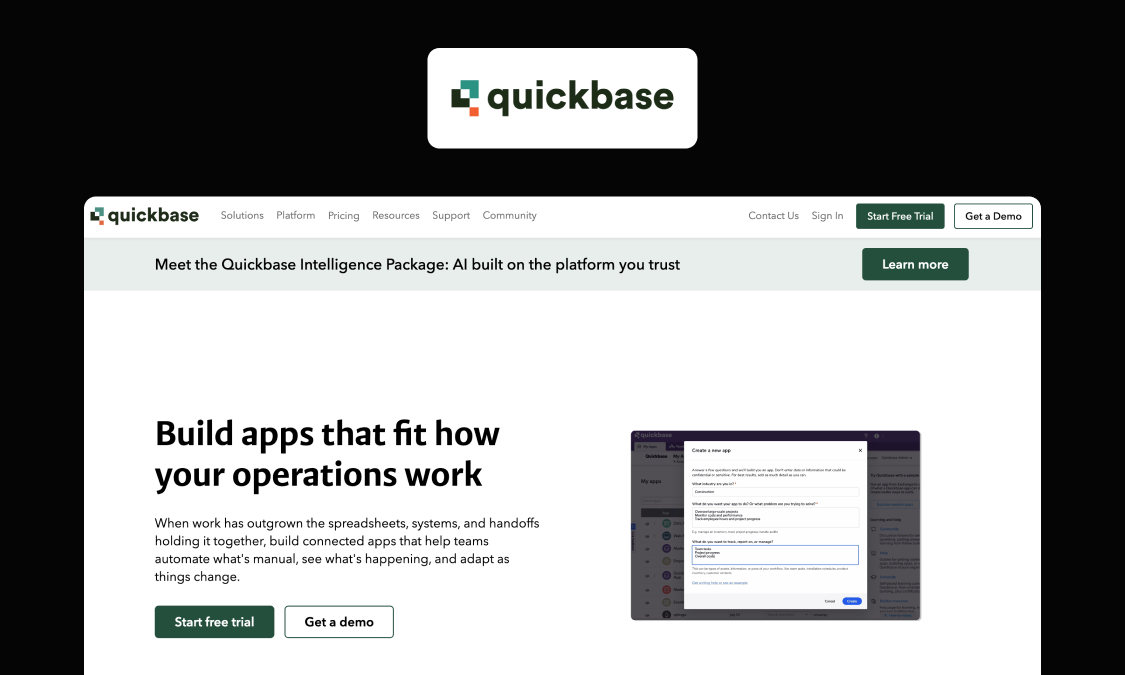
Best for: Construction teams that want a flexible, customizable platform for resource tracking and workflows rather than a fixed resource-planning product.
Quickbase is a customizable work management platform with construction capabilities spanning labor, equipment, materials, scheduling, reporting, and integrations. It combines resource management with broader project and field workflows in the same platform.
Key features:
- Crew allocation based on team availability, skills, and job assignments
- Equipment usage, location, scheduling, and maintenance tracking
- Material availability and allocation across projects
- Custom project tracking dashboards, workflows, and integrations with ERP and other construction systems
Watch-outs: Quickbase ships construction templates and a resource management solution, but as a customizable platform the depth is yours to configure. More complex constraints, dispatch logic, and reporting still need to be shaped around your operation, putting more weight on a solid data model and governance as the app grows.
Pricing: Tiered per-user subscriptions; custom enterprise pricing (September 2026)
Verdict: A good fit for construction teams that want resource tracking, workflows, dashboards, and integrations in one configurable platform. It’ll give you more flexibility than a fixed point solution, but that also means more setup and more work to structure the app properly.
Website: quickbase.com
4. Autodesk Forma
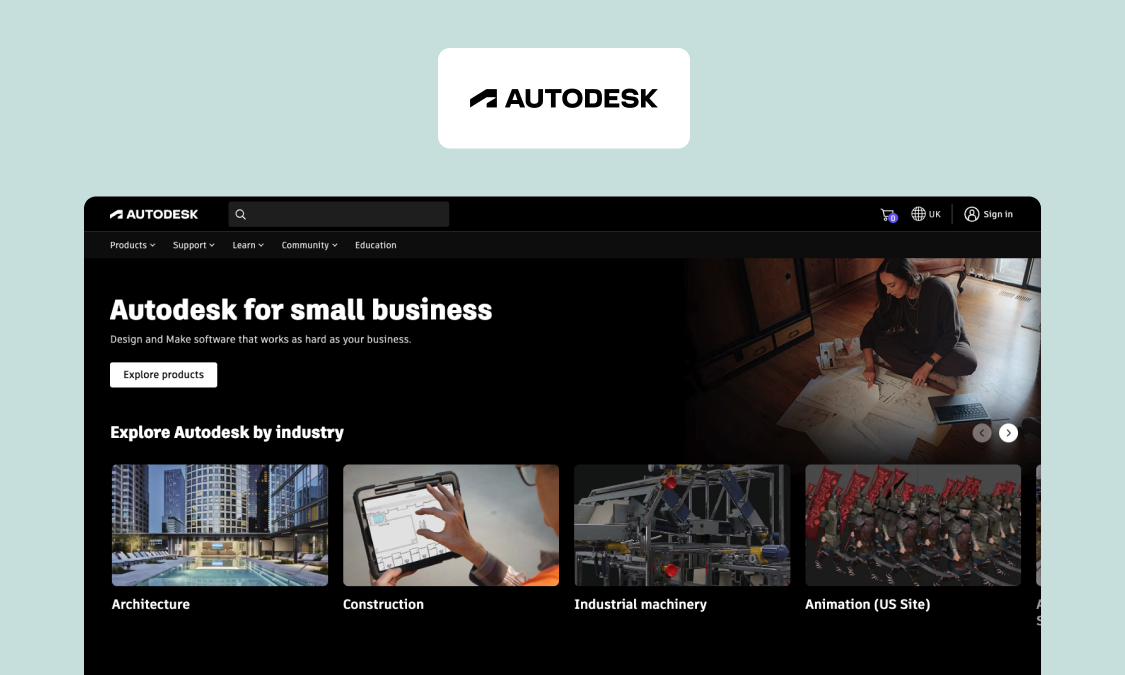
Best for: Larger contractors and project teams already working in the Autodesk ecosystem that want scheduling and cost connected to their wider project delivery workflow.
Autodesk Forma brings construction planning and delivery workflows into the same ecosystem as Autodesk’s design and BIM tools. For resource management, the useful part is the connection between the schedule and what’s happening on the project: teams can plan activities, build collaborative work plans from the schedule, track field progress, and relate delivery back to cost.
Key features:
- Quality, safety, and cost management alongside project delivery
- Schedule management with third-party schedule import and collaborative work planning
- Field progress, issues, forms, and photos
- Centralized document management in a common data environment
Watch-outs: Autodesk is strongest on project-level planning, documents, field workflows, and cost control. If you need deeper workforce and resource planning across multiple job sites, you may still need a dedicated resource-planning tool alongside it.
Pricing: Quote-based (September 2026)
Verdict: A sensible choice if Autodesk already sits at the center of your project delivery stack and you want resource decisions close to the schedule. For dedicated cross-project resource planning, a more focused tool may be a better fit.
Website: construction.autodesk.com
5. Power Apps
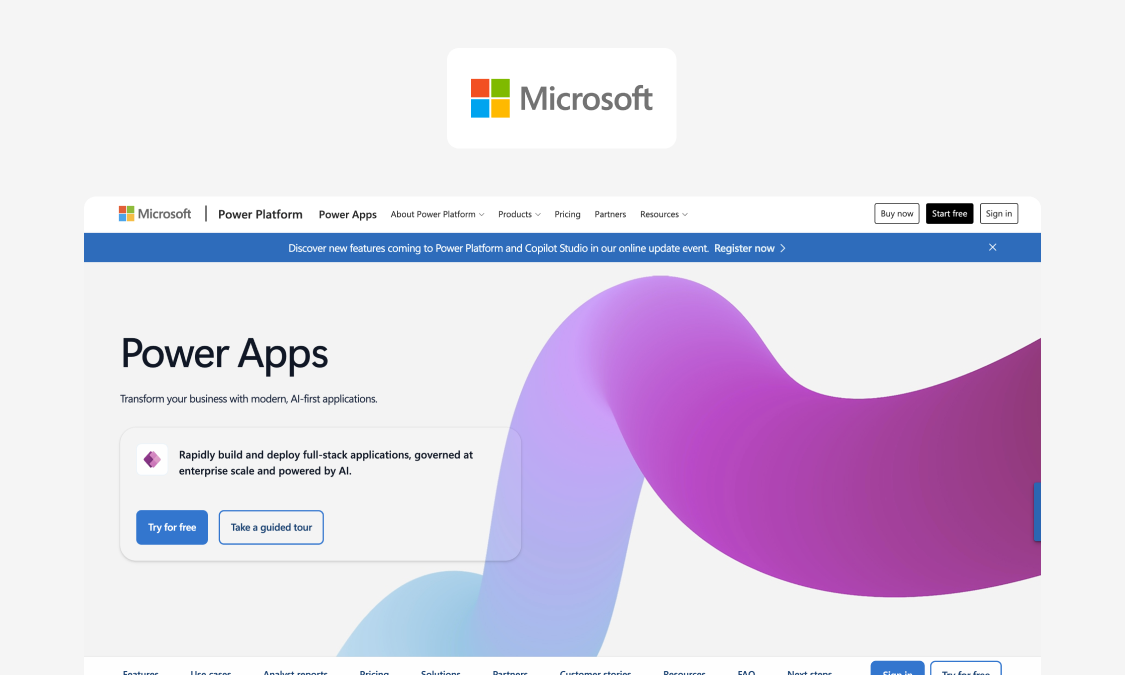
Best for: IT departments in Microsoft-standardized organizations building simple, Microsoft-centric construction resource planning apps under IT governance.
Power Apps is Microsoft's low-code app builder, and for a resource tracker its pull is the Microsoft stack you already run. You can build a simple crew or plant availability app on standard connectors and surface it in Teams, with familiar governance through tooling IT knows.
Key features:
- Standard connectors included with eligible Microsoft 365 licensing
- Dataverse for structured, relational data (premium tier)
- AI Builder for adding AI capabilities to apps
- Pairs with Power Automate for workflow automation
- Apps embedded directly in Teams and SharePoint
- Governance tooling through Entra ID, data loss prevention policies, and the Power Platform admin center
Watch-outs: Cost gets hard to predict as an app grows – premium connectors, Dataverse storage, AI Builder, and Power Automate can all add to base licensing. Some users also report limited or unreliable offline behavior, so it’s worth testing carefully before you rely on Power Apps for field-heavy workflows.
Pricing: Per-user and per-app licensing, plus a pay-as-you-go option based on active users per app (September 2026)
Verdict: A solid choice for simple resource-planning apps in a Microsoft-first organization. As the app becomes more field-heavy or complex, licensing, offline reliability, and UI flexibility become bigger considerations, and Power Apps alternatives could be more suitable.
Website: microsoft.com/power-platform/products/power-apps
6. Procore
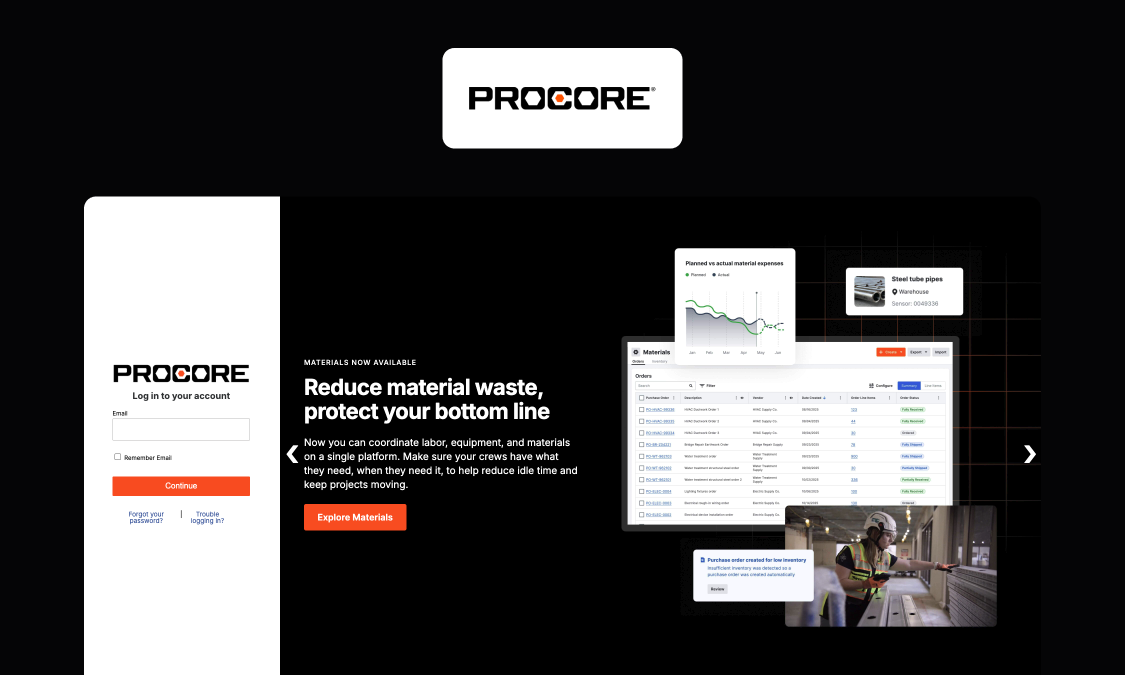
Best for: Mid-to-large contractors that want resource planning inside a broader construction management platform.
Procore combines dedicated resource management tools with wider project management, field operations, and financial workflows. Its resource management offering covers labor, equipment, and materials, with cross-project visibility into availability, assignments, and utilization.
Key features:
- Labor forecasting and allocation by skills and availability
- Equipment location, deployment, and utilization tracking
- Cross-project visibility into resource capacity and assignments
- Resource data connected to wider project and field workflows
Watch-outs: Procore is a broad construction platform, so resource management sits inside a much larger system. If you only need a focused tool for planning crews and equipment across projects and want to keep the rest of your existing software, Procore may be more platform than you need.
Pricing: Quote-based (September 2026)
Verdict: A strong option if you want resource management and wider project delivery in the same construction platform. It makes particular sense if Procore already sits at the center of your operation.
Website: procore.com/resource-management
7. Construction ERP as the backbone (when it helps, when it doesn’t)
Best for: Firms that need the financial system of record – payroll, procurement, asset accounting, and project financials – across the business, where ERP is genuinely the right foundation.
Construction ERP is the category that holds your financial truth. Suites like Viewpoint, IFS, SAP, and Oracle are examples of this path. Construction ERP brings procurement, payroll, asset accounting, and project financials into the same financial system, with the controls and audit history needed to close the books. Where a resource planner answers “who and what is free next week,” ERP answers “what did this cost, and is it accounted for?”
Key features:
- Financial and cost accounting, including job costing
- Procurement and subcontractor management
- Payroll and workforce cost tracking
- Asset and equipment accounting
- Project budgets and financial reporting
- General ledger integration
Watch-outs: ERP systems are built around financial truth rather than day-to-day resource allocation and dispatch. Few provide the live conflict detection, field-first assignment and confirmation flows, or granular constraint handling that dedicated resource management needs.
Pricing: Varies by vendor and deployment scope; enterprise pricing is often quote-based
Verdict: For most multi-project contractors, ERP and resource planning are complementary. Keep ERP as the financial system of record and connect it to the resource-planning tool your planners and site teams use day to day.
Website: N/A
How to implement construction resource management without chaos (30–60–90 plan)
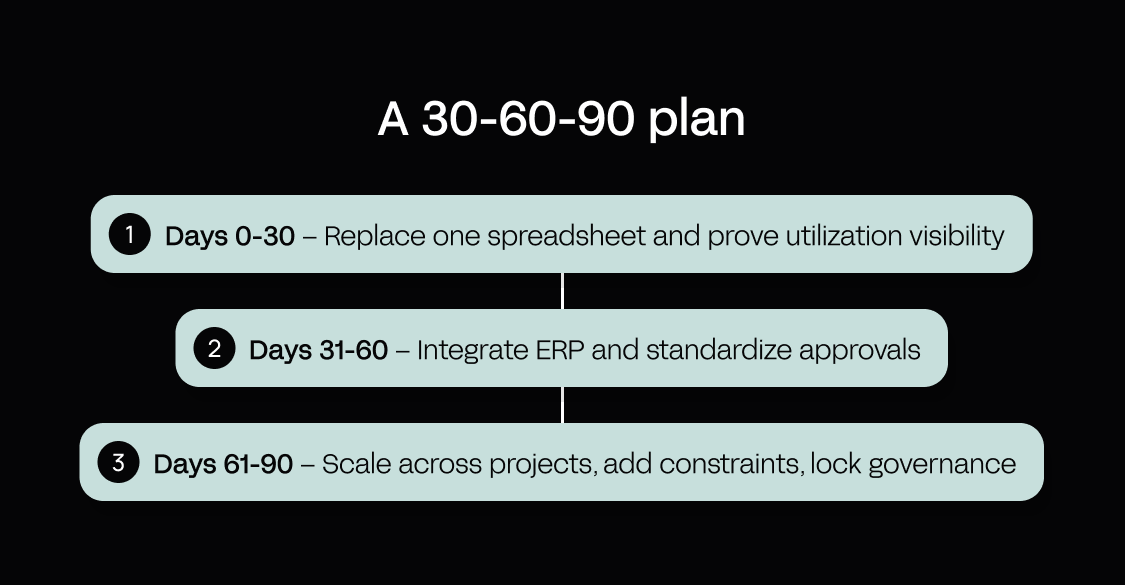
Trying to change everything at once is a surefire way to stall your own resource-management rollout. Replace one spreadsheet first, prove the conflicts surface, then expand: one depot and a few projects to start, then a wider rollout by the end of month three. IT owns review, access controls, and production sign-off throughout.
Here’s a realistic 90-day arc to follow:
Days 0–30 – Replace one spreadsheet and prove utilization visibility
Pick a narrow pilot and make it succeed before you widen it: one region or depot, three to five projects, and one resource pool first, such as plant or a single trade. Have an operations lead run the pilot, with IT reviewing data handling from the start.
Deliver four things:
- A resource master for that scope – the fields that prevent conflicts first
- A lookahead intake so the pilot projects feed the plan
- A conflict report that surfaces double bookings before dispatch
- A basic utilization dashboard so the real-time visibility is real, not anecdotal
Days 31–60 – Integrate ERP and standardize approvals
With the pilot working, connect it to the systems you already rely on. Start with:
- ERP data sync – people and plant IDs, cost centers
- Time and cost actuals – a daily import is fine to start
Then standardize how work gets approved. Define the approval flows and set RBAC, with IT signing off on who can see and change what.
Days 61–90 – Scale across projects, add constraints, lock governance
Now widen the scope and add the constraints you left out in month one:
- Skills and certification gates
- Maintenance blocks
- Transport lead times
Set the audit and change-control rules and confirm who’s responsible for keeping the app running in production. From here, operations should review the conflict report and utilization dashboard each week, while IT signs off changes before they go live. Track utilization, idle time, overtime, and conflicts caught before dispatch so you can see whether the system is improving.
KPIs that prove construction resource planning software is working
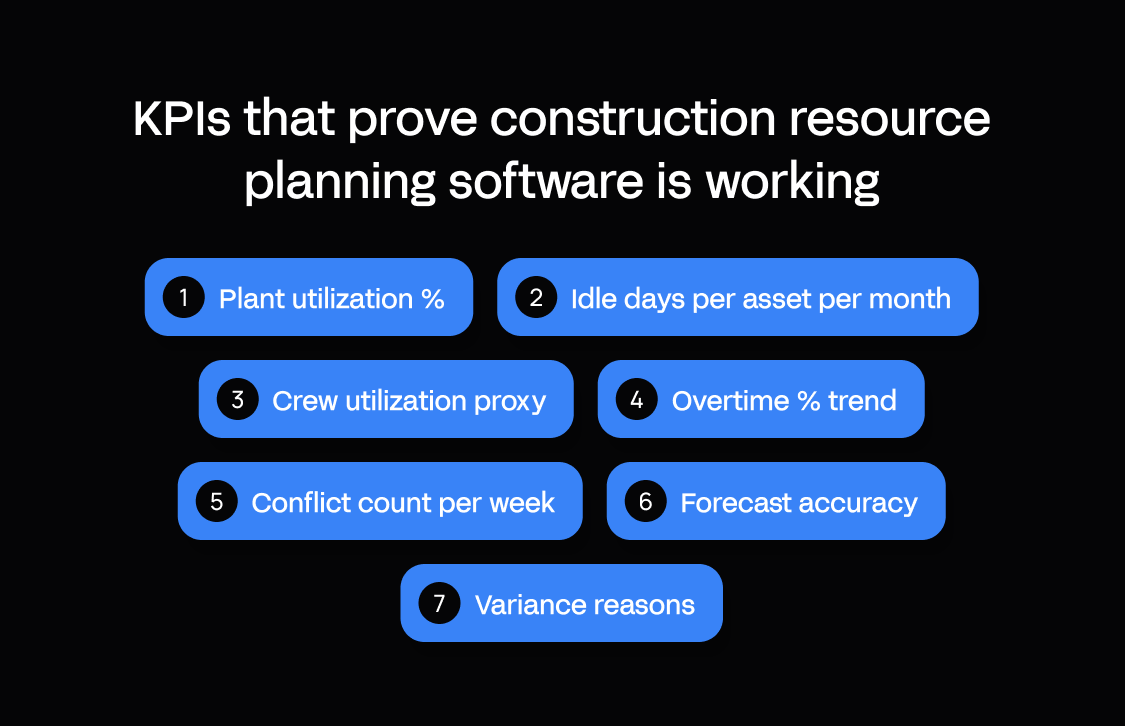
If you can’t measure it, you can’t improve it. Together, the following KPIs help construction managers track project performance and spot the failures the system should prevent: a booking clash, an idle machine, or creeping overtime.
- Plant utilization % – hours used ÷ hours available × 100
- Idle days per asset per month – days an available asset sat unassigned
- Crew utilization proxy – actual productive labor hours ÷ planned productive labor hours × 100
- Overtime % trend – overtime hours ÷ total labor hours × 100, tracked over time
- Conflict count per week – number of double bookings caught before dispatch
- Forecast accuracy – compare planned hours with actual hours and track the variance over time
- Variance reasons – the share of changes attributed to each reason code, such as weather, access, breakdown, or late delivery
Why Appfarm is the best fit for mid-market construction resource management
Separate spreadsheets per project hide exactly the problems construction resource management is meant to surface: the same plant booked twice, crews sitting idle, or constraints appearing after the plan has already reached site. Fixing that calls for one pooled view of people, plant, and materials across projects, connected to your ERP for master data and actual costs and to the programme for what’s coming next.
Appfarm lets you build that resource system around the way your firm already works. Start from an AI prompt, then keep refining the same app on the visual canvas, moving between the two as needed. There’s no hidden generated code, and visual development doesn’t use AI credits. Model your own availability rules, certification gates, depots, approvals, and other constraints, then connect ERP and scheduling systems through any API.
For a business-critical app, building it is only part of the job. Your team owns what the app does, while Appfarm owns keeping the underlying platform running: reviewing and securing it, applying patches, hosting it, maintaining uptime, and handling disaster recovery. RBAC, auditable changes, and EU/EEA managed cloud hosting with data residency, GDPR, and ISO 27001 support the governance your IT team needs without making it run the infrastructure itself.
That gives mid-market construction teams a route to custom resource planning without relying on opaque AI-generated code or taking on the cost and developer requirements of traditional enterprise low-code. Pricing is public and active-user based, so only users who log in during the month count toward your active-user allowance.
FAQs
What is construction resource management?
Construction resource management is the planning, allocation, and tracking of people, plant, and materials across multiple construction projects. It brings availability, assignments, constraints, and utilization into one view so teams can spot conflicts before they affect work on site.
What should construction resource management software track first?
Start with a shared resource master, current availability, assignments, and conflicts across projects. Those are the basics you need to prevent double bookings and idle capacity; add more detailed constraints and reporting once that foundation works.
What is the difference between construction resource planning software and construction enterprise resource planning?
Construction ERP is usually the financial system of record for areas such as procurement, payroll, asset accounting, and project financials. Construction resource planning software handles the operational side: availability, assignments, constraints, dispatch, and utilization. For most firms, the two work best when integrated rather than treated as replacements for one another.
Can ERP replace construction resource management software?
Sometimes, if your resource-planning needs are basic and your ERP already covers them well enough. For day-to-day dispatch, cross-project conflicts, availability, and detailed constraint handling, a dedicated resource-management tool will usually give planners more operational control.
What is a CMR in construction?
CMR can mean different things in construction depending on the context, including “construction manager at risk”. It isn’t another name for construction resource management, so check how the acronym is being used before treating the two as the same concept.
Is a construction management degree worth it?
That depends on the role you want, the experience you already have, and what employers in your market expect. A degree can support a construction management career, but qualifications alone don’t solve the operational challenge covered here. Firms still need reliable processes and systems for planning work and resources.
What causes double booking and idle time across construction projects?
The usual causes are fragmented resource data, separate project calendars, weak or missing constraint checks, and no standard lookahead cadence across teams. When each project plans independently, conflicts and spare capacity stay hidden until someone manually reconciles the plans.
How long does it take to implement a resource management process across multiple sites?
A 30–60–90-day rollout is a practical way to structure the work. Prove the process with one resource type and a few projects in the first month, integrate systems and approvals in the second, then expand across projects and add deeper constraints in the third. The exact pace depends on your data, processes, integrations, and governance requirements.
More reading

There are no items matching your filters. Please try another filter to view results.
We have a lot of helpful resources. Try another filter or reset the filters to find the resource for you.
Digital transformation without disruption

