


Vehicle Inspection Software: The 2026 Guide for Field Service Teams
Replace paper vehicle checks with digital inspection apps. Driver walkarounds, defect workflows, tamper-proof compliance records – built on Appfarm.

TL;DR
- Vehicle inspection software replaces paper forms with a vehicle inspection mobile app that guides drivers and technicians through walkaround checks, captures photo evidence of defects, and keeps tamper-proof compliance records you can pull up from anywhere.
- Two use cases dominate. Automotive repair shops run digital vehicle inspections (DVI) or multipoint inspections (MPI) to document service recommendations and lift approval rates. Fleets and trucking operations run driver vehicle inspection reports (DVIR) and pre-trip or post-trip checks to meet regulatory requirements and stay off the roadside.
- Key features are consistent across both: offline mobile checklists on iOS and Android devices, photo and video capture with markup, defect reporting with severity workflows, automatic alerts, integration with maintenance and fleet management software, and an audit-ready inspection history with timestamps and signatures.
- Off-the-shelf tools handle standard inspection templates and common assets well. Teams with custom assets, niche workflows, or complex approval chains should weigh building a tailored inspection app on a platform like Appfarm that fits how the work actually happens.
- Norwegian automotive group Bertel O. Steen runs its inspection and damage handling on a custom Appfarm app that supports more than 30,000 vehicles a year, replacing manual photos and Excel files with one system tied to its core business software.
Why paper inspection books are a compliance time bomb
Daily vehicle checks still happen on paper forms that drivers fill out at 5 a.m. and hand in at the depot. The books pile up in a filing cabinet, unread. Defects go unactioned because no one sees them until an audit or a breakdown forces someone to dig through weeks of paper. When a regulator or insurance adjuster asks for proof of roadworthiness, the firm scrambles to find the right page, if it exists at all.
The fix is vehicle inspection software. A digital vehicle inspection app captures checks on a mobile device, routes each defect to the right person instantly, and creates a compliance record you can retrieve in seconds. Whether you call it a vehicle inspection app, a vehicle check app, or a fleet inspection app, the job is the same. Get the finding off the clipboard and in front of the fleet manager, dispatcher, or workshop lead who can act on it.
This guide covers what vehicle inspection software is, who uses it and why, which key features matter, how to evaluate options, and when to build a custom inspection app instead of buying off-the-shelf.
What is vehicle inspection software?
Vehicle inspection software is a digital platform that replaces paper checklists with mobile apps. It guides drivers, technicians, or inspectors through a standardized vehicle inspection process, captures photos and videos of findings, routes defects to managers or workshops for action, and keeps tamper-proof inspection records securely stored in the cloud for compliance and audit purposes.
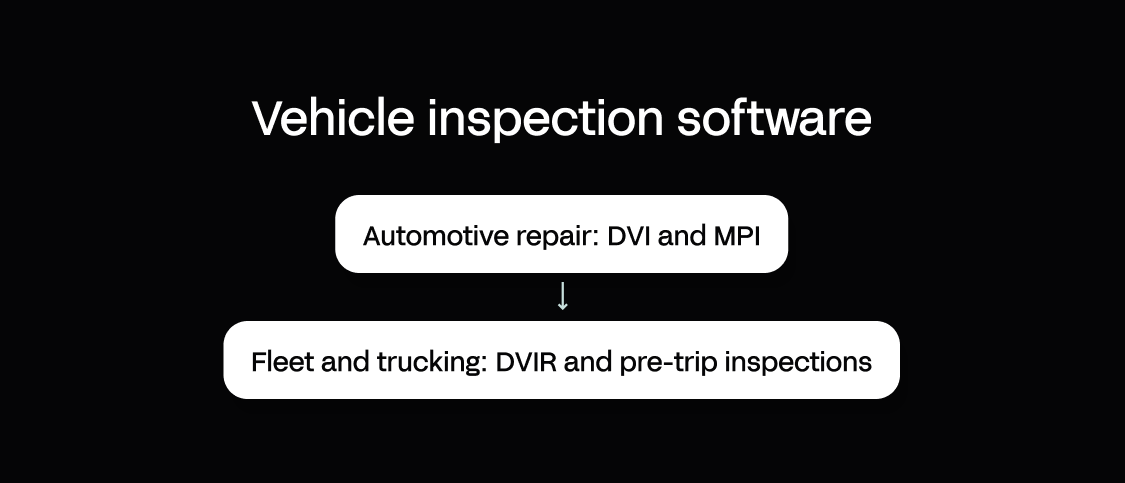
Two use-case families sit under that definition, and they have different drivers.
Automotive repair: DVI and MPI
Auto repair shops, dealerships, and service centers use digital vehicle inspections (DVI) and multipoint inspections (MPI) to document vehicle condition during a service visit. A technician runs a standardized check across brakes, fluids, tires, and lights, photographs each finding, and sends the customer a digital report with color-coded severity: red, yellow, green. The point is to raise service approval rates, build customer trust with visual evidence, and hold inspection quality steady across every technician on the floor.
Fleet and trucking: DVIR and pre-trip inspections
Fleet operators, trucking companies, and municipal fleets across the logistics industry use driver vehicle inspection reports (DVIR) and pre-trip or post-trip checks to meet regulatory requirements and prevent breakdowns. Drivers complete a mandatory inspection, flag any defect that makes the vehicle unsafe, and produce a signed record that proves compliance during a roadside inspection or audit. In the US that means the Department of Transportation (DOT) and the Federal Motor Carrier Safety Administration (FMCSA); across the EU and UK, operators face equivalent daily walkaround-check and roadworthiness obligations. Here the check is a legal requirement rather than a best practice, and it sits at the center of both fleet safety and wider road safety programs.
Both families share the same core capabilities: mobile checklists, photo capture, defect workflows, and digital records. They differ in regulatory drivers, user roles, and integration needs, which is why evaluation criteria matter.
| Inspection Type | Primary Users | Regulatory Driver | Key Goal |
|---|---|---|---|
| DVI / MPI | Auto repair shops, dealerships | Customer trust, service upsell | Raise approval rates, document recommendations |
| DVIR / Pre-Trip / Post-Trip | Fleets, trucking, logistics | DOT/FMCSA (US), EU/UK roadworthiness standards | Avoid violations, prevent breakdowns, prove compliance |
Why teams switch from paper to digital vehicle inspections
The move off paper is rarely about technology for its own sake. It comes down to four operational and compliance stakes that fleet managers and shop owners run into again and again.
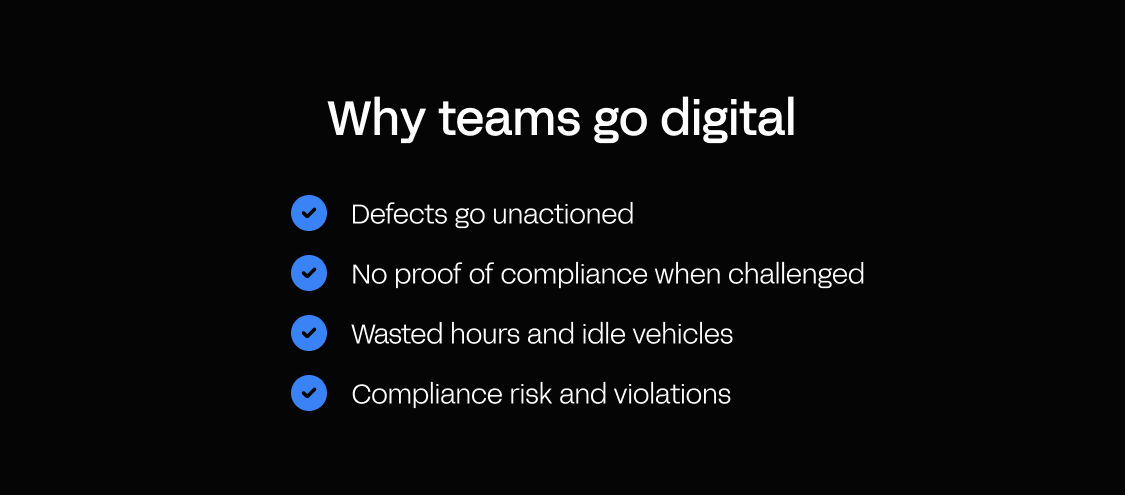
Defects go unactioned
Paper inspection books are write-only. A driver circles "brake pads worn" at 5 a.m., hands in the book, and drives off. The workshop never sees it. The vehicle runs for another week until the brakes fail or a roadside check catches it. Vehicle inspection software delivers that defect to the fleet manager, dispatcher, or workshop the moment the inspection is submitted, so the people who can fix it see issues immediately. Photos and a severity flag travel with it, so someone takes immediate action before the vehicle leaves the yard.
No proof of compliance when challenged
When a regulator, insurer, or customer asks for inspection records, paper-based firms scramble. Books go missing, pages tear out, signatures blur, and there is no way to prove a specific inspection happened on a specific date. A digital record carries a timestamp, GPS tracking data, photos, and an electronic signature you can produce in seconds during an audit or a claim. What you end up with is a digital audit trail per vehicle instead of a drawer of loose pages.
Wasted hours and idle vehicles
Manual workflows are time-consuming at every step. Drivers rewrite the same checklist by hand each day, managers re-key findings into spreadsheets, and workshops wait for someone to relay what is broken. Those double entries cost hours and introduce errors, and a missed or unclear report means a vehicle sits idle while someone tracks down the driver to ask what they saw. Digital inspection standardizes the process, removes the re-keying, and gives everyone real-time visibility into what needs attention. The payoff is real: crews save time, and reduced downtime means better vehicle uptime.
Compliance risk and violations
For fleets, a missed or incomplete inspection is a regulatory violation. A single roadside inspection without a valid DVIR can trigger fines, an out-of-service order, and a hit to your Compliance, Safety, Accountability (CSA) score in the US, with comparable enforcement across EU and UK roadworthiness regimes. Software enforces the mandatory checks, requires every field to be filled, and holds records for the three-month retention period the law demands, which is how most fleets stay compliant without adding admin headcount.
The benefits stack up quickly: faster inspections, fewer missed defects, lower maintenance costs from catching wear early, and a complete record that proves roadworthiness. Regular inspections, done properly and acted on, are the cheapest maintenance program a fleet has.
| Paper Inspections | Vehicle Inspection Software |
|---|---|
| Defects written in books, unread | Defects delivered to manager or workshop instantly |
| No proof of inspection when audited | Tamper-proof record with timestamp, GPS, signature |
| Manual re-keying, unclear reports | Standardized checklists, automatic data capture |
| Missed inspections mean violations | Enforced mandatory checks, complete records |
Core capabilities: key features of vehicle inspection software
Whether you conduct inspections in a repair shop or across a large fleet, the key features look the same. Here is what to expect.
Mobile inspection checklists (offline-capable)
Drivers and technicians complete vehicle checks on a phone or tablet, on iOS and Android devices, while the office works from web-based software on the same data. Each check runs from an inspection template matched to the asset: truck, van, forklift, bus, or passenger vehicle. The app works offline so a check finishes in a parking lot, a remote yard, or a workshop with no signal, then syncs when the device reconnects. Inspection templates adapt by asset, route, and inspection type, so a pre-trip check differs from a post-trip or a service-interval check. Scheduled inspections put future inspections on the right driver’s device on the right day instead of relying on memory, and the interface has to be user-friendly enough that a driver finishes in a few minutes without training.
Photo and video capture with markup
Every finding gets a photo or a short video. Inspectors annotate the image, circling the worn tire or arrowing the fluid leak, so the issue is unambiguous to a manager, a customer, or workshop staff. Photo evidence removes the guesswork, speeds approval in repair settings, and stands up as proof during audits and claims.
Defect reporting, severity, and workflows
Defect reporting is tagged by severity: red for unsafe to operate, yellow for monitor or schedule, green for pass. A red flag triggers an automatic alert and can block dispatch until the defect is cleared. The system passes the defect to the maintenance team, opens a work order, and tracks the resulting maintenance tasks through to resolution, so the workshop has all the information it needs before the vehicle arrives.
Electronic signatures and timestamps
Each inspection is signed electronically, with a timestamp and GPS location. That produces a defensible record of who inspected the vehicle, when, and where, which matters for DOT/FMCSA compliance, EU and UK roadworthiness records, and insurance claims.
Integration with maintenance and fleet systems
Inspection data flows into the systems you already run: enterprise resource planning (ERP), a computerized maintenance management system (CMMS), fleet management software, or telematics. A defect generates a work order, parts get ordered, labor gets scheduled, and the record links to the vehicle’s maintenance history. That closes the loop from inspection to repair without manual re-entry. Appfarm’s integrations are one way teams connect that data across systems.
Audit-ready digital archive
Every record sits in cloud storage with full search and filtering by vehicle, date, driver, defect type, and severity, so the complete inspection history for any asset is one query away. Managers generate reports as PDFs, download them for audits, or move them through an API. Patterns surface too: the same fault on the same route turns raw records into actionable insights about which assets are costing you. Retention is configurable to the rule you operate under: US DOT requires DVIR records to be kept for three months under FMCSA rules, while EU and UK regimes set their own periods, and some industries require longer.
These key features are table stakes. The real difference shows up in how well the software fits your specific workflows, asset types, and approval chains, which is why the evaluation criteria below matter.
How to evaluate vehicle inspection software: a 6-step framework
Not all inspection tools are built the same. Use this framework to shortlist options that fit your workflows, assets, and compliance needs.
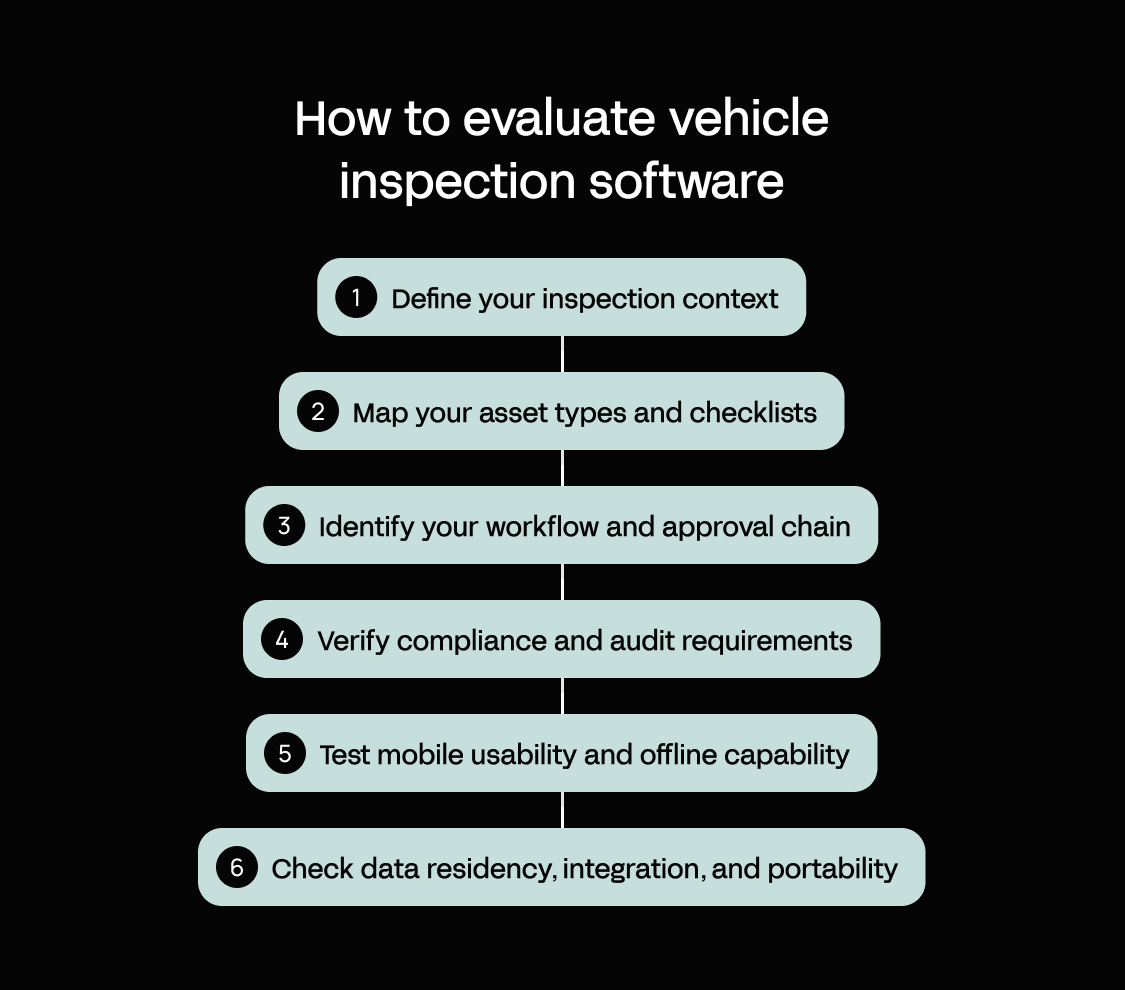
1. Define your inspection context
Start by naming your primary use case. Are you conducting service-interval inspections in a repair shop (DVI/MPI) or mandatory pre-trip and post-trip checks for a fleet (DVIR)? The answer sets your priorities. Repair shops need customer-facing reports and upsell workflows; fleets need DOT/FMCSA or EU/UK compliance, driver enforcement, and a link into dispatch. If you run both, such as a fleet with an in-house workshop, you need a tool that handles both contexts or the flexibility to build custom workflows.
2. Map your asset types and checklists
List every asset you inspect and the checklist each one needs: trucks, vans, forklifts, buses, trailers, passenger vehicles, and any specialized equipment. Off-the-shelf tools ship inspection templates for common assets. If you run custom equipment or industry-specific checks, such as refrigeration units, hydraulic lifts, or aquaculture vessels, you need a platform that lets you configure custom checklists without waiting on a vendor.
3. Identify your workflow and approval chain
Map the full path from inspection to resolution: who inspects, who reviews, who approves or escalates a defect, who schedules the repair, and who signs off when it is done. If that path involves several roles, conditional logic, or a handoff into an external system, confirm the software supports it rather than forcing you into a rigid, one-size-fits-all process.
4. Verify compliance and audit requirements
If you are subject to DOT/FMCSA rules, EU or UK roadworthiness standards, forklift safety rules, or industry mandates like school-bus or municipal-fleet inspections, confirm the software meets those inspection requirements: mandatory-field enforcement, retention periods, signature capture, tamper-proof records, and audit-ready reports on demand. Ask the vendor for compliance documentation and check whether customers in your industry have passed audits using the tool.
5. Test mobile usability and offline capability
Inspections happen in the field, often where connectivity is poor: parking lots, remote sites, underground facilities. The app has to work offline, sync reliably on reconnect, and be simple enough that a driver finishes a check in a few minutes without training. Pilot it on the iOS and Android devices your crews actually carry, with real users on real assets, before you commit.
6. Check data residency, integration, and portability
Confirm where your inspection data is hosted and whether that meets your data-residency and privacy obligations, a live concern for European operators handling driver and vehicle data under the General Data Protection Regulation (GDPR). Inspection data should also flow into your existing systems without manual export and import, so ask about API availability and pre-built connectors. On portability, be realistic. Every hosted platform involves some degree of lock-in, so the practical questions are whether you can export your records, how much of your operational logic the platform captures, and whether the vendor’s roadmap scales with you.
Working the six steps in order lets you make informed decisions on the merits rather than on the strength of a demo. If your workflows, assets, or approval chains do not fit a vendor’s templates, you are left with three choices: compromise your process, pay for expensive customization, or build a custom inspection app on a platform like Appfarm that fits how your work actually happens.
Evaluation checklist:
- Inspection context defined (repair shop or fleet/trucking)
- Asset types and checklists mapped
- Workflow and approval chain documented
- Compliance requirements verified
- Mobile usability tested with real users
- Data residency, integration, and portability confirmed
Build vs buy: when to build a custom vehicle inspection app
Off-the-shelf inspection software works well for standard use cases: common asset types, simple checklists, and workflows that match the vendor’s assumptions. Plenty of teams hit a ceiling anyway.
You are likely past the off-the-shelf fit when:
- You inspect custom assets or niche equipment that no vendor template covers, such as aquaculture vessels, specialized industrial machinery, or a large fleet of custom-built units.
- Your approval chain runs on conditional logic across several roles, and the vendor’s fixed process cannot model it.
- Your ERP, CMMS, or dispatch system is not on the vendor’s connector list, and custom API work costs more than the software itself.
- You need role-based access control (RBAC), audit trails, and EU/EEA data residency the vendor only offers on an enterprise contract.
The alternative is to build a tailored inspection app on a platform like Appfarm rather than bending your process to a template. You describe the workflow in an AI prompt, refine it on a visual canvas, and deploy a production app with permissions, integrations, and a tamper-proof record. Appfarm builds these as apps which run in any browser rather than as native app-store installs, so field and back-office staff work from the same live data. Explore how this plays out for mobile teams on the field operations page, or start from a prompt with Appfarm AI.
The lifecycle is where the decision really lands. Your team owns what the app does, and Appfarm as a managed platform owns keeping it running: hosting, securing, patching, and maintaining the underlying technology, including uptime and disaster recovery. That is the difference from a raw-code or vibe-coded route. There you get a usable app fast, but you inherit a codebase to review, secure, patch, and keep online yourself, with no production governance layer. Sign-off on a production build usually sits with the IT team or IT director who carries the review and the risk, not with a single developer.
Bertel O. Steen shows what this looks like in practice. Working with Appfarm, two developers built an inspection and damage-handling app in about four weeks and connected it to the company’s ERP. Inspectors scan a barcode to pull the vehicle’s data from the ERP, then photograph and annotate any damage. Everything is filed centrally for follow-up, with a logistics desktop portal, a subcontractor portal, and automatic billing on top. The app now supports more than 30,000 vehicles a year, replacing the manual photos and Excel files the team relied on before.
The build-vs-buy decision comes down to fit. If your workflows, assets, and approval chains are standard, buy off-the-shelf. If they are not, build custom on a platform that gives you the flexibility, governance, and production support to run it without becoming a software company.
| Off-the-Shelf Inspection Software | Custom-Built Inspection App (Appfarm) | |
|---|---|---|
| Best for | Standard assets, simple checklists, common workflows | Custom assets, complex approval chains, niche integrations |
| Pros | Fast to deploy, pre-built templates, vendor support | Fits your exact workflow, flexible design and integrations, governed and scalable, EU/EEA hosted and maintained for you |
| Cons | Rigid process, limited customization, integration gaps | Requires initial build effort, reduced by AI and visual development |
Compliance deep dive: DVIR, DOT/FMCSA, and EU/UK requirements
For fleet operations and trucking companies, the daily check is a legal requirement on both sides of the Atlantic, not a nice-to-have, and software is what makes regulatory compliance survivable at scale. Here is what the law asks for and how software delivers it.
What is a DVIR?
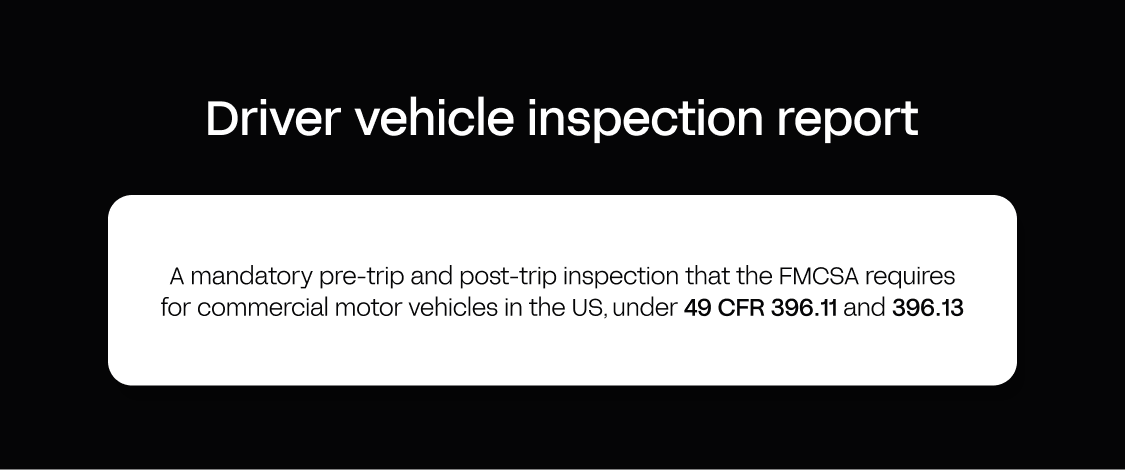
A driver vehicle inspection report (DVIR) is a mandatory pre-trip and post-trip inspection that the FMCSA requires for commercial motor vehicles in the US, under 49 CFR 396.11 and 396.13. Drivers inspect critical systems such as brakes, lights, tires, and steering, report any defect that could affect safe operation, and sign the report. If a defect is found, the vehicle cannot run until it is repaired and a mechanic signs off. European and UK operators face comparable daily walkaround-check and roadworthiness obligations, each with its own record-keeping and enforcement rules.
Key requirements under the US DVIR rule:
- Pre-trip inspections before the vehicle is operated, and post-trip inspections at the end of the shift.
- Required fields including driver name, vehicle ID, date, time, inspection items, defect description, and signatures.
- Retention of records for three months under 49 CFR 396.11, available on demand during a roadside inspection or audit.
- Enforcement through fines, out-of-service orders, and CSA scores that affect insurance and contract eligibility.
Digital DVIR software maps to each requirement. It enforces the mandatory checks, so a driver cannot clock in until the inspection is complete. It requires every field, so there are no blank or illegible entries. It produces a tamper-proof record with timestamp, GPS, signature, and photos. It holds the archive for the required period, searchable and exportable, with retention set to the US three-month rule or EU/UK equivalents. And it opens a work order on a red-flagged defect and blocks dispatch until the vehicle is cleared.
That turns fleet compliance from a paper burden into an automated, auditable process that protects the firm during inspections and audits, wherever it operates. For fleet owners the same archive doubles as a risk management asset, since it is the first document an insurer or claims adjuster asks for after an incident. The underlying point is keeping vehicles roadworthy; the record is simply the proof. For fleet and logistics specifics, see Appfarm’s mobility and logistics page.
What makes Appfarm the right platform for custom vehicle inspection apps
Appfarm is an AI-powered visual development platform that lets operations and IT teams build a custom vehicle inspection mobile app without a dedicated developer team. You describe the workflow in a prompt, refine it on a visual canvas, and deploy a production app with driver walkarounds, defect routing, and tamper-proof compliance records, hosted in the EU/EEA and kept running for you. Here is what actually sets it apart for this use case.
Flexibility for the inspections off-the-shelf tools cannot handle. Full design flexibility and unlimited API integrations let you model any asset, any checklist, and any approval chain, from refrigeration units to conditional multi-role routing, and connect any ERP, CMMS, or fleet management software, instead of bending your process to a template.
One platform, AI and visual together. Appfarm’s heritage is visual development, and the AI and the visual canvas are one platform, so you move between them freely and build directly on the canvas without burning credits. That gives more control than pure AI app generation.
Pricing that scales with use. Appfarm’s pricing is tiered and active-user based. You are billed for the users who log in during a month, not for every registered account and not per app, which scales well against fixed-price competitors. Prices are public on the pricing page.
Owned and maintained for you. Your team owns what the app does; Appfarm owns keeping it running by reviewing, securing, patching, and hosting it on EU/EEA infrastructure with ISO 27001 certification, including uptime and disaster recovery. Be clear on lock-in: like every hosted platform, Appfarm has no code export and the same theoretical lock-in as its peers. The value is the flexibility, governance, and operational support, not a claim to be lock-in-free.
The path from idea to production is short: describe the inspection workflow in a prompt, refine the checklist, logic, and defect routing on the visual canvas, then deploy a governed app with RBAC and EU/EEA managed hosting. See the platform overview or browse customer examples for more. Appfarm’s free tier is a good place to test a build: apps are uncounted on the free tier, and roughly 400 credits is enough to build one app before you move to a paid plan.
Conclusion
Vehicle inspection software replaces paper books with digital apps that capture checks, route defects, and keep tamper-proof compliance records. Done well, it helps businesses improve safety and cut cost at the same time: fewer missed defects, better fleet safety, less downtime. Off-the-shelf tools work well for standard use cases, while teams with custom assets, complex workflows, or niche integrations should weigh building a tailored inspection app on a platform like Appfarm. The build question comes down to fit, and to who keeps the app running once it reaches production.
By use case:
- Automotive repair (DVI/MPI): Off-the-shelf tools are strong if your workflow is standard. Build custom if you need unusual approval chains or integration with niche systems.
- Fleet and trucking (DVIR): Digital DVIR software is a compliance requirement. Build custom if your assets, checklists, or defect workflows do not fit vendor templates.
Build custom software without becoming a software company, from prompt to production on one platform. Get started for free.
FAQs
What is the best digital inspection software for vehicles?
The best digital vehicle inspection software depends on your use case. Automotive repair shops should evaluate DVI/MPI tools that raise service approval rates. Fleets and trucking operations need DOT-compliant or EU/UK-compliant DVIR software, or a custom-built app on a platform like Appfarm when their assets or workflows do not fit off-the-shelf templates.
What is the best inspection software?
The best inspection software fits your specific workflows, asset types, and compliance requirements. Off-the-shelf tools work well for standard use cases. Teams with custom assets or complex approval chains should consider building a tailored inspection app on a platform like Appfarm that models the work exactly.
What are some free apps for vehicle inspection?
Some vehicle inspection software vendors offer free trials or freemium tiers, so check current offers on each vendor’s site. Appfarm has a free tier for building and testing custom inspection apps which comes with 400 credits to get started (typically enough to build one functional app).
Can you do car inspections online?
A car inspection needs a physical vehicle walkaround to check brakes, tires, lights, and fluids. Digital vehicle inspection software lets a technician complete the check on a mobile device, online or offline, capture photos, and send the report to a customer or manager. The inspection itself still happens in person.
What is a DVIR and why is it required?
A driver vehicle inspection report (DVIR) is a mandatory pre-trip and post-trip inspection the FMCSA requires for commercial motor vehicles in the US. It makes drivers check critical systems such as brakes, lights, and tires and report defects before operating the vehicle. DVIR records must be kept for three months under FMCSA rules and produced during audits. EU and UK operators have equivalent daily-check obligations.
What is the difference between DVI and DVIR?
A digital vehicle inspection (DVI) is used by automotive repair shops to document service recommendations and raise customer approval rates. A driver vehicle inspection report (DVIR) is a regulatory requirement for fleets and trucking operations that proves a vehicle is roadworthy before dispatch. Both run on digital apps, but they serve different use cases.
How do I choose vehicle inspection software?
Evaluate vehicle inspection software in six steps: define your use case (repair shop or fleet), map your asset types and checklists, document your workflow and approval chain, verify compliance and data-residency requirements, test mobile usability offline with real users, and confirm integration and portability. If nothing fits, build custom on a platform like Appfarm that models your assets, checklists, and approval chains exactly.
More reading

There are no items matching your filters. Please try another filter to view results.
We have a lot of helpful resources. Try another filter or reset the filters to find the resource for you.
Digital transformation without disruption

